> ## Documentation Index
> Fetch the complete documentation index at: https://pigeonholeapp.co.uk/docs/llms.txt
> Use this file to discover all available pages before exploring further.
# Records of Concern List
> Understanding the main safeguarding dashboard and list view
# Records of Concern List
The Records of Concern list is your central hub for viewing and managing all safeguarding concerns within your setting. This page provides a comprehensive overview of all records with powerful filtering and sorting capabilities.
## Accessing the Safeguarding Dashboard
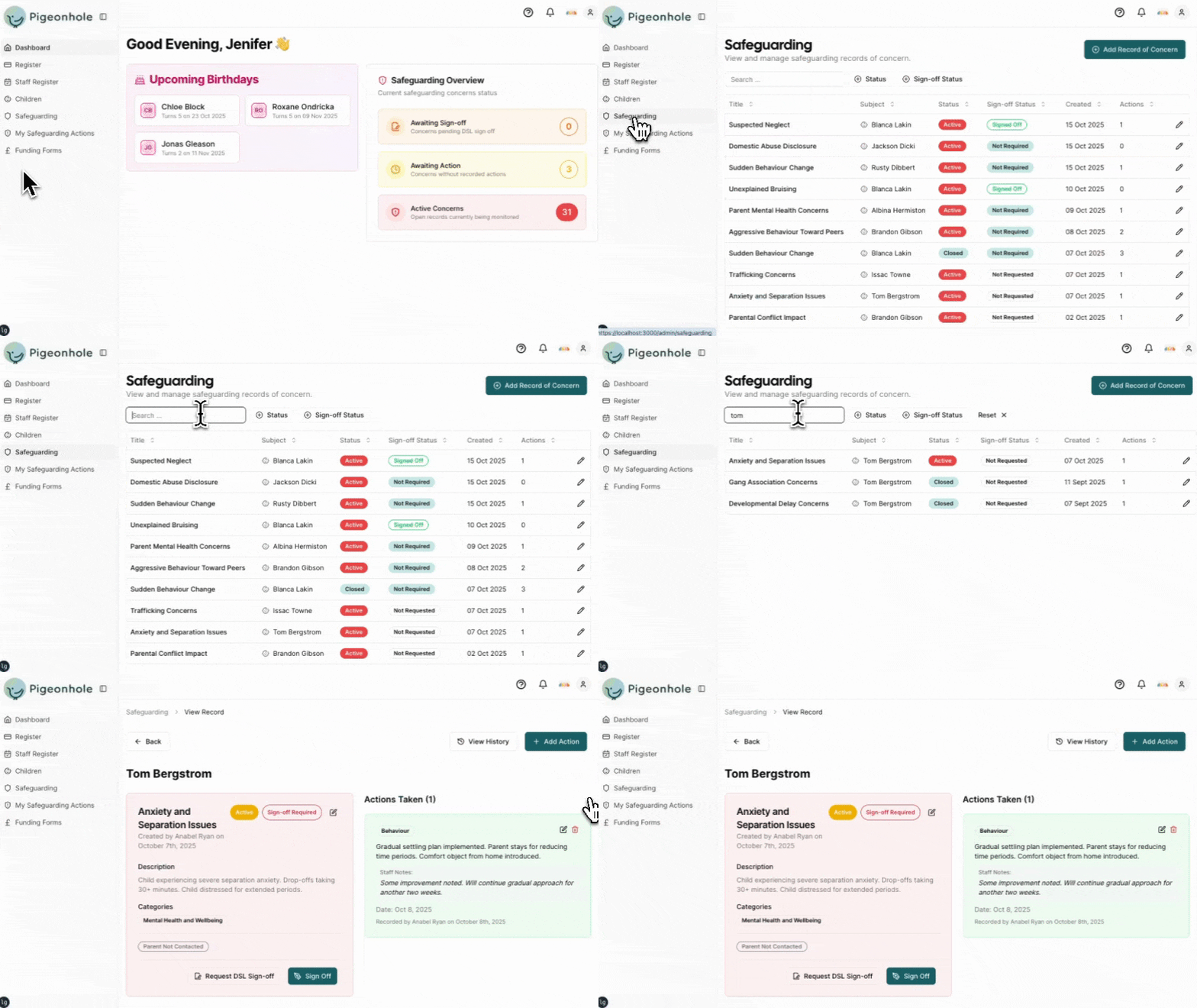
1. From the main navigation menu, click **Safeguarding**
 ## List Overview
The safeguarding list displays all records of concern in a table format, showing key information at a glance:
**Title** - Brief summary of the concern
**Subject** - Identifies who the concern is about (either the Child or staff member's name)
**Created Date** - When the concern was first recorded
**Status** - Current state of the concern
* **Active** - Concern is ongoing and requires monitoring
* **Closed** - Concern has been resolved and closed
* **No Action Required** - Concern noted but no further action needed
**Sign-off Status** - Indicates if the concern requires or has received sign-off
* **Not Required** - No sign-off needed for this concern
* **Not Requested** - Sign-off required but not yet requested
* **Requested** - Sign-off has been requested from designated person
* **Signed Off** - Concern has been signed off
Sign-off status is only shown if you have sign-off enabled in your [safeguarding settings](../onboarding/safeguarding-settings.mdx).
**Actions Count** - Number of actions recorded for this concern
## List Overview
The safeguarding list displays all records of concern in a table format, showing key information at a glance:
**Title** - Brief summary of the concern
**Subject** - Identifies who the concern is about (either the Child or staff member's name)
**Created Date** - When the concern was first recorded
**Status** - Current state of the concern
* **Active** - Concern is ongoing and requires monitoring
* **Closed** - Concern has been resolved and closed
* **No Action Required** - Concern noted but no further action needed
**Sign-off Status** - Indicates if the concern requires or has received sign-off
* **Not Required** - No sign-off needed for this concern
* **Not Requested** - Sign-off required but not yet requested
* **Requested** - Sign-off has been requested from designated person
* **Signed Off** - Concern has been signed off
Sign-off status is only shown if you have sign-off enabled in your [safeguarding settings](../onboarding/safeguarding-settings.mdx).
**Actions Count** - Number of actions recorded for this concern