> ## Documentation Index
> Fetch the complete documentation index at: https://pigeonholeapp.co.uk/docs/llms.txt
> Use this file to discover all available pages before exploring further.
# Sign-off Process
> Understanding and managing the sign-off workflow for safeguarding concerns
# Sign-off Process
The sign-off process provides formal approval of safeguarding concerns by safeguarding leads. This guide explains how the system works and how to request and record sign-offs.
## What is a Sign-off?
A sign-off is formal approval of a safeguarding concern by a safeguarding leads. It provides:
* **Oversight**: Senior review of safeguarding matters
* **Accountability**: Clear approval chain
* **Quality Assurance**: Ensures appropriate responses
* **Audit Trail**: Documented approval with digital signature
## Sign-off Requirements Configuration
Your setting's sign-off requirements are configured by Admin users and determine when sign-offs are needed. [See Safeguarding Settings](/managers/safeguarding-settings) for details on these options.
## Sign-off Statuses
Every concern has a sign-off status that shows its approval state:
### Not Required
* Sign-off is not needed for this concern
* Occurs when:
* Site setting is "Not Required", OR
* Site setting is "Required Without Parent Comms" AND the parent has been contacted
* No approval workflow applies
* Concern can be managed without sign-off
### Not Requested
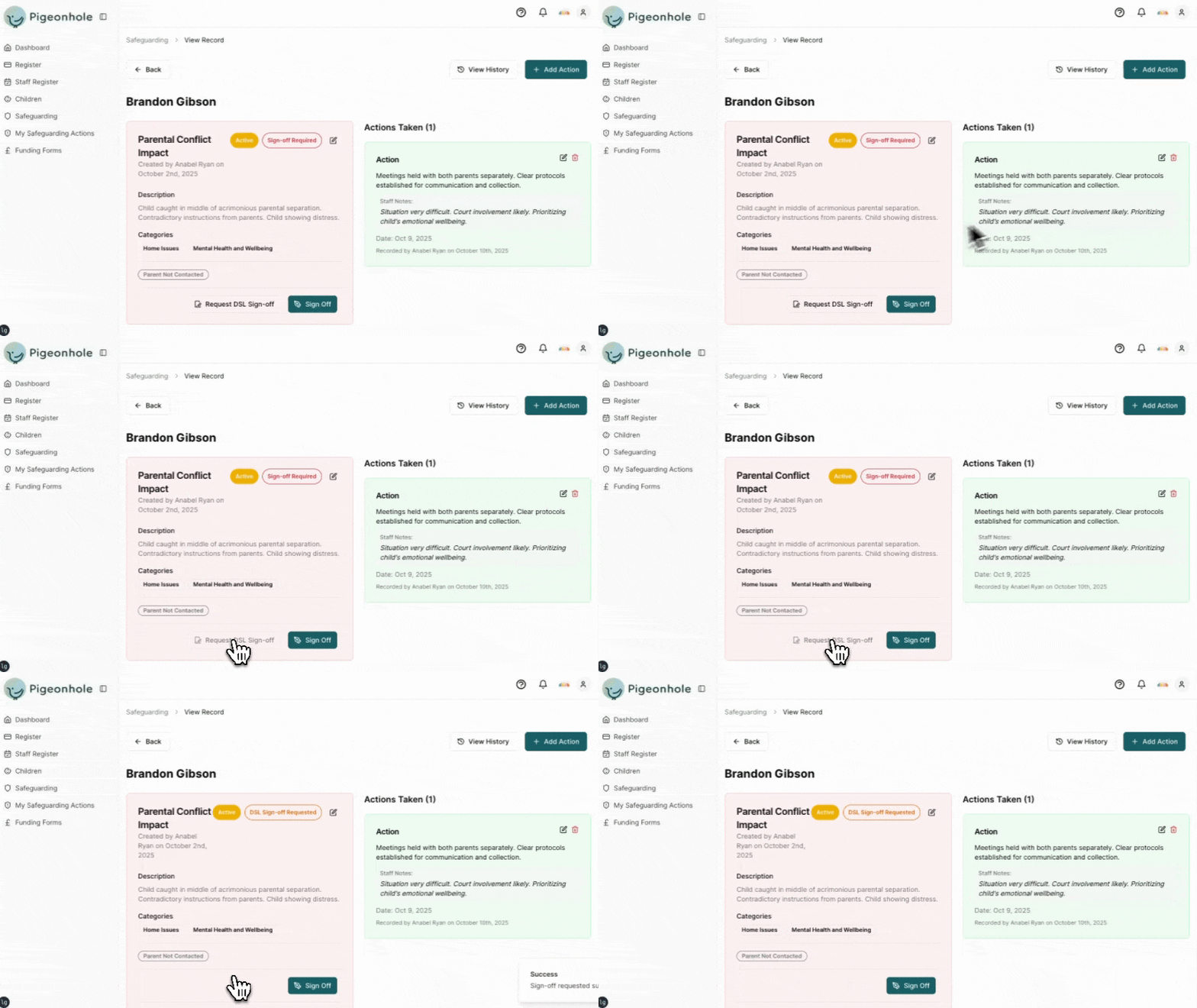
This means Sign-off is required but hasn't been requested yet. You can request sign off which will notify any safeguarding leads that they need to review a concern.
 ### Requested
* Sign-off has been requested and is awaiting sign off by a safeguarding lead
### Signed Off
* Concern has been formally approved and includes digital signature from approver
## How to sign off a record of concern
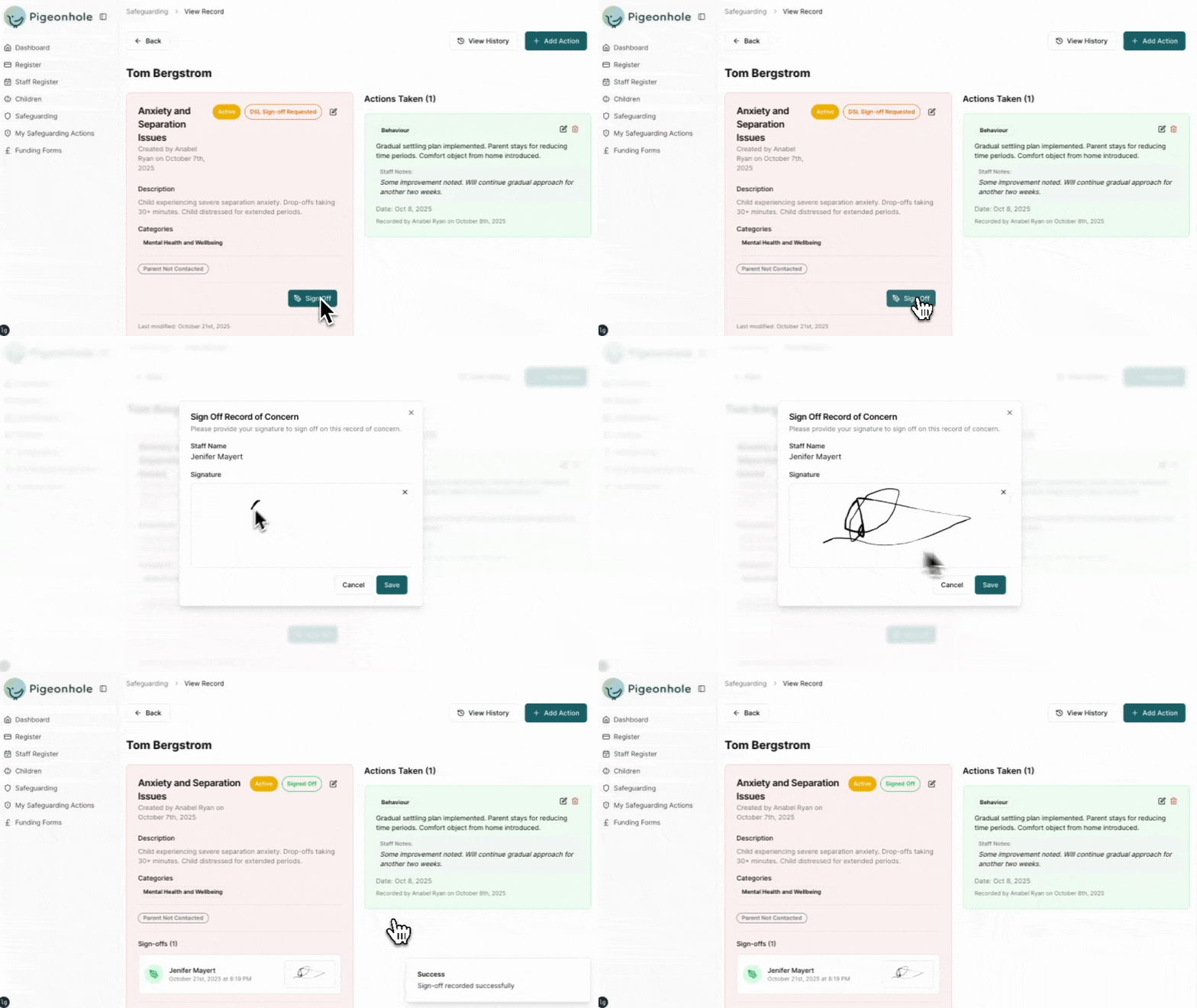
A record of concern can be signed off from the concern page if you have the safeguarding lead permissions.
### Requested
* Sign-off has been requested and is awaiting sign off by a safeguarding lead
### Signed Off
* Concern has been formally approved and includes digital signature from approver
## How to sign off a record of concern
A record of concern can be signed off from the concern page if you have the safeguarding lead permissions.