
Your invoices, already in your accounts
Raise invoices in Pigeonhole and let them flow straight into Xero or QuickBooks. No exports, no double entry, no re-keying the same figures at month end.
- Connect the ledger you already use
- Xero & QuickBooks
- Payments come back automatically
- Two-way sync
- Raise it once, it lands in both
- No re-keying
Connect the ledger you already use
Payments come back automatically
Raise it once, it lands in both

Financial Management, Simplified
Pigeonhole works out each invoice from the child's sessions, funded hours and extra charges, then sends it to Xero or QuickBooks Online. Your bookkeeper keeps the ledger they already use, and nobody types the same figures twice.
Automatic Invoice Sync
Invoices created in Pigeonhole are automatically pushed to your accounting software with all childcare HMRC numbers for easy reconciliation.
Bidirectional Updates
When payments are recorded in your accounting software, they're reflected back in Pigeonhole, keeping parent accounts accurate and up-to-date.
Income Analytics
See what families paid and what the council owes you, side by side, with a forecast of the month ahead split into session fees, funding, top-ups and extras.
Parent Payment Receipts
Parents can download comprehensive payment receipts showing complete payment history, dates, amounts, and running balances for each invoice.
Multiple Platform Support
Connects to Xero or QuickBooks Online. If a sync fails, the error shows on the invoice and you can resync it in one click.
Itemised Invoices
Each invoice shows the sessions, which hours are funded, and every extra charge, so parents can see exactly what they are paying for.
Get started immediately with a 30-day free trial. No obligation, no setup fees, no credit card needed — plus a 30-day money-back guarantee when you subscribe.
Billing that runs the way you do
Invoices are worked out from each child's sessions, funded hours, extras and discounts. You decide when they're raised.
Automatic or One Click
Let billing run on a fixed day each month, or switch to manual and raise a period's invoices whenever you're ready.
- Run Billing for any period, in one click
- Safe to run twice — late session changes are picked up without doubling anyone
- £0 invoices for fully funded children, if you want a record for every family
- Bulk send, export and mark as sent
Fees, Deposits and Discounts
The charges that sit around the sessions, handled without a spreadsheet on the side.
- Registration and booking fee invoices
- Refundable deposits taken off the first invoice automatically
- Several discounts on one child — sibling, staff or your own
- Extras like meals, trips and late fees
Catch the Income That Slipped Through
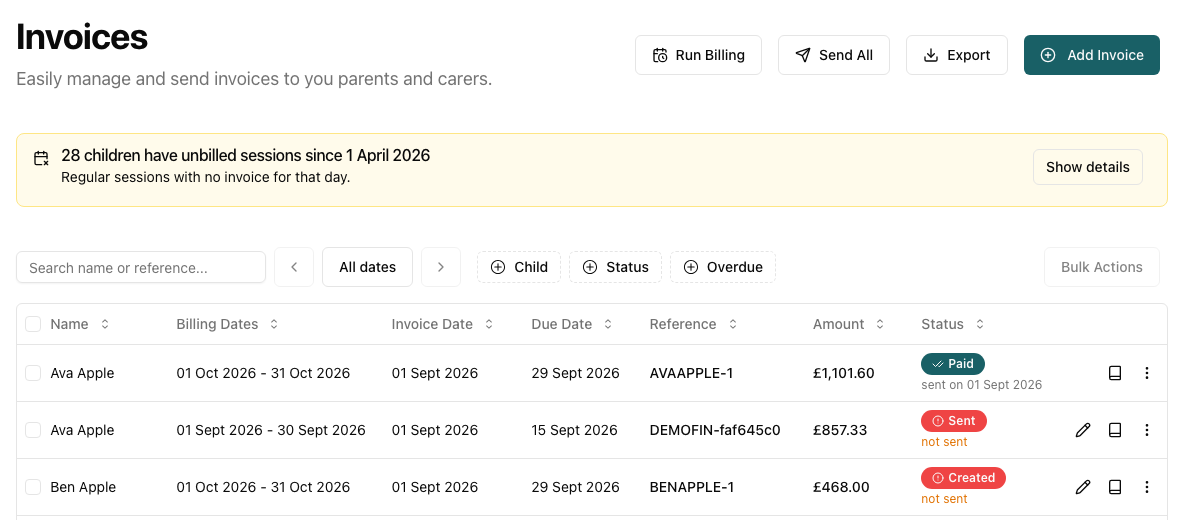
A child starts mid-month, a session changes after billing ran, a leaver's last weeks get missed. A banner on the Invoices page lists every child whose regular sessions never reached an invoice, and one click bills just the missing days.
- Checks the last six full months
- Includes leavers' final months
- Invoices only the days that were missed
- Exclude a child you deliberately don't bill
Know where your money actually comes from
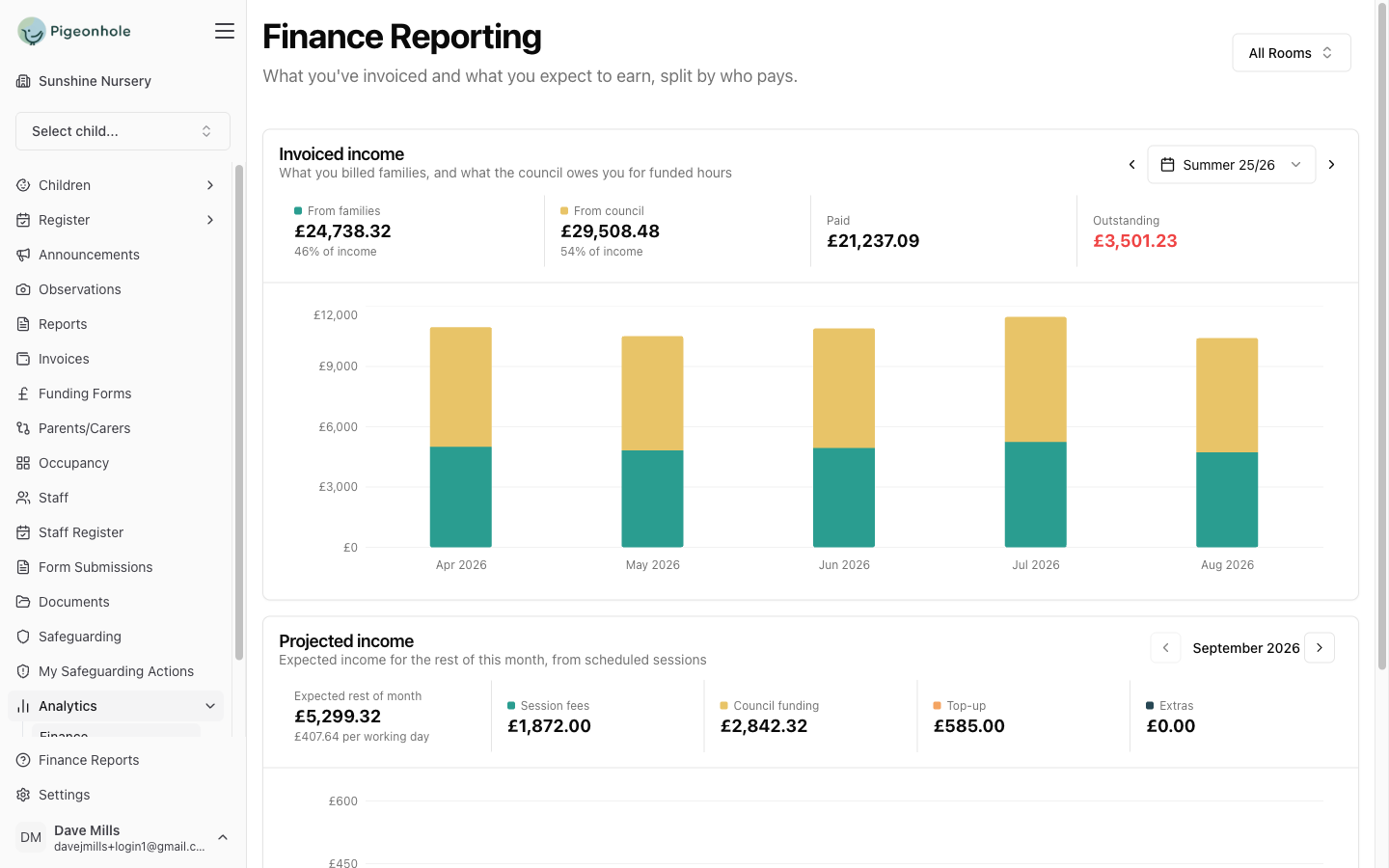
Invoiced income splits into what families paid and what the council owes you for funded hours — worked out from your own funding rates for each age band, not an estimate. Below it, a forecast of the month ahead from the sessions already booked.
- Families vs council, by term or month
- Paid and outstanding at a glance
- Forecast split into fees, funding, top-ups and extras
- Filter everything to a single room
How It Works
From the register to your ledger in three steps
Generate Invoices
Create detailed, compliant invoices in Pigeonhole

Create comprehensive, itemized invoices including session details, funding allocations, and all necessary HMRC childcare references for tax purposes.
Sync with Accounting
Automatic transfer to your accounting software

Invoices go to your accounting software against the right contact, with sessions and charges as separate lines, so the two systems match.
Payment Reconciliation
Automatic payment status updates

When a payment is recorded in your accounting software, it comes back to Pigeonhole and marks the invoice paid, so parent balances stay right.
See it on your own setting
30-day free trial · no card needed · see pricing
Part of Pigeonhole's nursery accounting and invoicing software.