
Less time writing up, more time with the children
Record a moment while it's still fresh — from the room, the garden, or the trip out. Add photos, tag the children involved, link it to your areas of learning, and it reaches the family once it's approved.
- Publishes to every child tagged
- One write-up
- Curriculum frameworks supported
- EYFS + your own
- Nothing reaches a family unchecked
- Approval first
Publishes to every child tagged
Curriculum frameworks supported
Nothing reaches a family unchecked
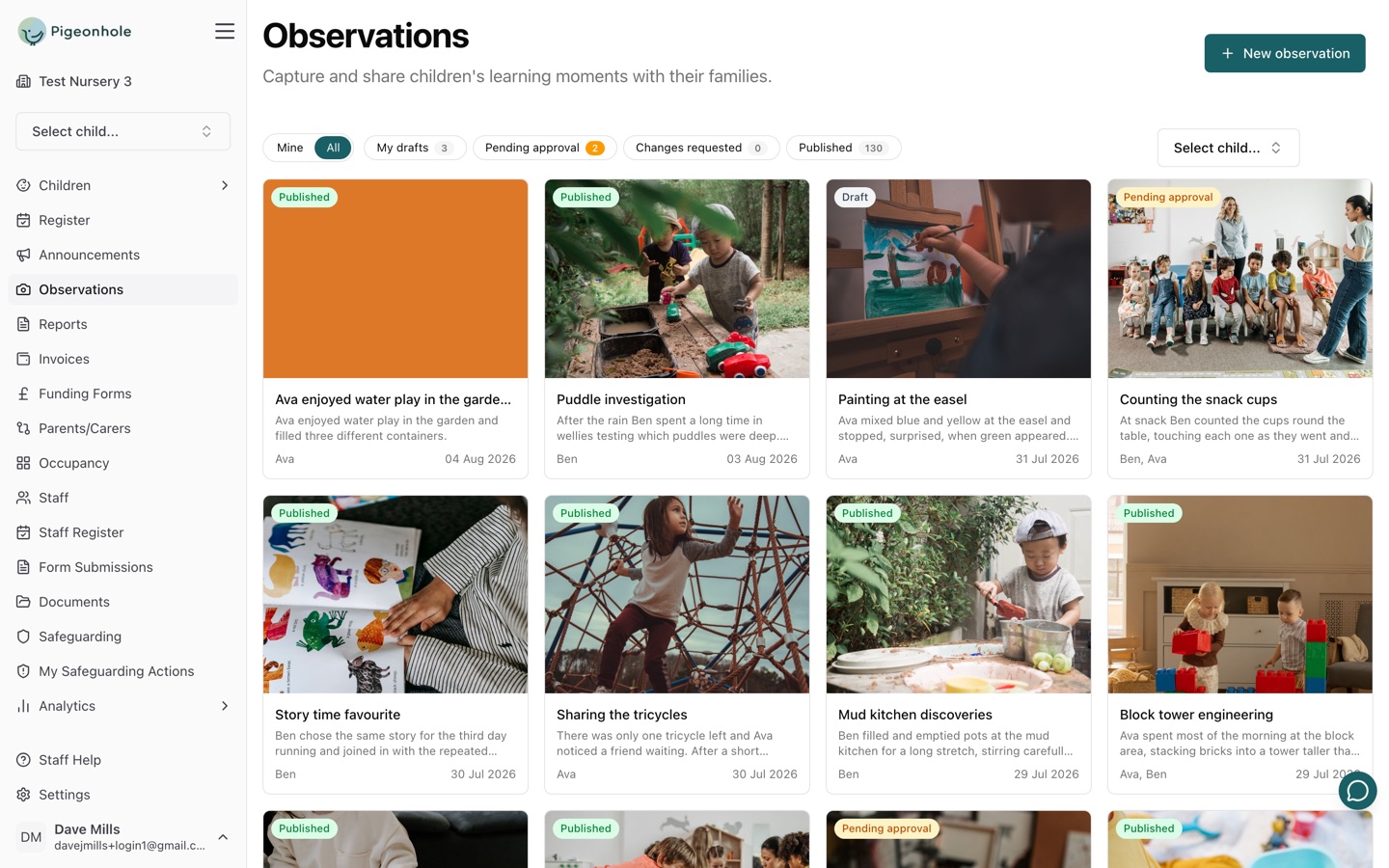
What staff get on the floor
The write-up should be finished before the tablet goes down. Every part of the observation screen is built to make that possible.
Photos and Video
Attach as many photos and videos as you need, and pick the one that becomes the journal thumbnail.
One Write-Up, Several Children
Group observations are first class. Tag everyone who was involved and it publishes into each of their journals.
Linked to Your Curriculum
Tag areas of learning from EYFS, Development Matters, Characteristics of Effective Learning — or a curriculum you build yourself.
Next Steps Built In
A dedicated next steps field on every observation, so what comes next is recorded alongside what happened.
Approval Before Sharing
Draft, submit for approval, publish. Drafts stay private to their author, and nothing reaches a family until it's signed off.
How It Works
From a moment in the room to a memory the family keeps
Capture
Photos and a few notes, on the phone or the web
Tag
The children involved and your areas of learning
Approve
Submit for approval, or publish directly
Share
It lands in the family journal, ready to enjoy
Write It Up Without Typing a Word
The moment worth recording rarely happens at a desk. Staff can talk their notes into the app on the room floor and let AI turn them into a written-up observation, then add the photos they just took — so the write-up is done before they've put the tablet down.
- Dictate a voice note instead of typing
- Rough notes become a drafted observation
- Photos and video straight from the camera
- A tapped-twice save can never create a duplicate
Key Features
Everything a setting needs to record learning and share it with families
Learning Frameworks
Tag observations against the frameworks your setting actually uses — or build your own.
- EYFS Areas of Learning (2021)
- Development Matters, banded by age
- Characteristics of Effective Learning
- Build a bespoke curriculum of your own
Approval Workflow
Nothing reaches a family until someone has checked it, with a clear trail of who did what.
- Draft, pending approval, published
- Drafts stay private to their author
- Return with a comment for changes
- Edits after sharing are audit-logged
The Family Journal
Parents see their child's moments in one place, and can show they've seen them.
- Chronological journal per child
- Parents can like each moment
- Daily or weekly email digests
- Each parent picks their own frequency
Keepsake Journal Exports
A beautifully laid-out PDF of a child's journal, delivered securely to their family.
- Photo mosaic layout, branded to your setting
- Sent automatically each year
- Leavers always receive their journal
- Secure, expiring download link
Progress Reports
Turn a term of observations into a progress report for the family.
AI Writing Assistant
Rough notes into a first draft, checked against your own writing rules.