
Every form your setting needs, minus the paper — and the re-typing
Applications, permissions, accident records, trip consents. Build the form once, put it on your website or send it by email, and let the answers fill in the child's record for you to check.
- No developer, no setup fee
- Build it yourself
- AI fills in the child's record
- Answers → profile
- Accident records checked before parents see them
- Approval first
No developer, no setup fee
AI fills in the child's record
Accident records checked before parents see them

From a website enquiry to a finished child record
Getting a new child onto the system usually means typing an application in, posting out a stack of permission and medical forms, then typing every answer in a second time. Set it up once, and every new child afterwards arrives ready for you to approve rather than type.
Publish an application form
One link on your website's admissions page. Parents don't need an account, and spam is filtered out.
AI builds the child
The child, both parents and emergency contacts are read from the application and proposed beside it for you to check.
Follow-up forms send themselves
Permissions, medical and dietary forms set to auto-assign go out the moment the child exists.
Answers fill in the profile
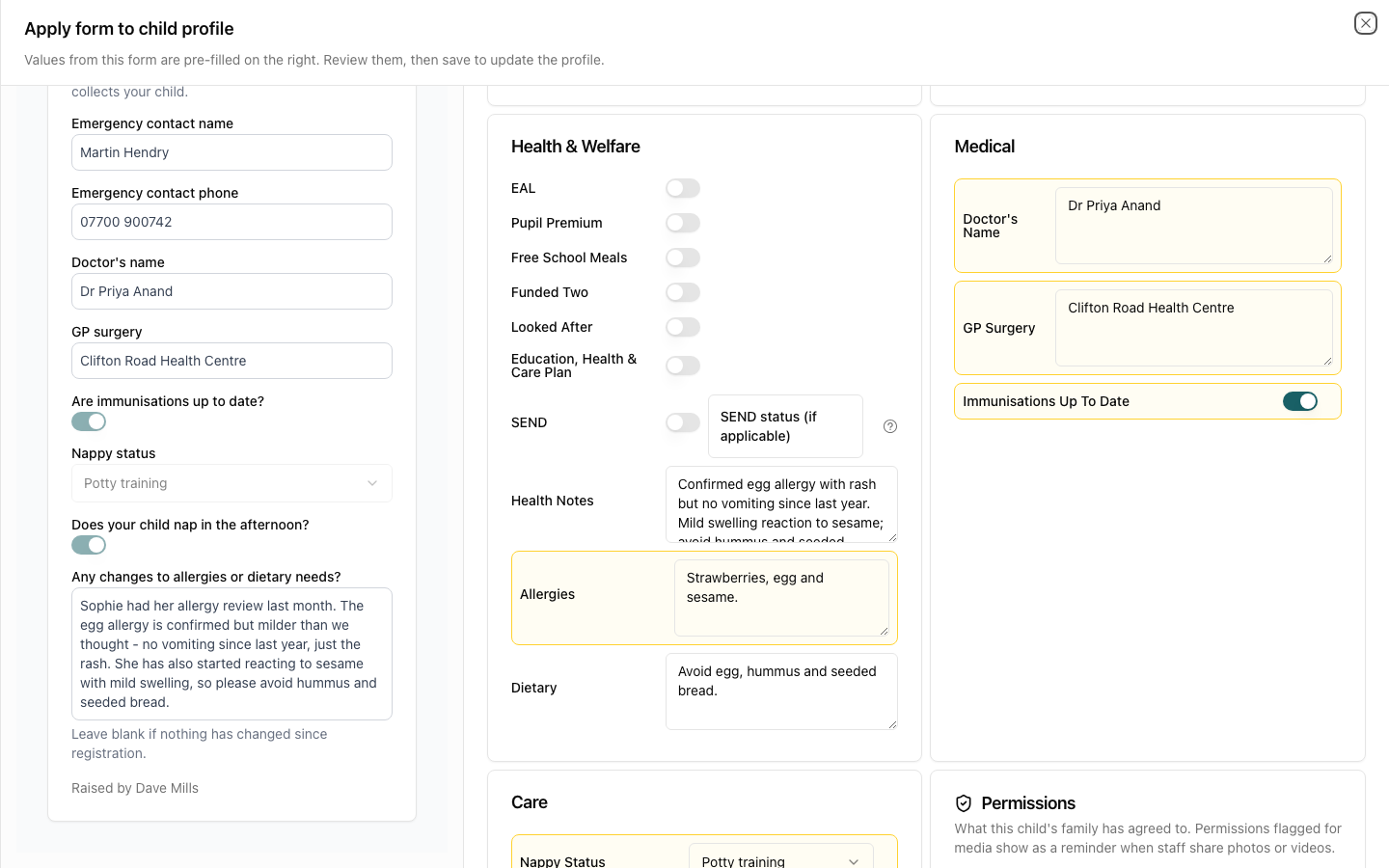
Each completed form merges into the child's record with every change highlighted. Nothing is saved until you say so.
It only ever adds — it never wipes what you hold
The parent's answers sit on one side and the child's record on the other, with every suggested change listed and highlighted. A blank or “none” answer can never clear something you already have, and a page of health notes becomes a short summary staff will actually read.
- Child, parents and emergency contacts in one go
- Parents matched by email, so no duplicates
- Consents and custom fields mapped to the profile
- Every value editable before you save
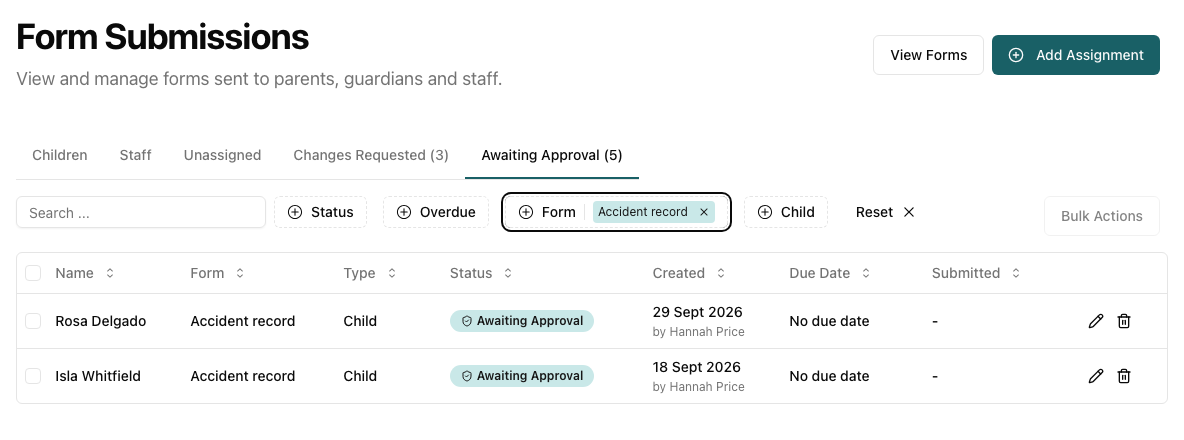
Checked Before It Reaches a Parent
An accident record is filled in by the practitioner who saw it, but a manager reads it before the family does. Staff submit rather than send; a manager or form approver checks the wording, adds their signature and sends it on — or returns it with a note.
- Raised from the register, on the web or the app
- One email to approvers listing everything waiting
- Send back for changes with a note
- Writing rules checked before it goes, e.g. "describe what happened factually"
The building blocks
Everything you need to replace the paper version of any form you use today.
Build Any Form You Need
Text fields, dropdowns, checkboxes, date pickers, signatures, and body diagrams for marking injuries on accident reports.
No App, No Login for Parents
Parents get a secure email link and complete the form there and then. Public forms need only a name and email address.
Flexible Assignment
Assign to children, staff or any email address, in bulk, straight from the register, or automatically when a child is added.
Automatic Reminders
Set a due date and Pigeonhole chases parents for you, so nobody has to keep a list of who still owes a form.
Signatures, Saved
Parents sign on screen. Staff save their signature once and sign every form after that with one tap.
For Parents Who Aren't Online
Complete and sign any form on a tablet in the nursery, or print it. It's stored alongside everything else either way.
Perfect for Any Use Case
Start from a ready-made template or build your own. Staff can raise forms directly from the register during the day.
Field Types
Who Does What
AI Writing Assistant
Your house style in plain English, checked against what staff write on forms and observations.
Funding Forms
Council funding declarations, pre-filled from the record you already hold.
See it on your own setting
30-day free trial · no card needed · see pricing
Part of Pigeonhole's nursery management software.