
iPhone · iPad · Android
The nursery app for parents and staff
Parents see their child's journal, diary, news, forms and invoices on their phone. Your team takes the register and writes observations on a shared room tablet. It's one app, and it's included in the price.


The app needs an account from a nursery that uses Pigeonhole.


For families
Their child's day, in their pocket
Parents open the app because it has photos of their child in it. While they're there, they read your news, fill in your forms and see their invoices.
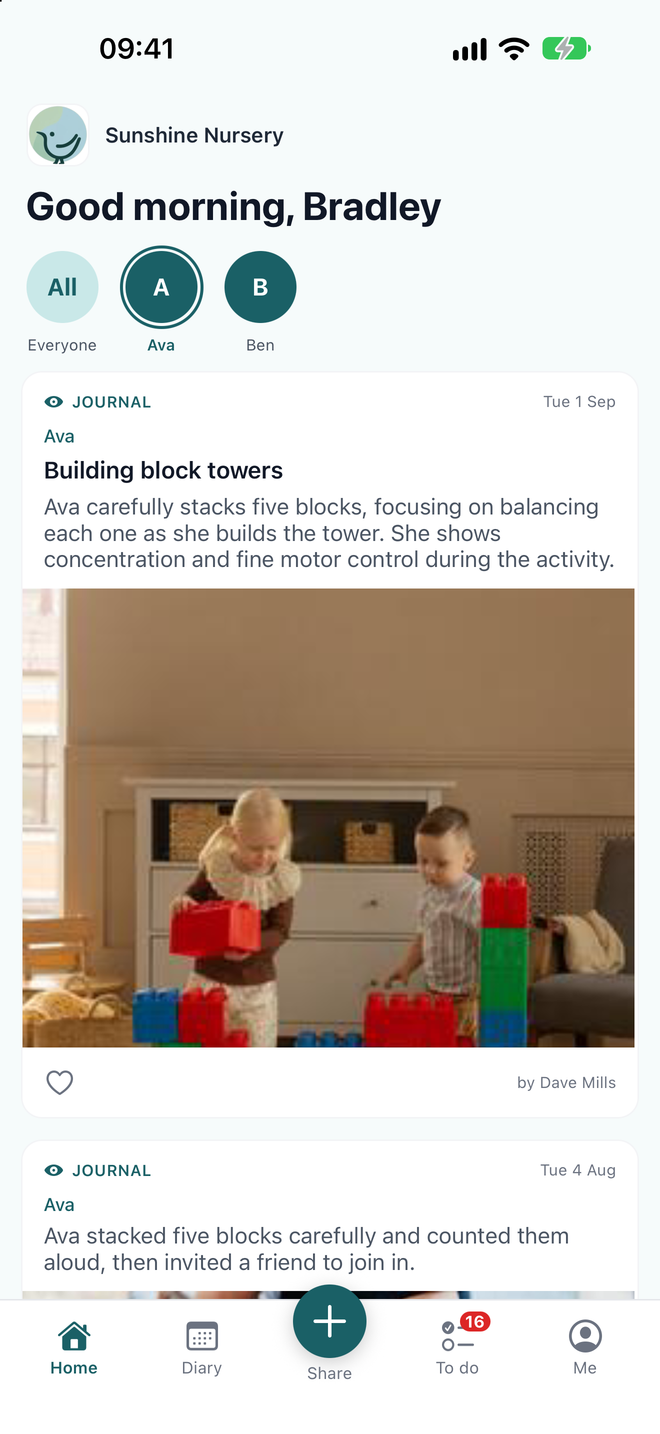
The learning journal
Photos and stories from their child's key person, the moment you share them. Parents can like an entry and comment on it.
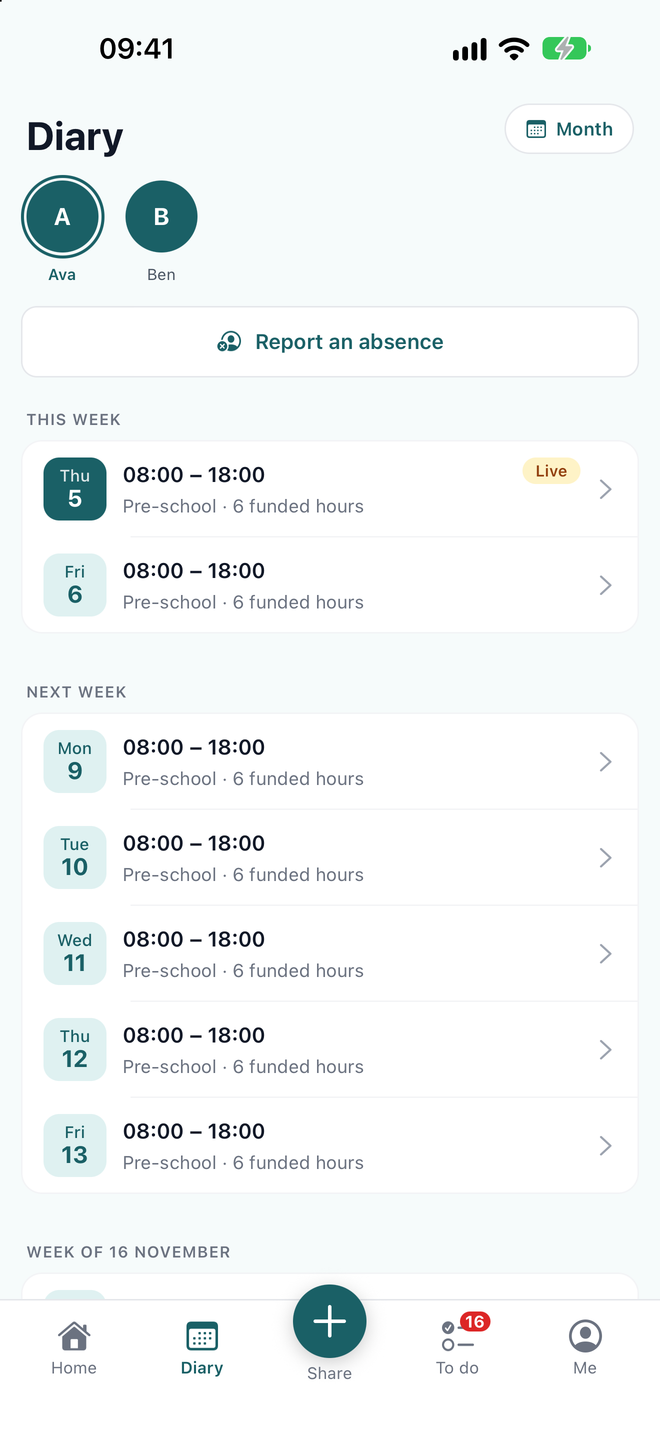
Diary and absences
Their child's sessions and funded hours for the weeks ahead, and the day's meals, naps and nappies if you share them. Off sick? They tell you in a few taps.
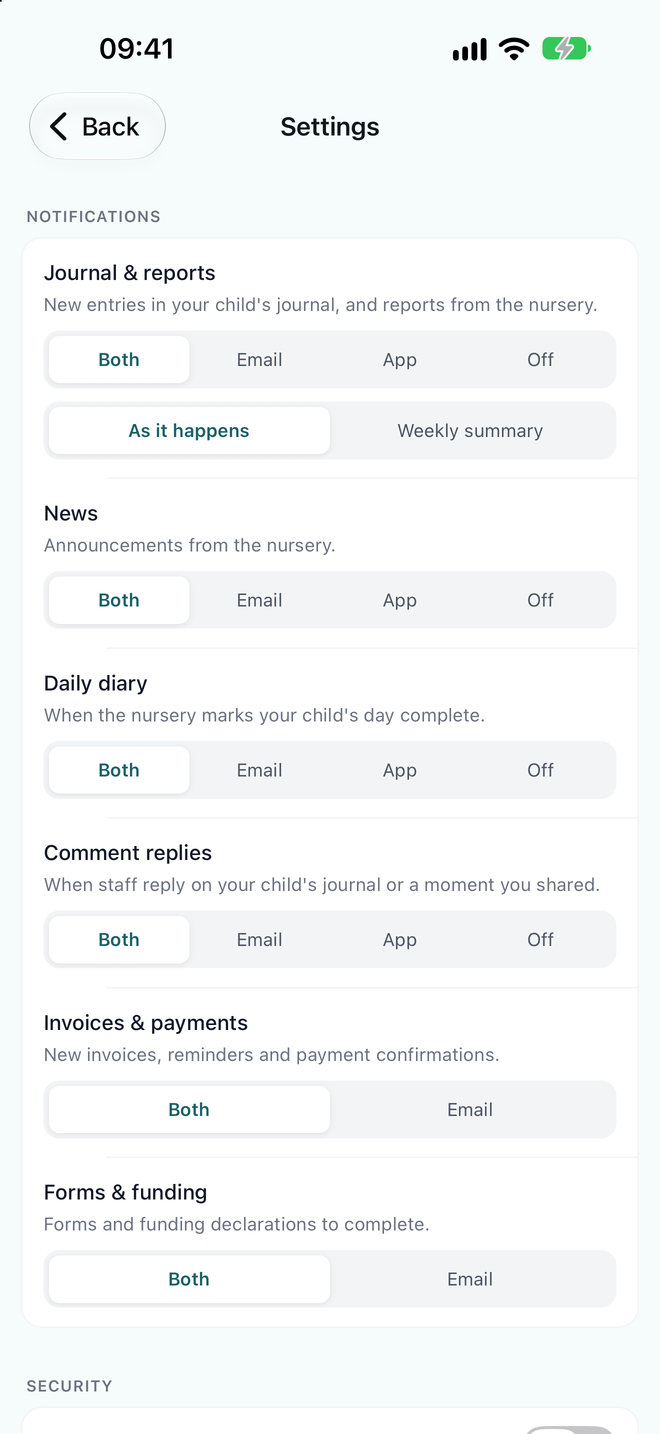
Notifications they choose
App, email, both or off for each kind of update, and a weekly summary for parents who'd rather not hear about every entry.


News
Your announcements and trip reminders, with the photos, on every parent's phone.
Forms
Permissions, care details and funding declarations, filled in and signed on a phone.
Invoices
Every invoice, what's been paid and what's due, without an email to the office.
Reports and documents
Progress reports and your policies, there whenever a parent wants them.
Moments from home
Parents send a photo of something their child did at home. You check it before it joins the journal.
Face ID or fingerprint
The app opens with a glance and locks again, so a child's photos stay private.
Parents set it up themselves: the guide we give families.
For your team
Built for the tablet the whole room shares
The day gets recorded as it happens, in the room, by whoever is nearest the tablet. Nothing is written up at home time.
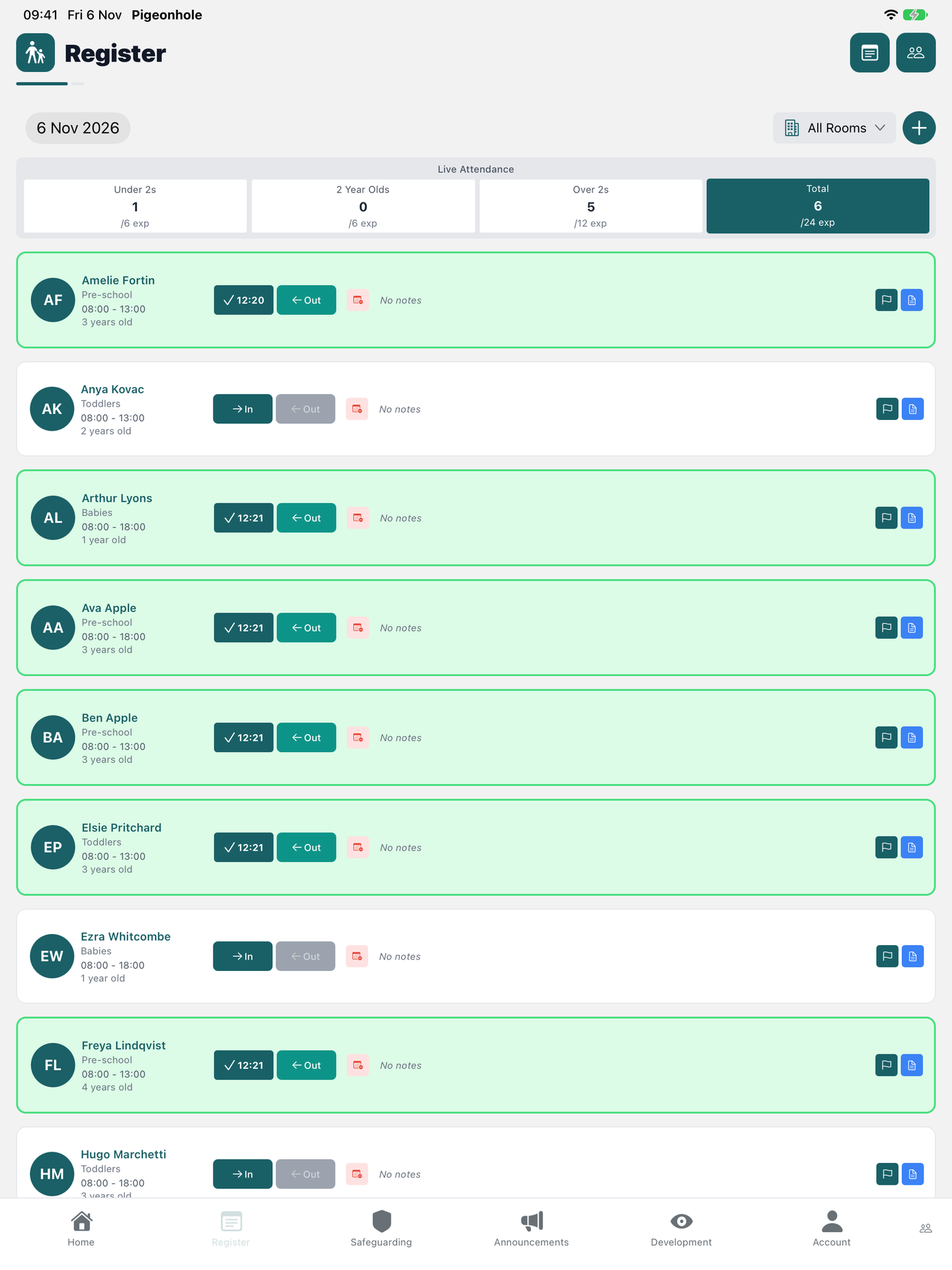
The register
Check children in and out as they arrive, with live attendance for every room and age group.
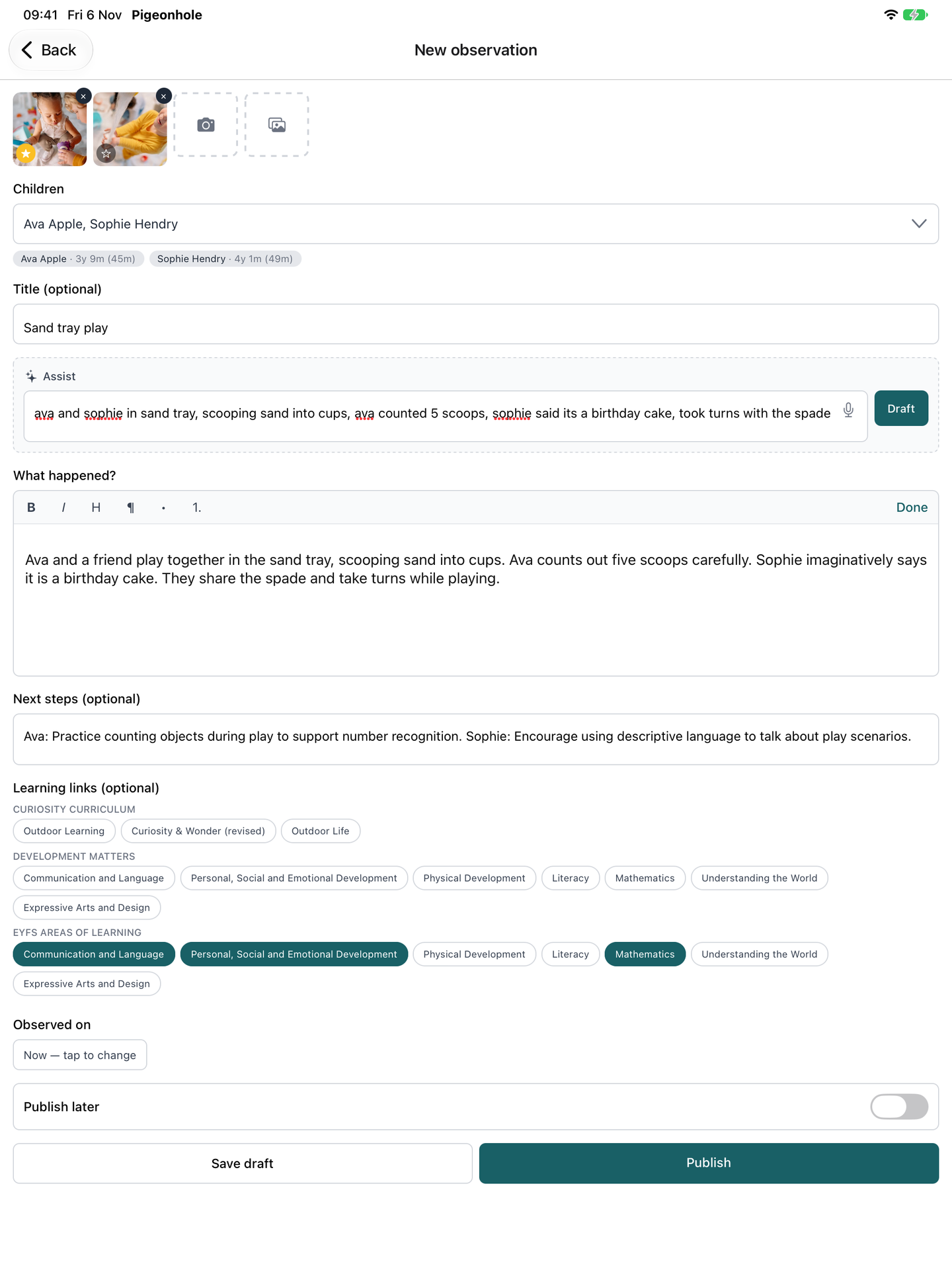
Observations with AI Assist
Take the photo, tag the children, and jot or say what happened. Pigeonhole drafts the write-up and suggests learning links for you to check.
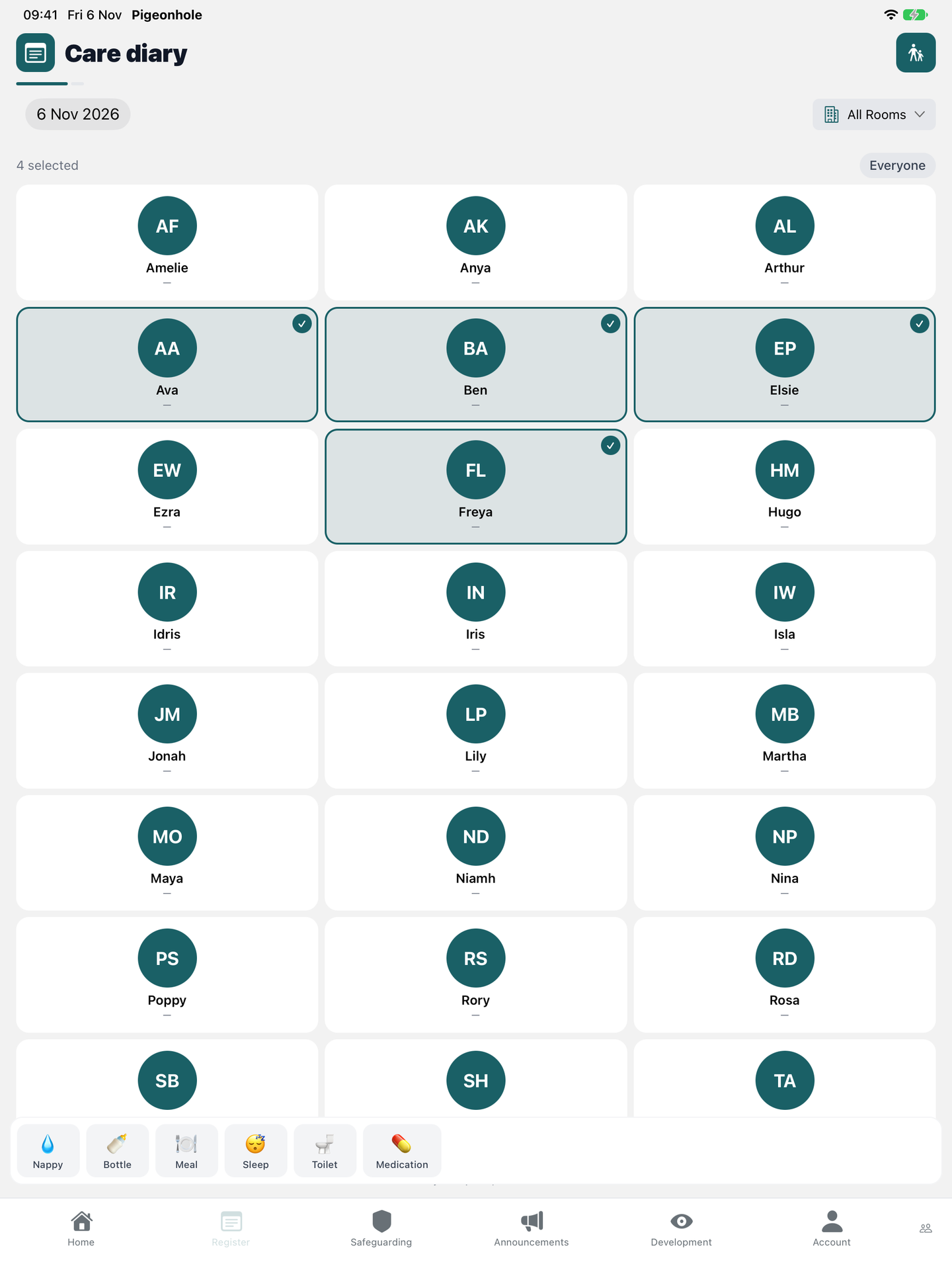
The care diary
Tick everyone it happened to and log lunch, a nappy round or nap time once for the whole group.


Accident and incident forms
Mark the body map, get it approved and send it to the parent, without a sheet of paper.
Safeguarding
Record a concern while it's fresh. The app asks for the person's PIN every time safeguarding is opened.
Announcements
Post news and photos to families straight from the room.
A PIN for each person
A manager signs the tablet in once. Each member of staff then works as themselves with their own PIN, with no email address needed.
Locks itself
The app locks after a minute in the background, and you can limit staff sign-in to devices you've approved.
Tablet or phone
Made for the shared room tablet, and it works the same on a phone.
“My team and families have all used it easily with no problems.”
Questions about the app
- Does the app cost extra?
- No. The parent app and the staff app are part of Pigeonhole at every size, and they're free for families and staff to download.
- Which phones and tablets does it work on?
- iPhone, iPad, and Android phones and tablets. It's one app, called Pigeonhole Nursery Management, on the App Store and Google Play.
- Do parents have to use the app?
- No. Everything in the app is also on the website, and parents can choose email instead of app notifications. Anything they do in one shows up in the other.
- How do parents get started?
- They download the app and sign in with the email address you hold for them. There are no codes to hand out and nothing for you to set up.
- Is it safe on a tablet the whole room shares?
- Yes. Each person has their own PIN, so every register mark and observation is recorded against the person who made it. The app locks itself after a minute in the background, and safeguarding always asks for a PIN.
- What if a member of staff is also a parent?
- They use the same app on their own phone and switch between the staff view and the parent view.
Some features depend on what your nursery has switched on. See pricing.
See it on your own setting
30-day free trial · no card needed · see pricing
Part of Pigeonhole's nursery management software.