
Editing Records of Concern
Once a record of concern has been created, safeguarding leads and deputy safeguarding leads can edit certain fields to update information, add summaries, and manage the concern’s status. This guide explains what can be edited and how to make changes effectively.Users with the safeguarding lead or deputy safeguarding lead permissions can edit concerns actions. Managers can view but not edit safeguarding concerns.
Accessing the Edit Form
You can edit a form by clicking on the edit button when viewing the concern.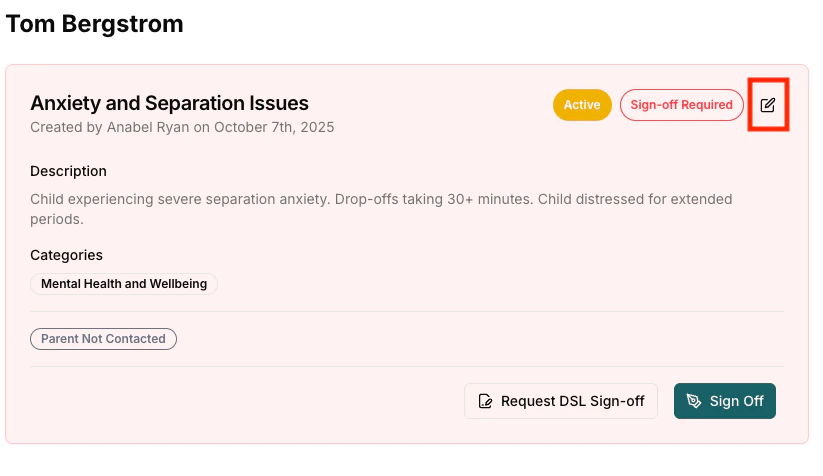
What Can Be Edited
When editing an existing concern, you can modify the following fields: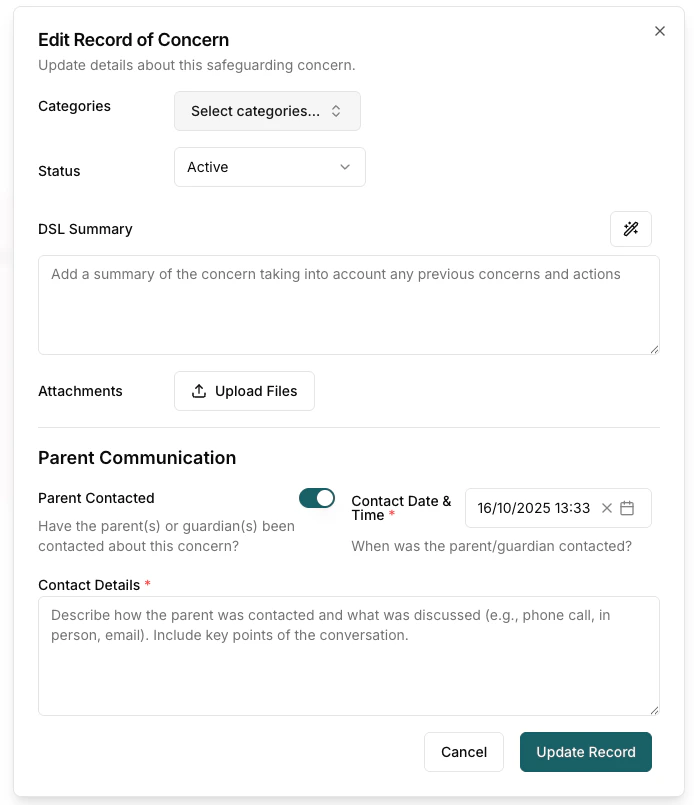
Categories (Optional)
Classify the type of concern for reporting and tracking. You can select multiple categories if the concern fits more than one type.Status
- Active - Concern is ongoing and requires monitoring
- Closed - Concern has been resolved
- No Action - Noted for reference only
When changing status to “Closed” on this form, you must provide close notes explaining why the concern is being closed.
Setting the status to Closed or No Action signs the concern off and records you as the person who closed it. Most of the time it is quicker to use the Close concern button on the concern page instead — see Closing and Sign-off.
Close Notes (Required when Status = Closed)
- Explain why the concern is being closed
- Document resolution or outcome
- Record any final actions taken
- Reference follow-up plans if needed
DSL Summary
The DSL summary helps other professionals quickly understand, and expands on the description that has been added by the staff member. It can document:- What the main issues are
- History and context
- Current status and risk level
Adding a DSL Summary
The DSL Summary field is one of the most important editable fields. It provides professional oversight and context.Writing a Summary Manually
What to Include:- Brief Overview - Key facts in 1-2 sentences
- Previous History - Reference relevant past concerns
- Current Assessment - Risk level, concerns, observations
- Professional Judgment - DSL’s assessment
Using AI Summary Generation
The AI Summary Generator can automatically generate a DSL summary by analyzing current concern details, previous history, recorded actions, parent communication, and timeline of events. The AI Summary can be generated by clicking the wand icon next to the DSL Summary field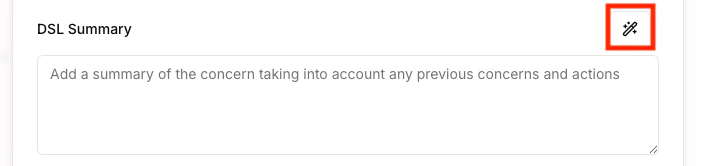
AI summaries should be treated as starting points rather than final versions, requiring review and editing. DSLs remain responsible for accuracy and should add professional judgment that AI cannot provide, including specific risk assessments.
Attachments
- Add supporting evidence or documentation
Parent Communication can only be recorded when the concern is first created — it cannot be edited afterwards. If you need to record later parent contact, add it as part of an action instead.