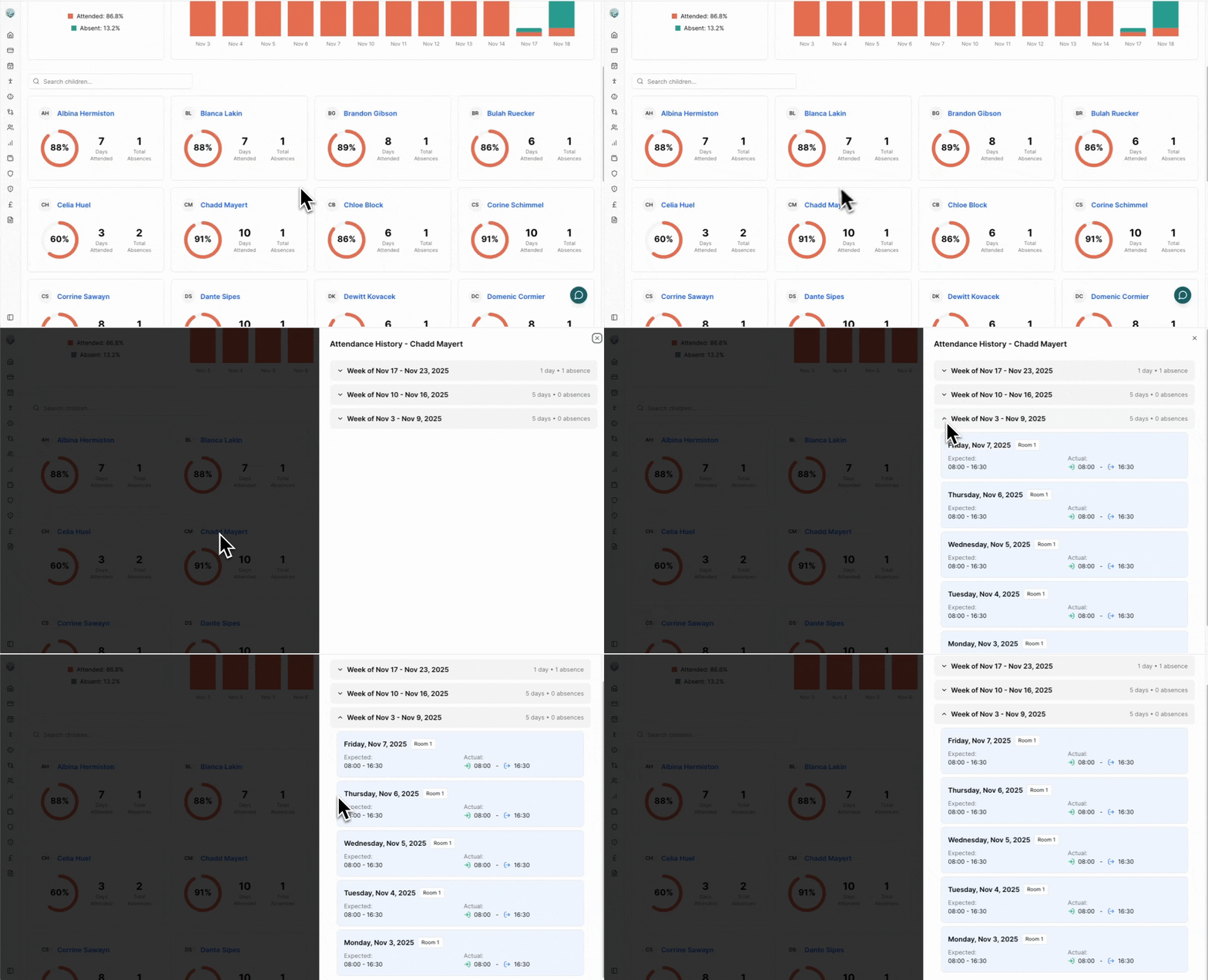
Attendance Reports
The Attendance Reports page gives you a clear picture of overall attendance, daily patterns, and individual child history across your nursery. Use it to monitor trends, understand absences, and export data for record‑keeping.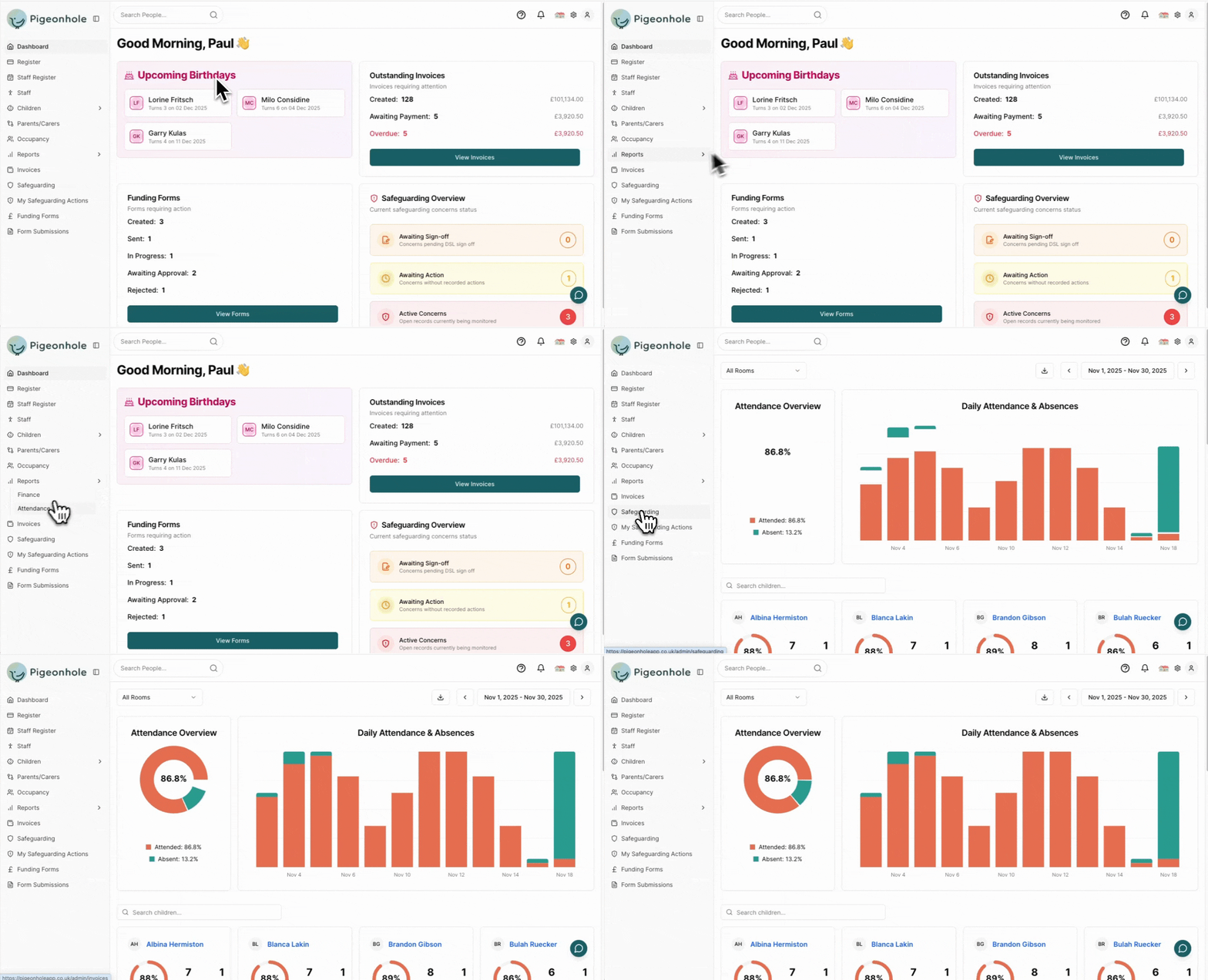
Date Range
- Click the date range button (top right).
- Pick a start date and an end date.
- Apply – all charts and lists refresh instantly.
Attendance percentages include all expected days in the range (including weekends/holidays if part of a child’s expected pattern).
Room Filter
Select a specific room or All Rooms. A child who attended multiple rooms appears separately per room; in All Rooms their total attendance is combined.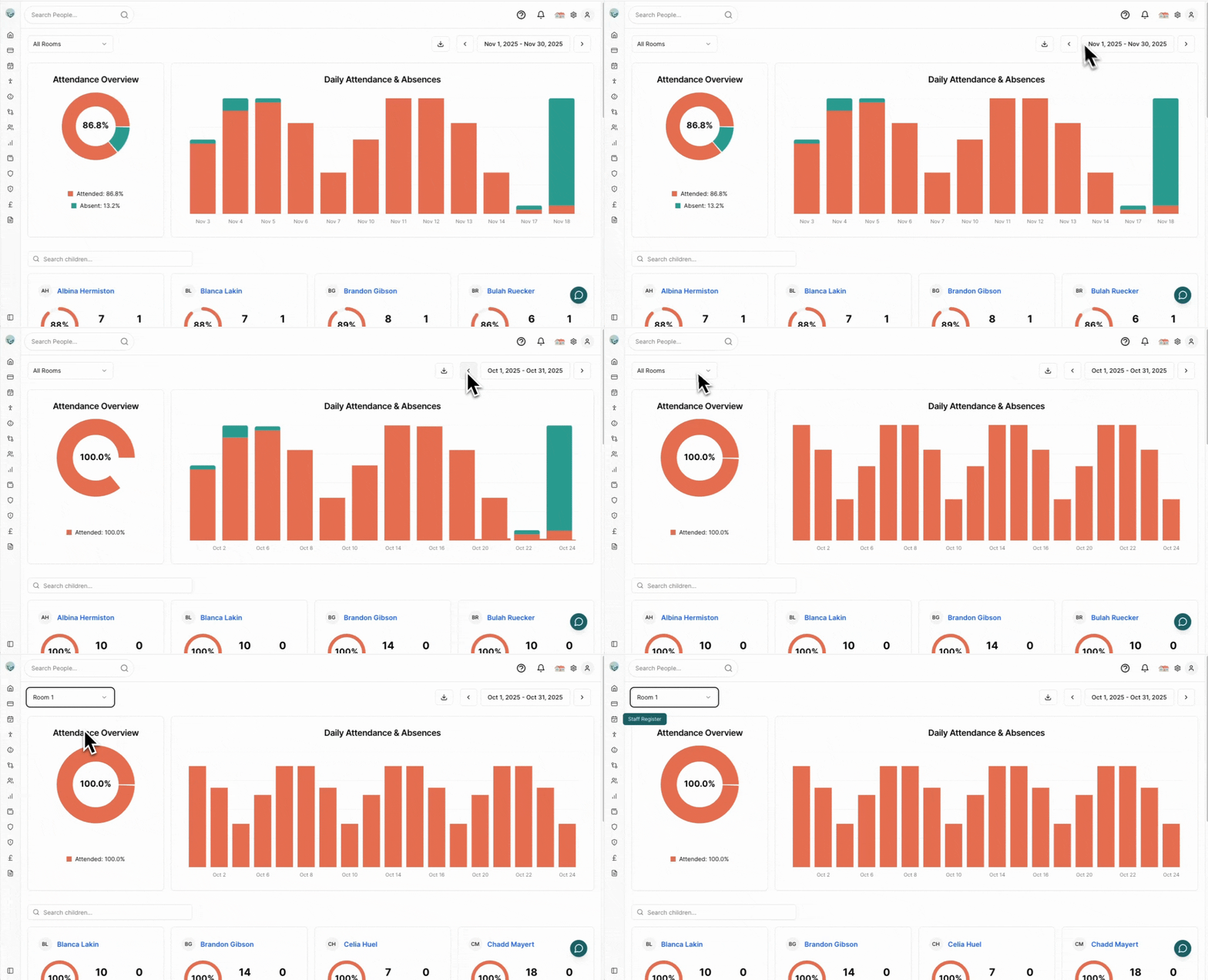
Export (CSV)
Click the download icon (top right) to export the selected date range. Contents include child info, expected vs actual times, absences (type & notes), and attendance notes.Daily Analysis
The top charts summarise overall attendance and show daily variation.Attendance Overview (Pie)
- Center number: Overall attendance %
- Green: Attended days. Red: Absent days.
- Hover for exact day counts.
Daily Attendance (Stacked Bars)
- Green segment: Children present that day.
- Red segment: Children absent that day.
- Bar height: Total expected children.
- Hover: See counts. Dates labelled clearly.
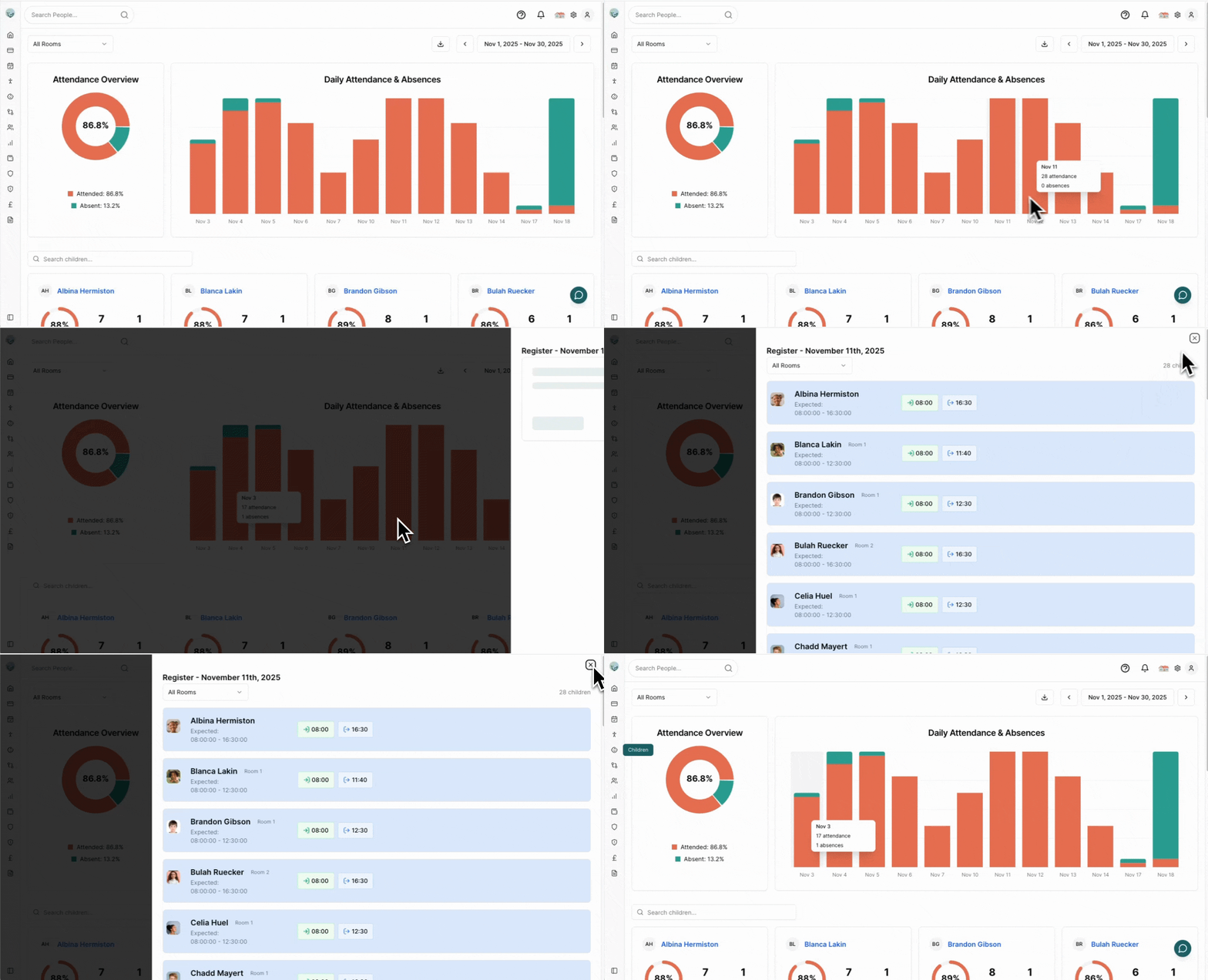
Click any bar to open a read‑only register for that date.
Child Detail
Below the charts each child has a card summarising their attendance in the selected range.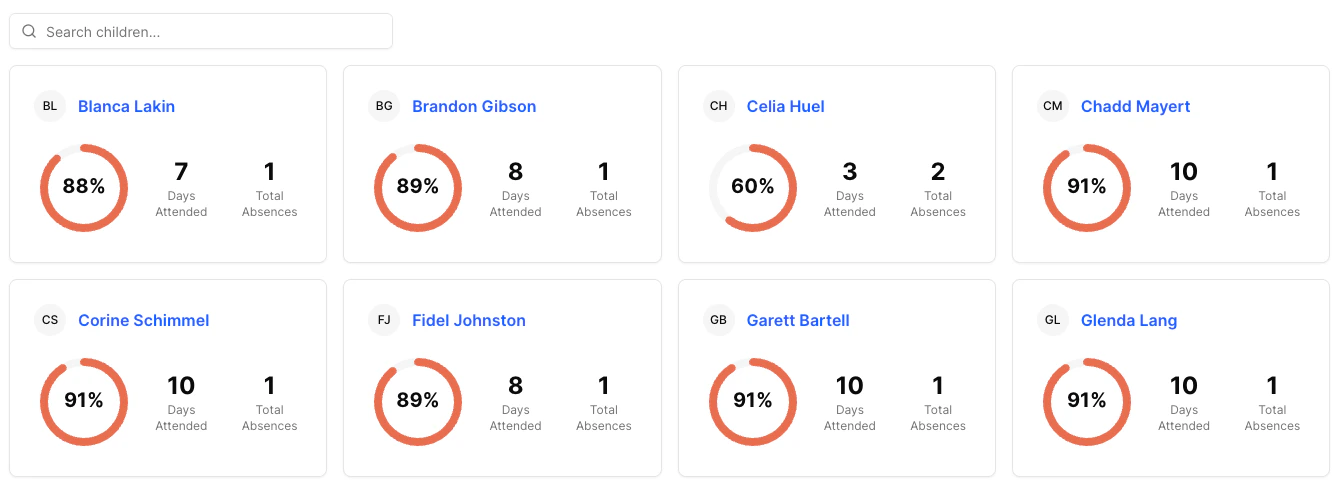
Child Cards
- Photo & Name (click name for detailed history).
- Circular indicator: Attendance %. Full circle = 100%.
- Metrics: Days Attended, Days Absent, Percentage.
Search
Use the search box above the list to filter by name.Detailed History (Click Name)
Opens a dialog organised by week (collapsible). Each day shows:- Date & room.
- Expected times vs actual check‑in (green) and check‑out (blue).
- Absence info (type, coloured icon, notes) when applicable.
- Attendance / absence notes.