
Staff Register
The Staff Register lets you view and manage your team’s attendance for any day from the web app — clocking staff in and out, adjusting their times, adding notes, and recording absences. It’s the desk-based companion to the mobile staff register your team uses on a shared device.Open in app: Staff Register.
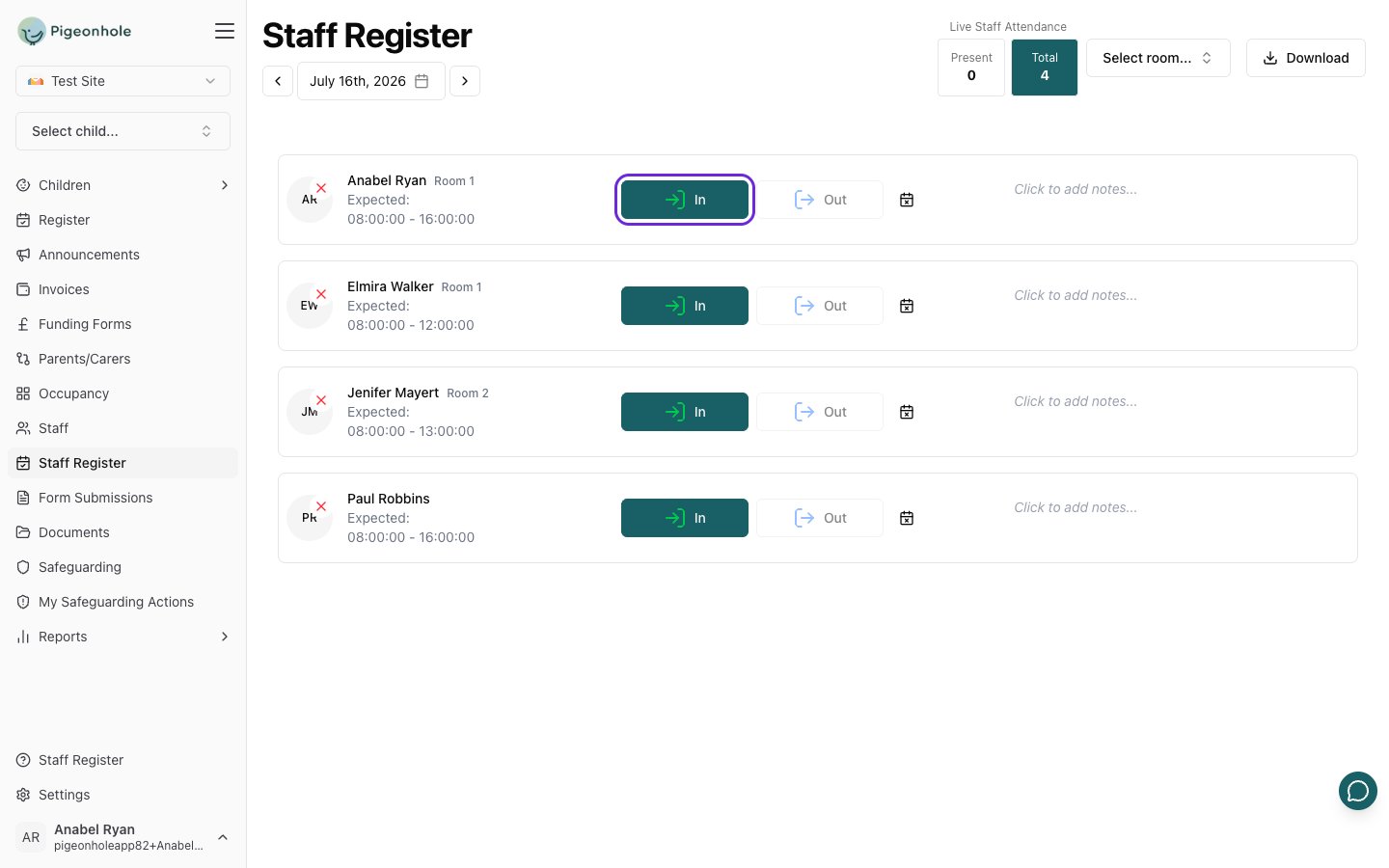
Viewing the Register
- Open Staff Register from the main menu.
- Use the date shown under the page title to move between days — use the arrows to step to the previous or next day, or pick a date directly.
- Each member of staff scheduled for that day appears as a row showing their photo, name, room, and their Expected hours.
- The row colour tells you their status at a glance: green once they’ve clocked in, blue once they’ve clocked out, and grey when they’re marked absent.
Use the room filter at the top of the page to show only the staff in a particular room. A running attendance count sits alongside it so you can see how many staff are in.
Recording Staff Attendance
Clocking staff in and out
- Find the member of staff in the list.
- Click In to record their arrival at the current time.
- When they leave, click Out to record their departure. (You can only clock someone out once they’ve been clocked in.)
Correcting a time
- Click the recorded sign-in or sign-out time.
- Type the correct time.
- Press Enter (or click away) to save. Press Escape to cancel.
Adding notes
- Click the notes area on a staff row.
- Type your note.
- Click away to save it.
Recording a Staff Absence
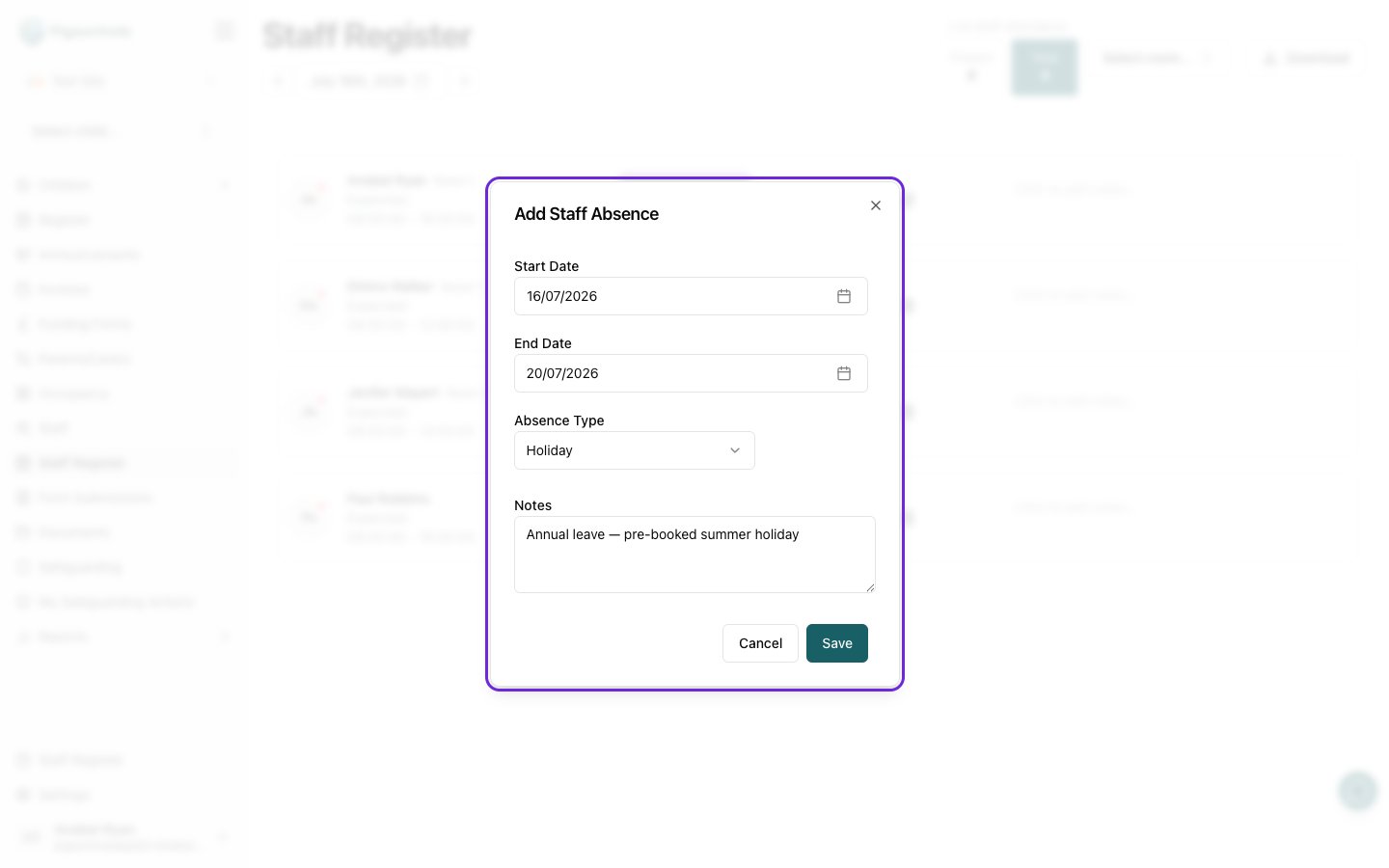
- Click the calendar icon on the staff member’s row to open the Add Staff Absence window.
- Fill in the absence:
- Start Date and End Date for the absence.
- Absence Type — Holiday, Illness, or Other.
- Notes — any extra detail (optional).
- Click Save.
Editing or removing an absence
- Click the calendar icon on a staff member who is already marked absent — it opens the Edit Staff Absence window.
- Change the details and click Save, or click Delete to remove the absence.
Downloading the Register
Click Download at the top of the page to export the staff register — useful for record-keeping or sharing attendance figures.Staff can also clock themselves in and out on the shared mobile device. See Using the staff register for the mobile app workflow.