
Where to find it
- On the web
- In the app
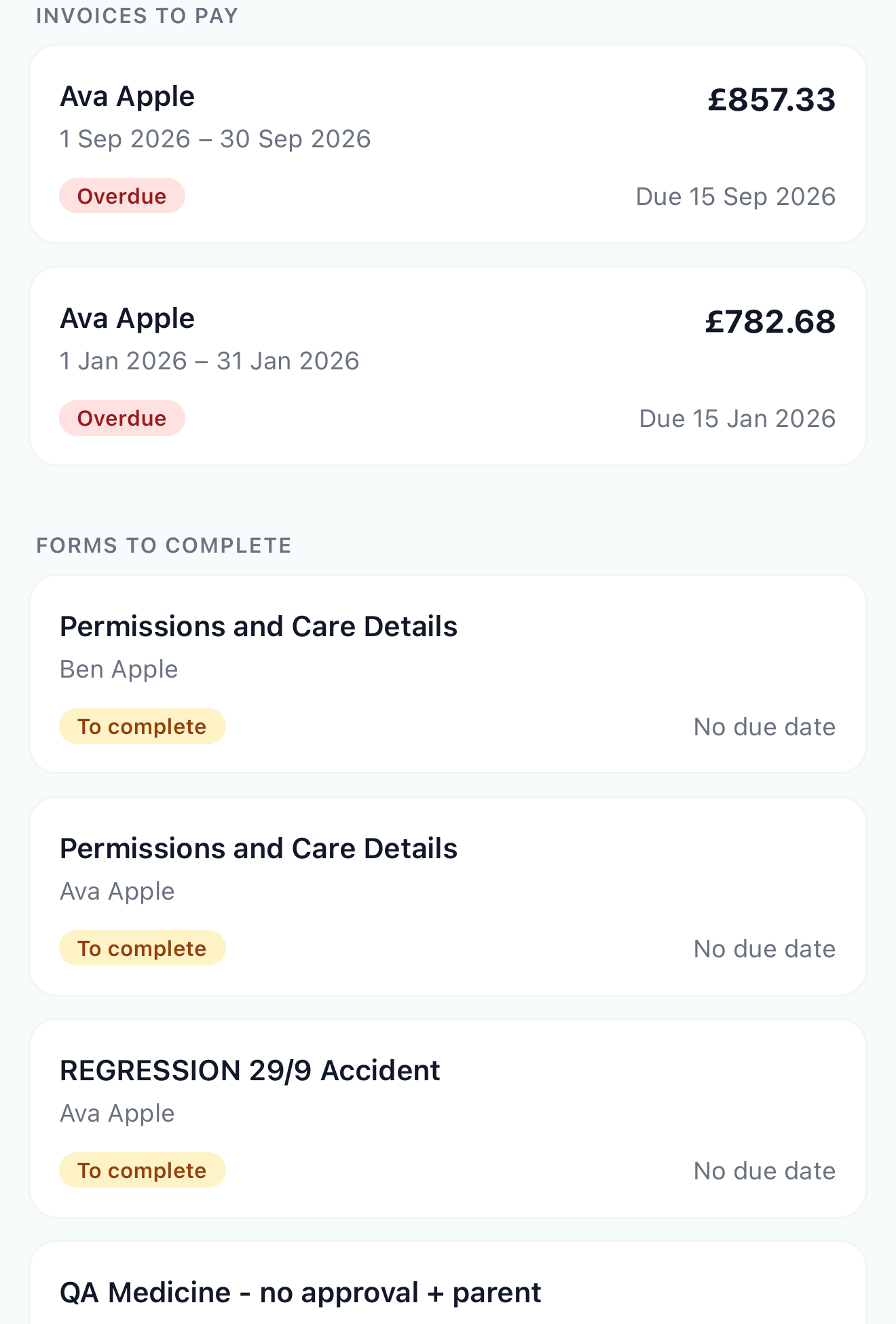
Click My Forms in the menu. Each form shows its status, due date, and when you sent it. Click the pencil to fill one in, or the eye to look at one you’ve sent.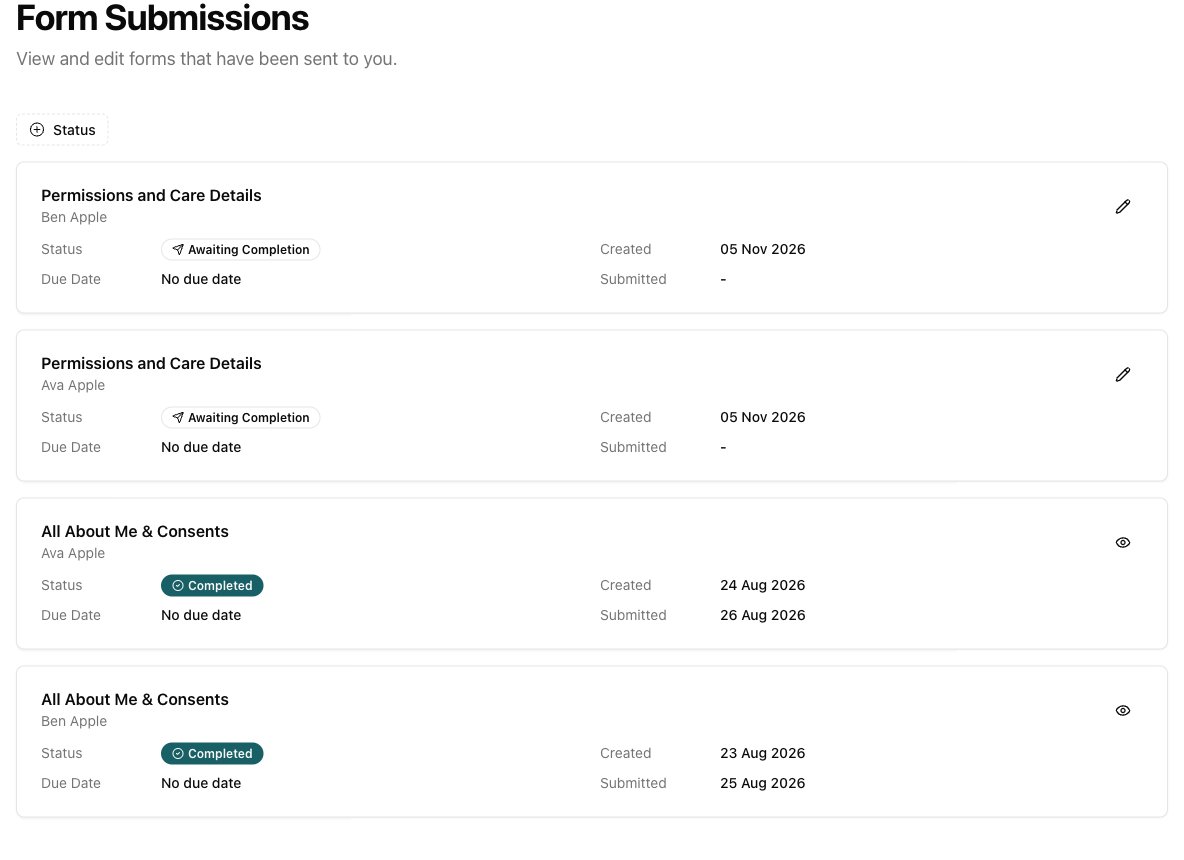
Open in app: My Forms.
Completing a form
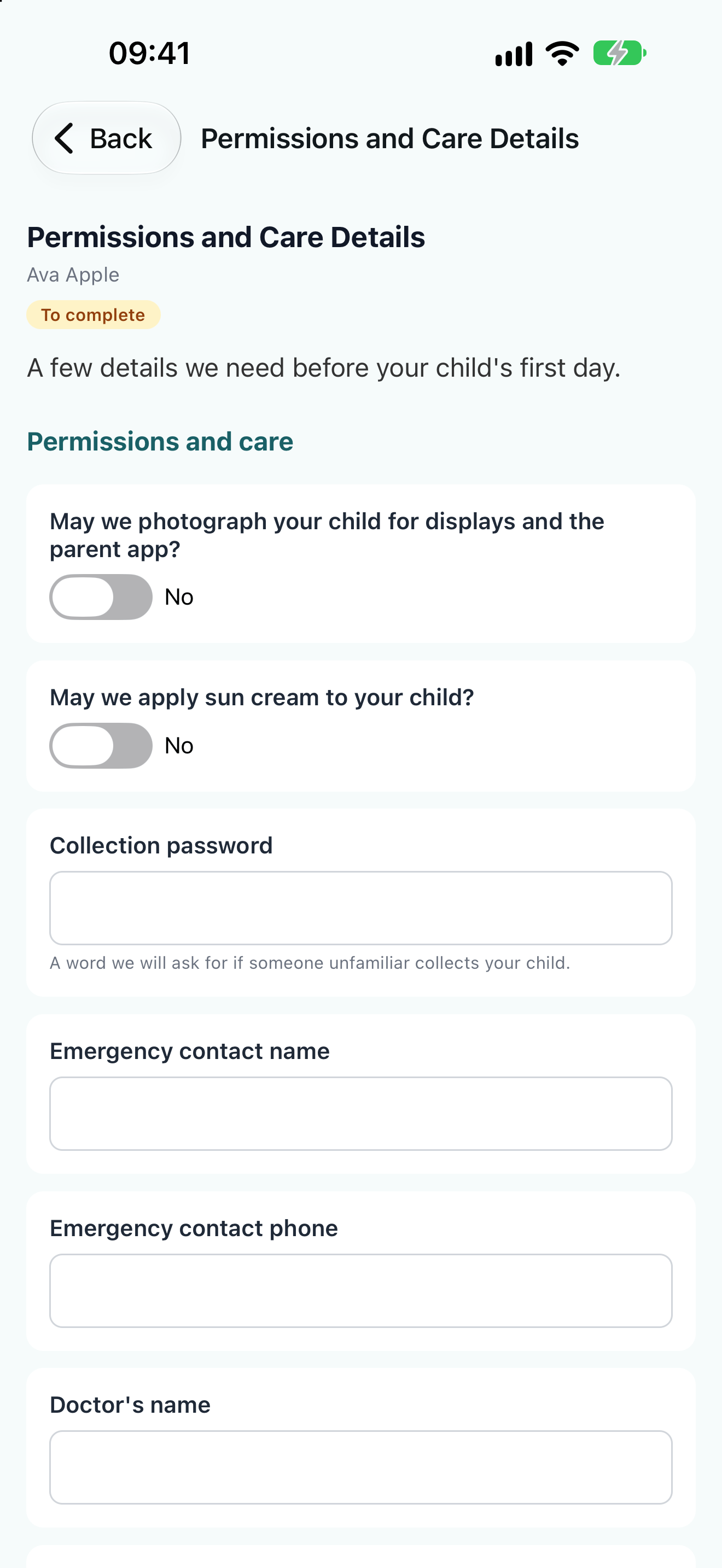
- Open the form.
- Fill in each question. You can only change the questions the nursery has asked you to answer, and you need to answer the required ones before sending.
- If the form asks for a signature, type your full name under Your name and sign.
- Tap Send to nursery.
Form statuses
- Awaiting Completion on the website, To complete in the app: waiting for you.
- Overdue: past the date the nursery asked for it.
- Completed: sent to the nursery.