
Recording an Absence
If your nursery has enabled parent absence requests, you can report your child’s absence directly from the Parent Portal.How to Submit an Absence
- Log in to the Parent Portal.
- Go to My Children from the main menu.
- Find the child you want to report an absence for.
- Click the calendar icon (labelled Add Absence) on their card, next to the search icon.
- In the Inform us of an absence window, fill in the absence details:
- Start Date — The first day of the absence.
- End Date — The last day of the absence.
- Absence Type — Select Holiday, Illness, or Other.
- Notes — Tell your nursery a little more about the absence. This is required.
- Click Save.
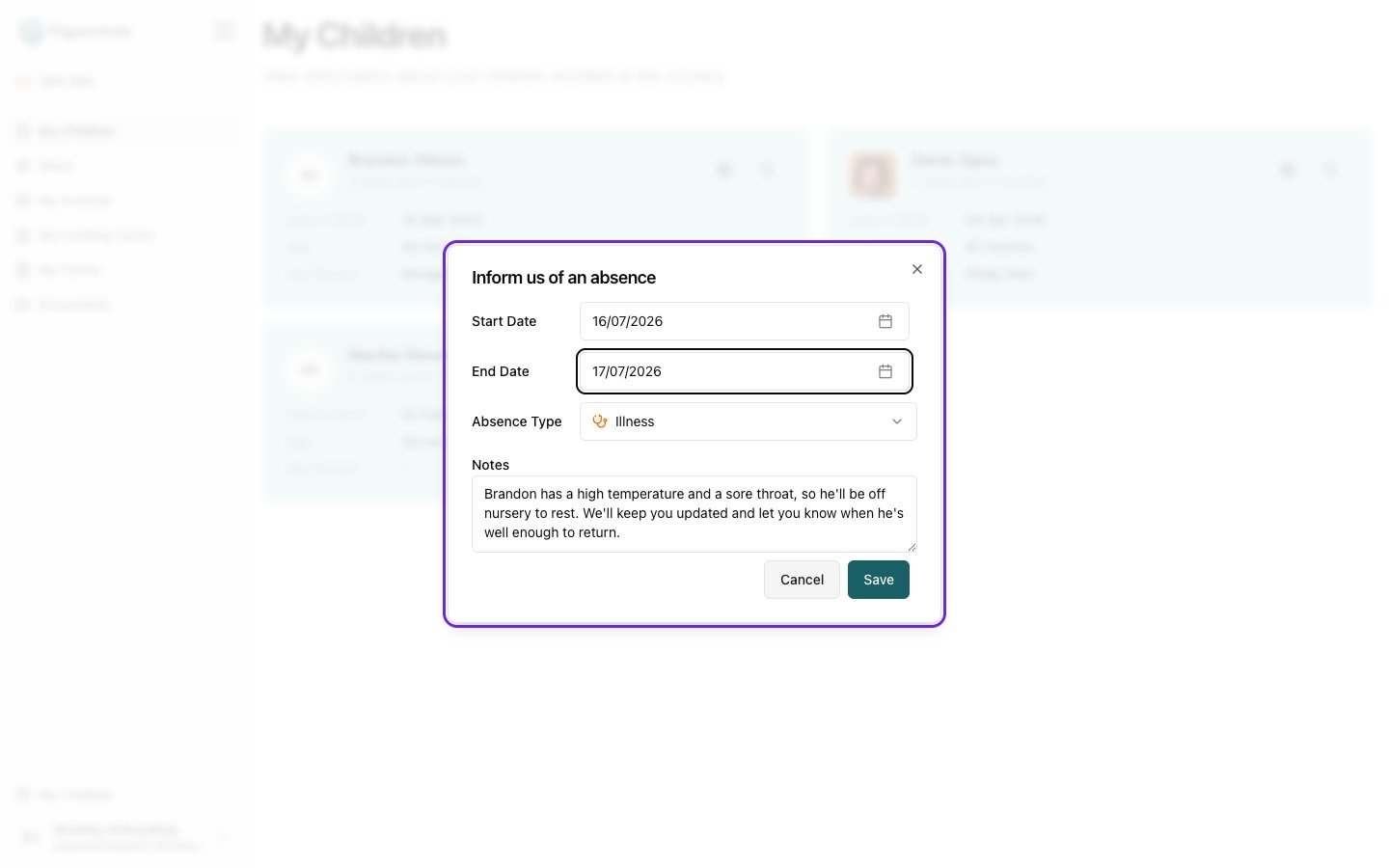
Open in app: My Children.
Absence Types
- Holiday — Use this for planned time off or family holidays.
- Illness — Use this when your child is unwell.
- Other — Use this for any other reason your child will be absent.
Important Notes
- You can only submit absences for children linked to your account.
- If you don’t see the Add Absence (calendar) icon, your nursery may not have enabled this feature — please contact them directly.
- For urgent absences, we recommend also contacting your nursery by phone.