Home Moments only appear if your nursery has turned them on. You need parental responsibility for a child to share moments about them.
Sharing a Moment
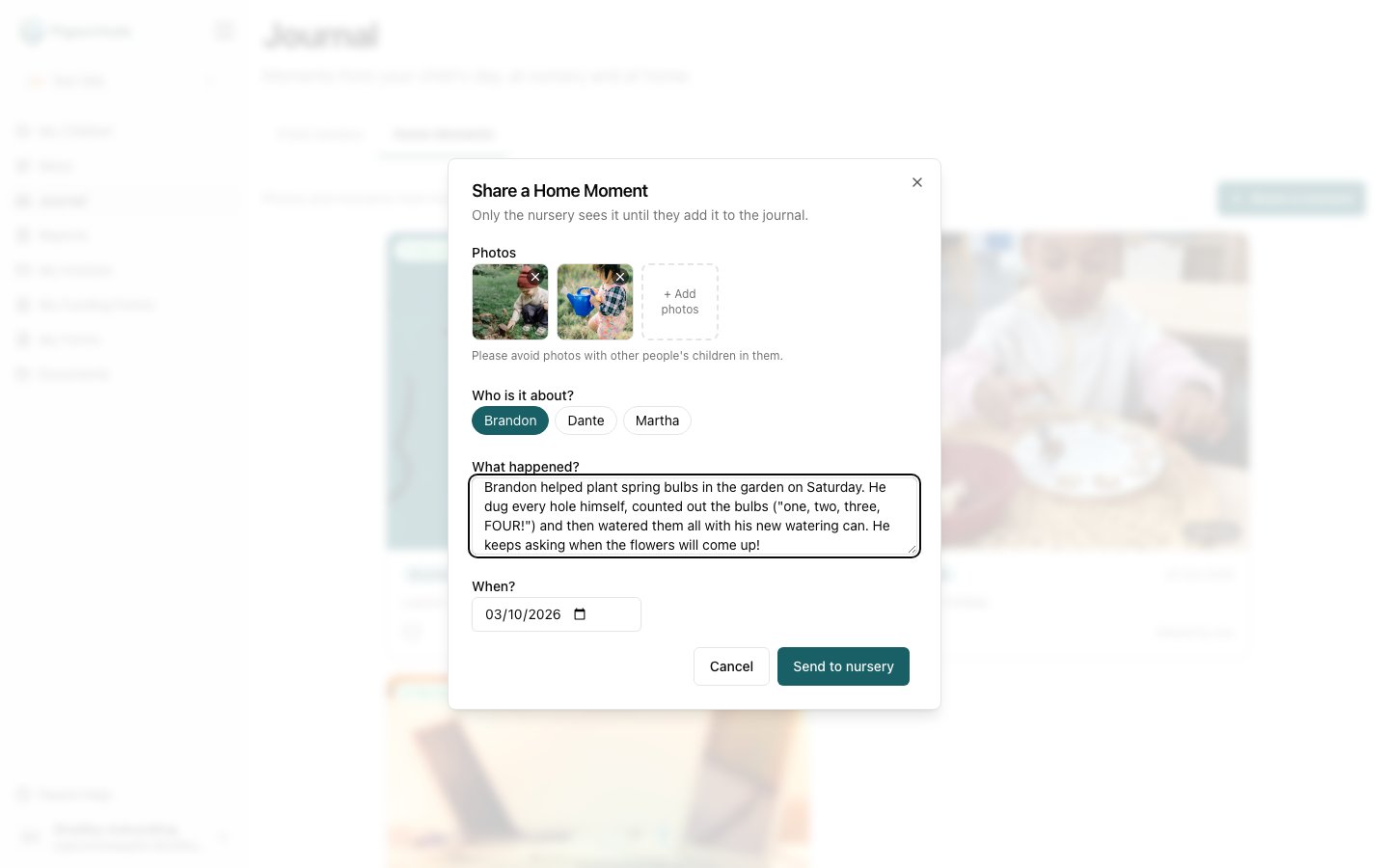
- Open Journal and choose the Home Moments tab.
- Click Share a moment.
- Click Add photos and choose between 1 and 10 photos. Please avoid photos with other people’s children in them.
- If you have more than one child at the nursery, choose who the moment is about under Who is it about?. You can pick more than one.
- Under What happened?, tell the nursery about it, in up to 2,000 characters.
- Check the date under When?. It’s today unless you change it. You can share moments from up to 30 days ago.
- Click Send to nursery.
What Happens Next
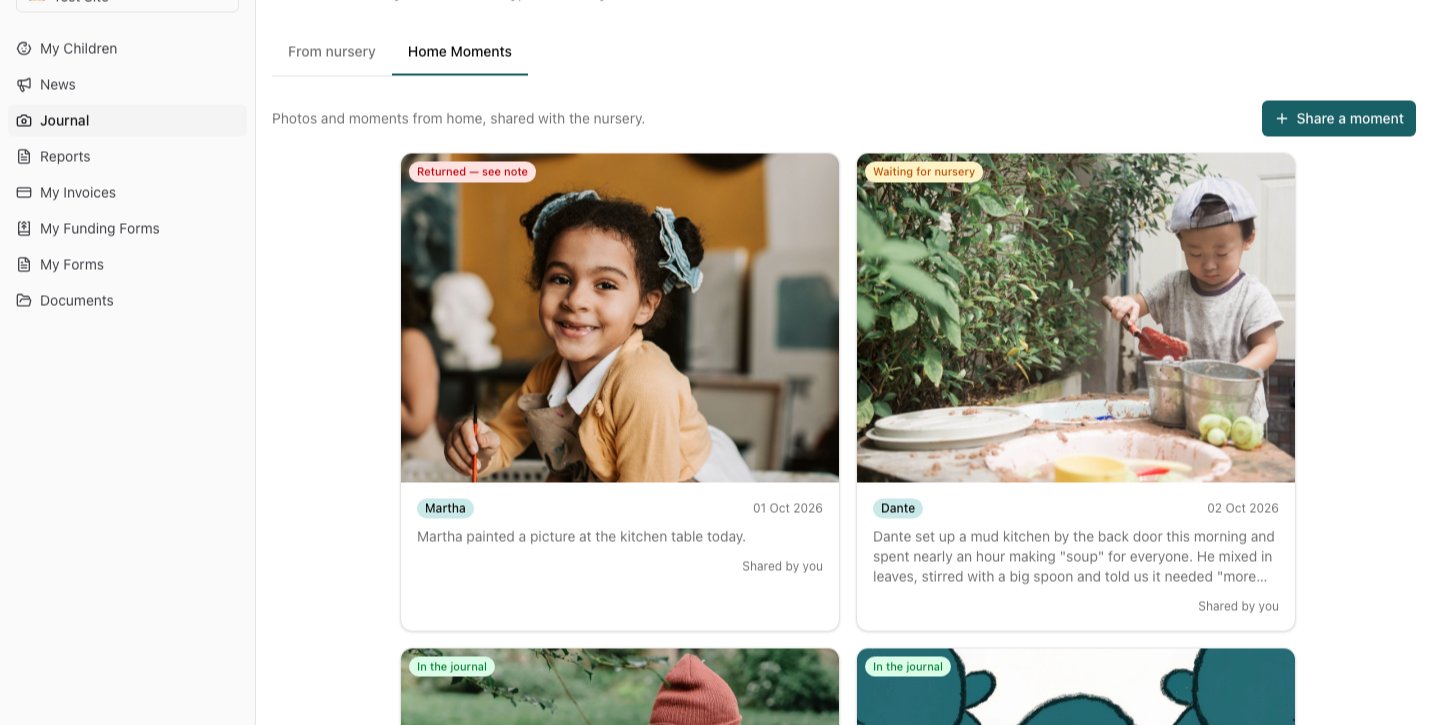
Your moments show on the Home Moments tab with a label saying where they are:- Waiting for nursery: the nursery hasn’t looked at it yet. You can still change it.
- Returned — see note: the nursery has asked for a small change before adding it to the journal.
- In the journal: it’s in the journal, where everyone with parental responsibility for your child can see it.
If the nursery returns your moment
You’ll get an email (“Your moment from home needs a small change”) with the nursery’s note. Open the moment to read the note, then click Edit and resend, make the change and click Resend to nursery.
Changing or Deleting a Moment
Open the moment and use the ⋮ menu:- Edit: available while the moment is waiting for the nursery or has been returned.
- Delete: available at any time. Deleting a moment that is already in the journal removes it from the journal for everyone, along with its photos and comments.
Comments and Likes
If your nursery allows it, you can comment on moments and on observations in your child’s journal. Type in Add a comment… and click Post. Comments from the nursery show · nursery after the staff member’s name.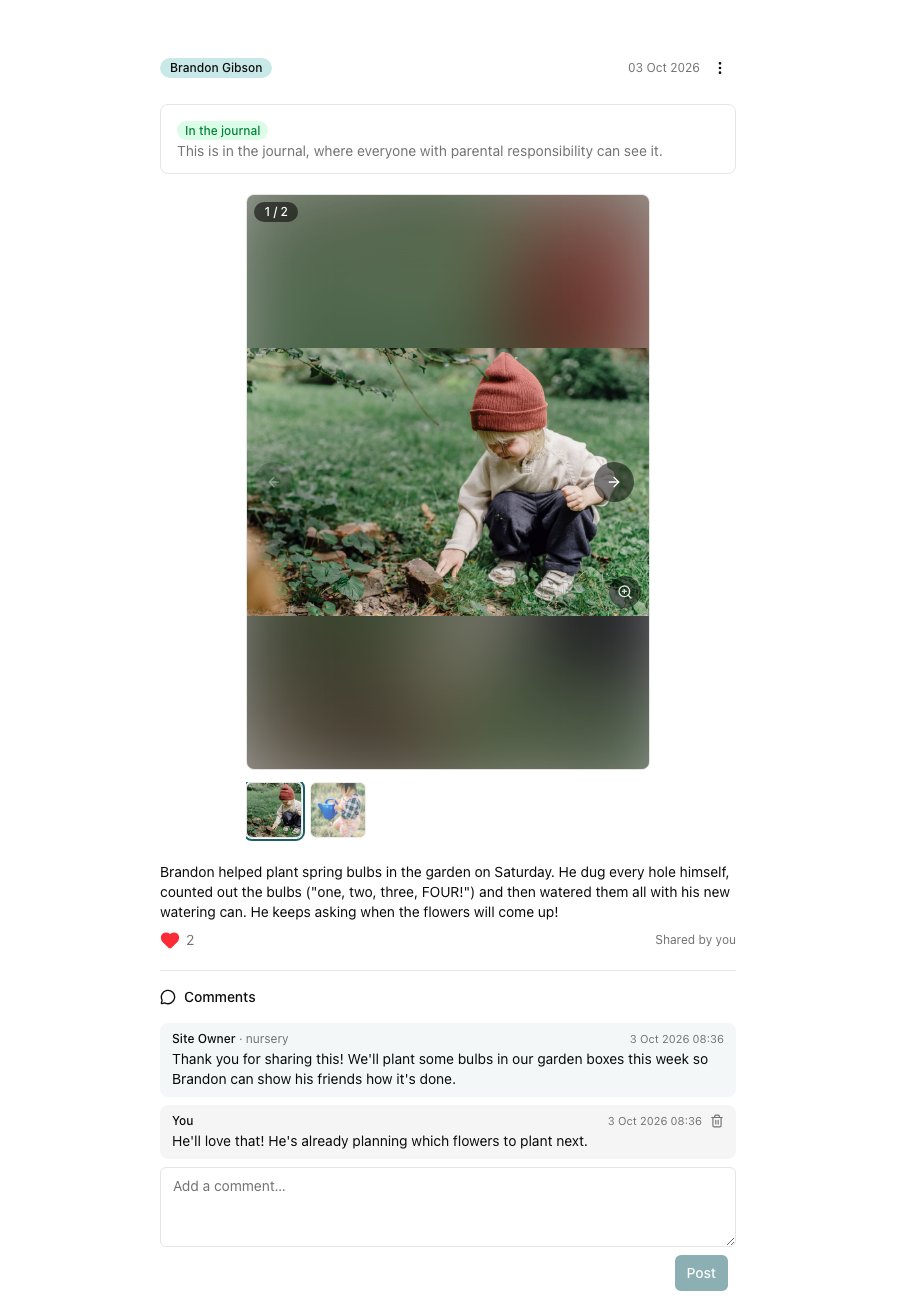
On an observation of several children, you only see the comments about your child. Other families’ conversations are never shown to you.
Emails when the nursery replies
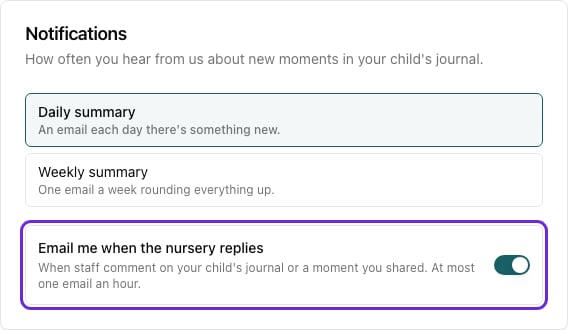
When the nursery comments on your child’s journal or on a moment you shared, you’ll get an email, at most once an hour. To turn these off, open My Account and switch off Email me when the nursery replies under Notifications.