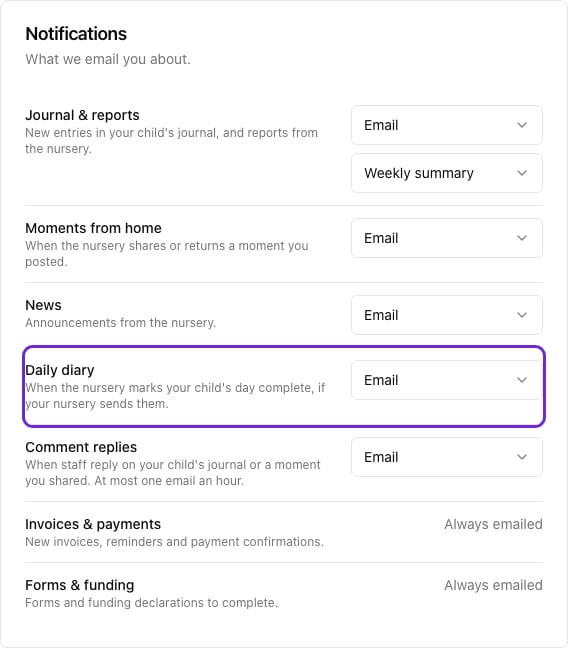
Pigeonhole tells you when something new arrives: a photo in your child’s journal, news from the nursery, an invoice or a form to complete. You choose which kinds you hear about, and whether by email, by app notification, or both.

Changing your choices

  1. Open Me and tap Notifications & settings.
  2. Under Notifications, choose Both, Email, App or Off for each kind.
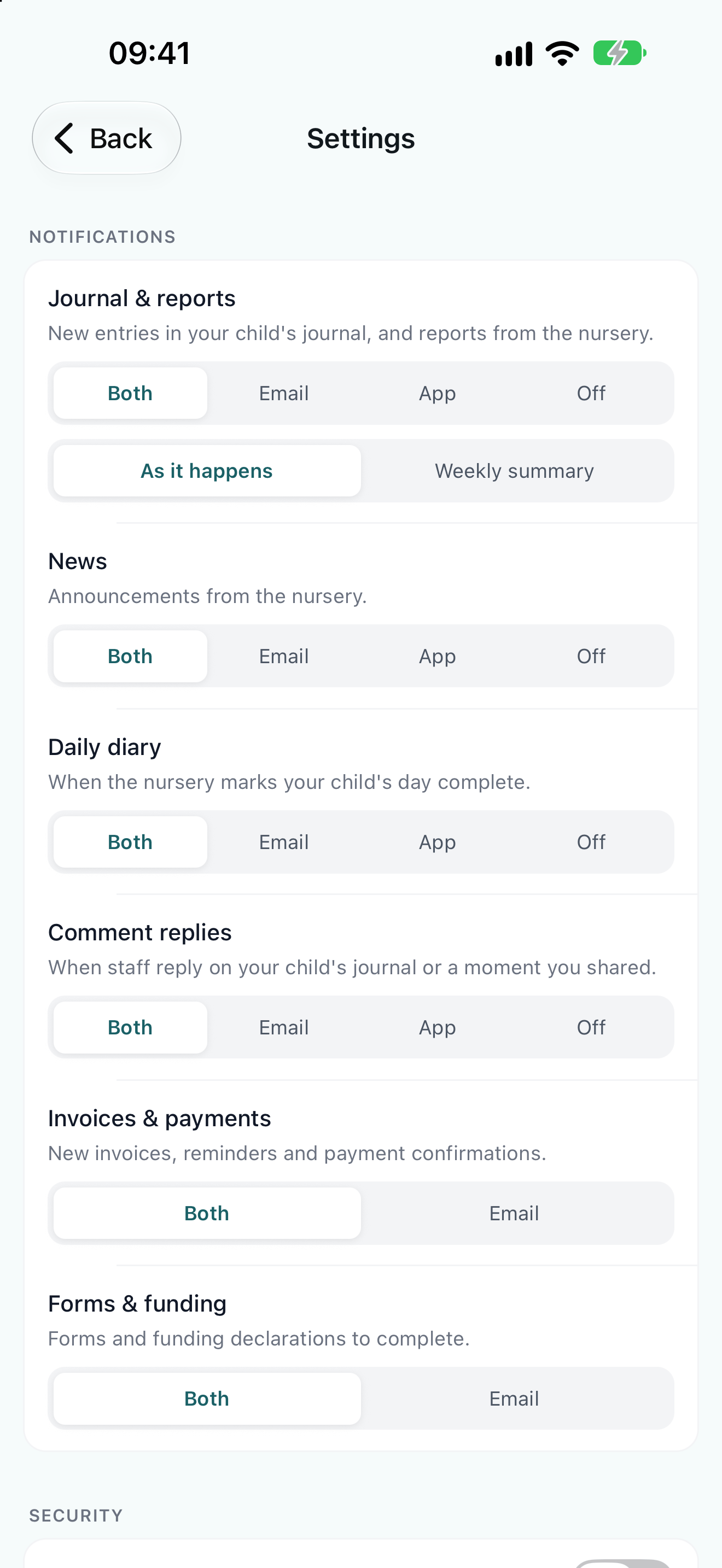
The app's Settings screen, with Both, Email, App or Off for each kind of notification, and As it happens or Weekly summary for journal emails
Your choices are the same wherever you change them. They apply to the nursery you’re looking at, so if your children go to more than one nursery, change them for each.

What you can hear about

Invoices & payments and Forms & funding are always emailed, because they’re things you need to act on. You can add app notifications to them, but not turn the emails off.

How often journal emails come

Under Journal & reports, choose As it happens for an email each time something new is shared, or Weekly summary for one round-up a week. App notifications always arrive as things happen.

Turning on app notifications

App notifications only arrive once your phone allows them. The app asks during setup. If you chose Not now, or turned them off in your phone’s settings, Notifications & settings shows Notifications are off. Tap Turn on notifications, or Open phone settings if your phone has already been asked. Anything set to App won’t arrive until you do.

Tapping a notification

A notification opens the app on the thing it’s about: the journal entry, the news post or the form.

Frequently Asked Questions

I’m getting notifications for the wrong nursery

Choices are set separately for each nursery. Open Me, tap Switch nursery to choose the other one, then change its settings.

I signed out and stopped getting notifications

That’s expected. Signing out stops notifications on that phone until you sign in again.

I’m not getting app notifications on my Amazon Fire tablet

App notifications aren’t supported on Amazon Fire tablets. To keep hearing from your nursery, choose Email or Both for each kind in your choices. Everything else in the app works as normal.

Will other people using my phone see notifications?

Notifications can show on your lock screen, depending on your phone’s settings. To hide their contents, change the notification preview setting for Pigeonhole in your phone’s settings.