

Which one do I want?
Use Track when somebody is off sick, a parent asks for an extra Wednesday, or you need to prove your ratios held. Use Plan when you are setting fees, costing a pay rise, working out how many places you need to fill by September, or deciding whether a new room pays for itself.
What the two share
The planner is not a separate set of numbers. It reads the same records as everything else, so a plan and the real booking that follows it agree to the penny:- The same bookings — every child’s sessions, days, times and funded hours.
- The same prices — your price lists and their dates, priced by the code that builds your invoices, including top-ups, extra charges and discounts.
- The same ratios — set a room’s ratio in one and it changes in the other.
- The same rota — staff sessions, days, times and rooms.
- The same calendar — your terms and closure dates.
Planning the year ahead
The occupancy planner: how to read it, and everything you can try in it.
Occupancy heatmap
The tracker’s view modes, colour coding, and how to read occupancy data.
Target ratios
Set staff-to-child ratios for each room, and for different times of day.
Children's schedules
View and edit children’s sessions from the occupancy tracker.
Staff schedules
View and edit staff rotas from the occupancy tracker.
Room moves
Schedule children moving between rooms.
The tracker: All Rooms vs Per Room
The tracker has two view modes, toggled in the page header.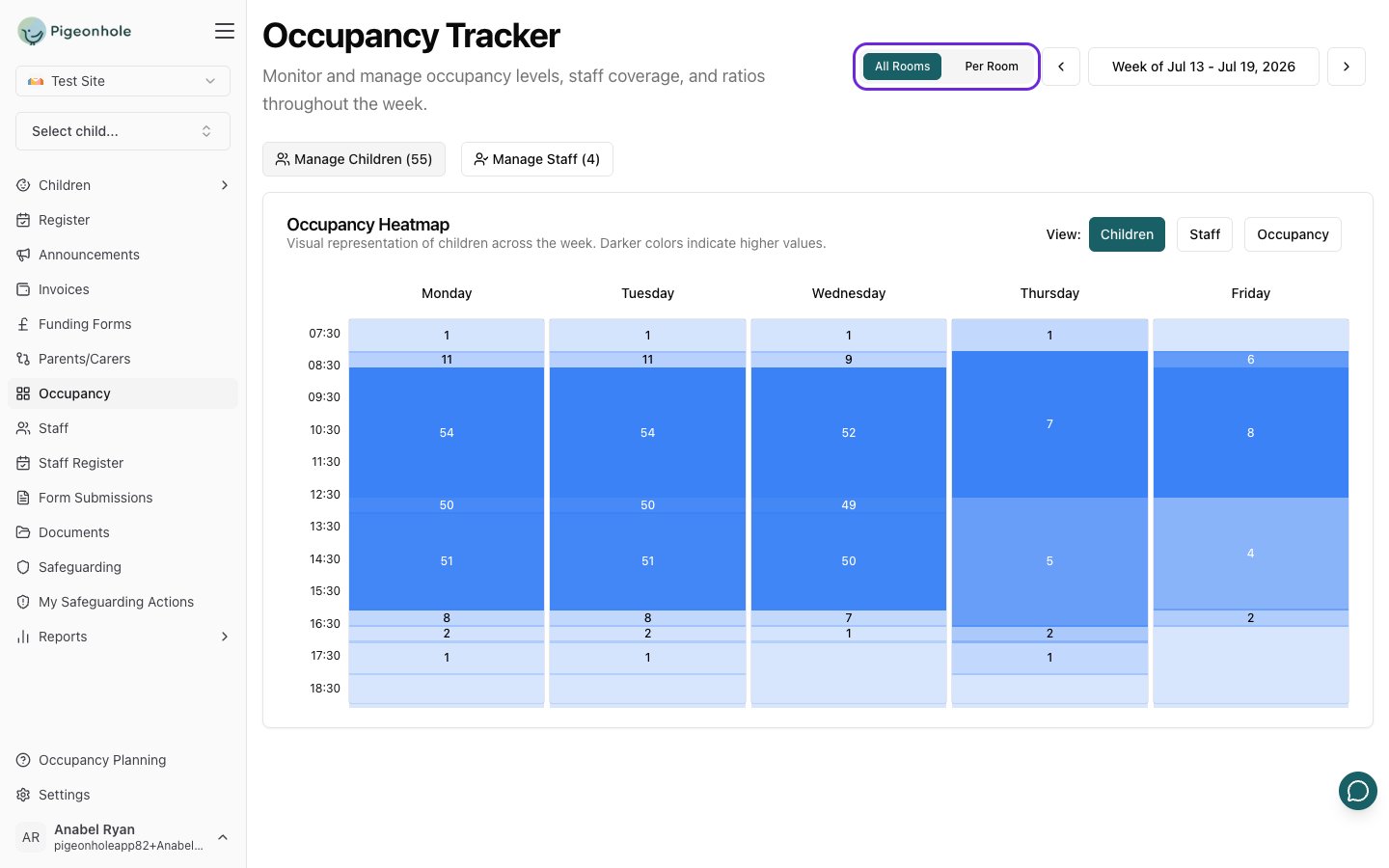
All Rooms
The default view shows a single aggregate heatmap across all rooms and all children — a quick read on the whole nursery for the selected week. From here you can open Manage Children and Manage Staff for the whole setting.Per Room
One card per room, each with:- Its own heatmap, scoped to the children and staff in that room
- Schedule Move — plan a future room move for children in this room
- Manage Children — the children in this room, with inline session editing
- Manage Staff — the staff assigned to this room
Per Room is the better starting point when you are planning room transitions or checking one room’s ratios.
Week selection
The week selector at the top navigates between weeks:- Previous / Next week — the arrow buttons move one week at a time.
- Date picker — click the date range to jump to any week.
Pigeonhole always works out the Monday–Friday week containing the day you pick.