
Opening the Manage Children Sheet
The sheet can be opened from two places depending on which view mode you are in:- All Rooms view: Click Manage Children in the page header to see all children across the nursery.
- Per Room view: Click Manage Children on a specific room’s card to see only the children assigned to that room.
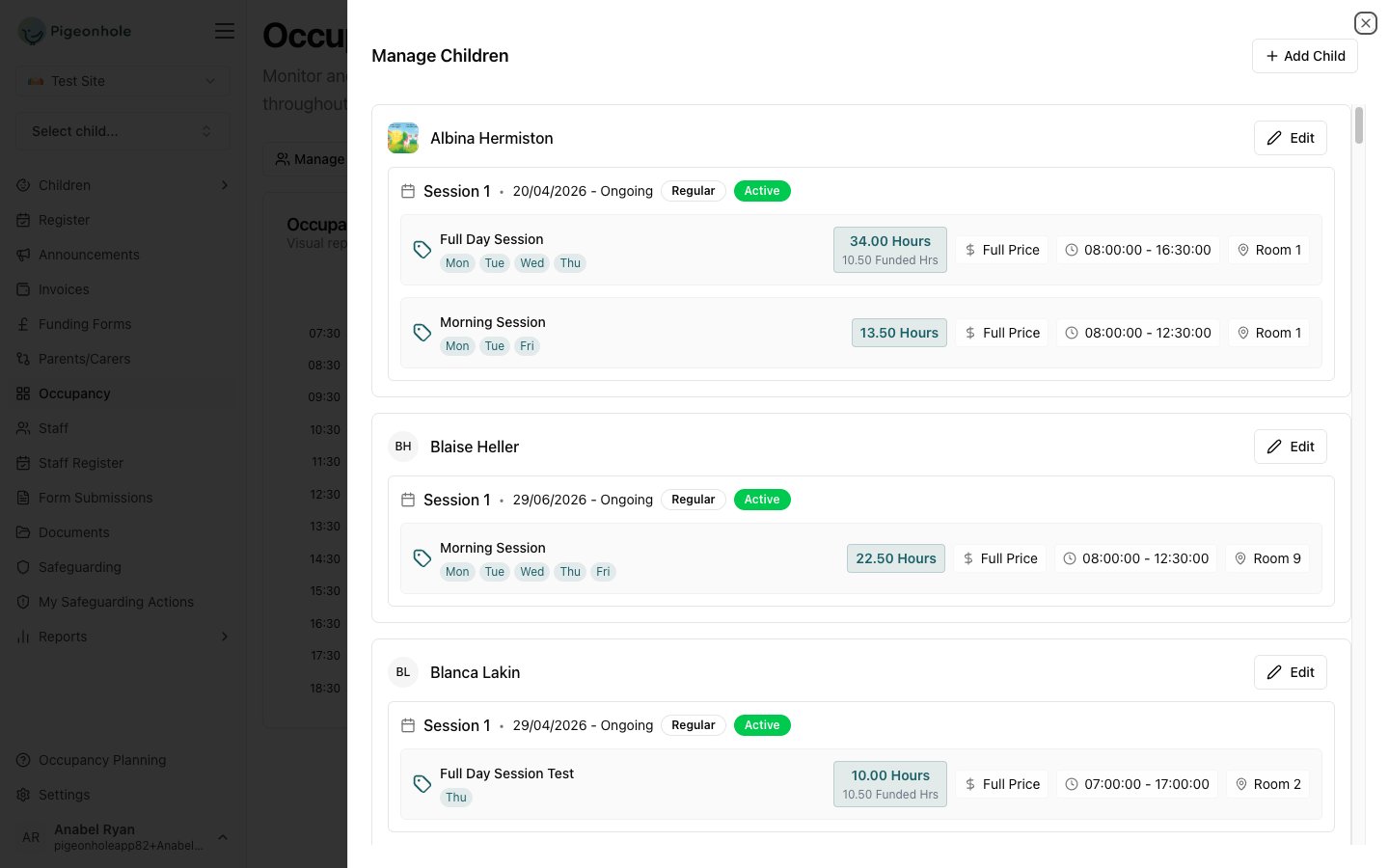
What the Sheet Shows
Each child listed in the sheet displays:- Name and age
- Session pattern: the days and times they are scheduled this week
- Room assignment: which room they are in for each session entry
- Edit and Cancel controls: inline session editing without navigating away
Editing a Child’s Schedule
- Find the child in the list.
- Click Edit on the session you want to change.
- Adjust the session details:
- Session Type: choose from your pre-configured session types
- Start / End Dates: set the active period for this session
- Daily schedule: configure start and end times for each day
- Room assignment: select a different room if needed
- Days of week: toggle which days the session applies to
- Funded hours: specify funded hours per day if applicable
- Click Save to confirm, or Cancel to revert this child’s changes.
Changes are reflected in the occupancy heatmap immediately, so you can see the impact of your edits in real time before moving on.
Adding a Child
To add a child to a room’s schedule directly from the Occupancy Tracker:- Open the Manage Children sheet for the relevant room (Per Room view only).
- Click Add Child in the sheet header.
- The Add Child dialog opens — search for the child or select from the waitlist.
- Configure the new session and save.