
Each term, your team takes a step back from the day-to-day journal and asks three questions about every child: how are they getting on in each area, what happened to the things we were working on, and what comes next? That’s the termly review. The review is for your team. Families receive a term summary written from it: what their child has enjoyed and achieved, and what you’ll be working on together next.
Open in app: Development → Termly reviews. Settings are on the Termly reviews tab of Settings → Development. Termly reviews are switched on or off from the Features card on Site Profile.
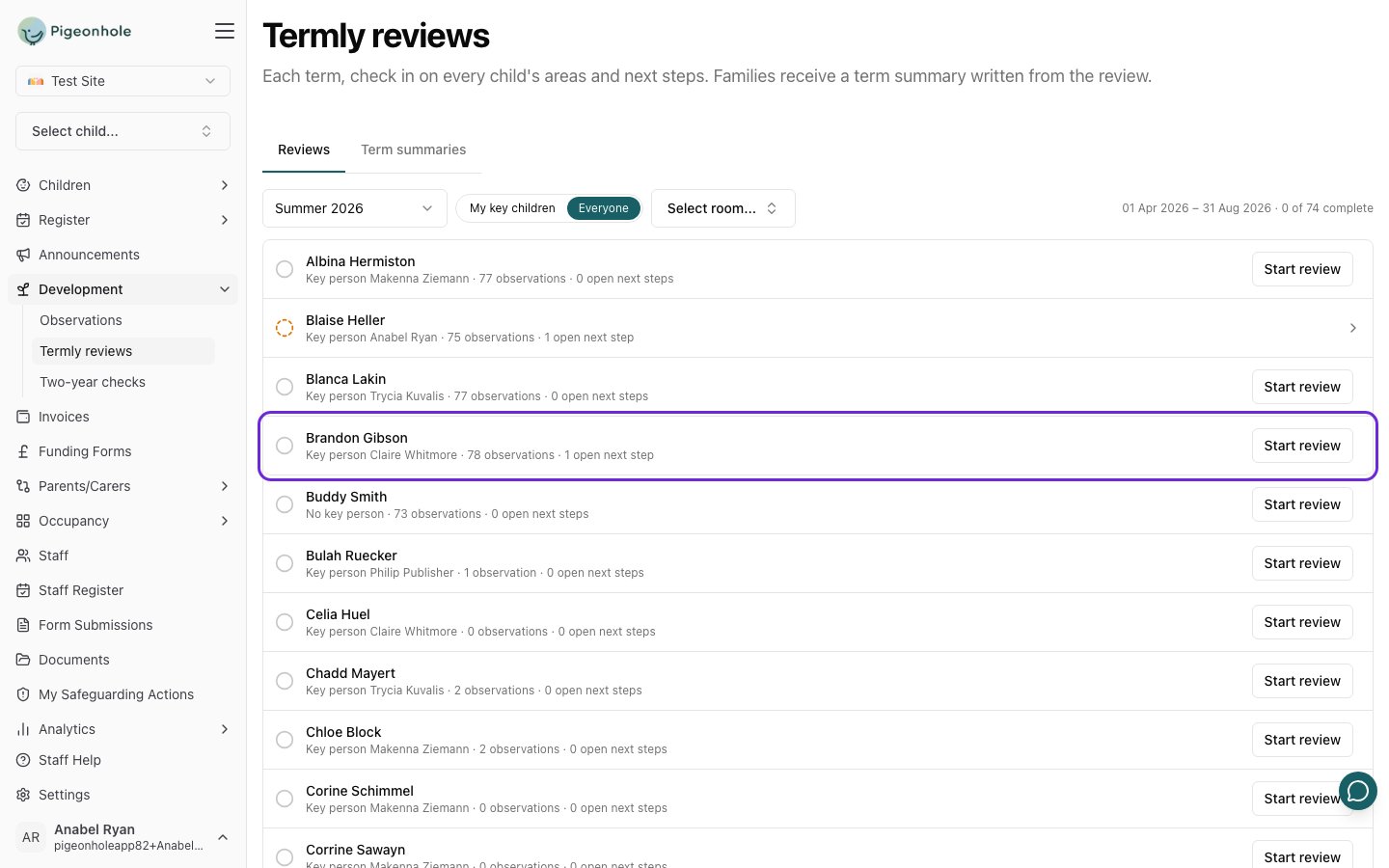
The Termly reviews page on Summer 2026, listing every child with their key person, observation count and open next steps, with Brandon Gibson highlighted
New to the Development area? How the three fit together compares observations, termly reviews and two-year checks.

How a term works

  1. During the term, staff record observations as usual. Each one can carry an idea for what to try next.
  2. Towards the end of term, each key person opens Development → Termly reviews and reviews their key children. Prepare with AI reads the child’s observations for the term and suggests a level for each area, what happened to each open next step, and two to four new ones. The key person decides everything.
  3. When a review is complete, the family’s term summary is drafted from it. It goes through your usual approval steps before the family sees it.
  4. Into the next term, the new next steps carry on. They appear on the child’s profile, and the next review opens with them.
There’s nothing to set up before you start: reviews follow three fixed terms, and every setting gets sensible defaults.

Terms

The terms meet with no gaps, so every observation falls into one. Each child has one review per term, and a review reads the observations published in its term. Review a child whenever suits you during the term. The Termly reviews page opens on the current term; pick an earlier one from the term list.

What a review contains
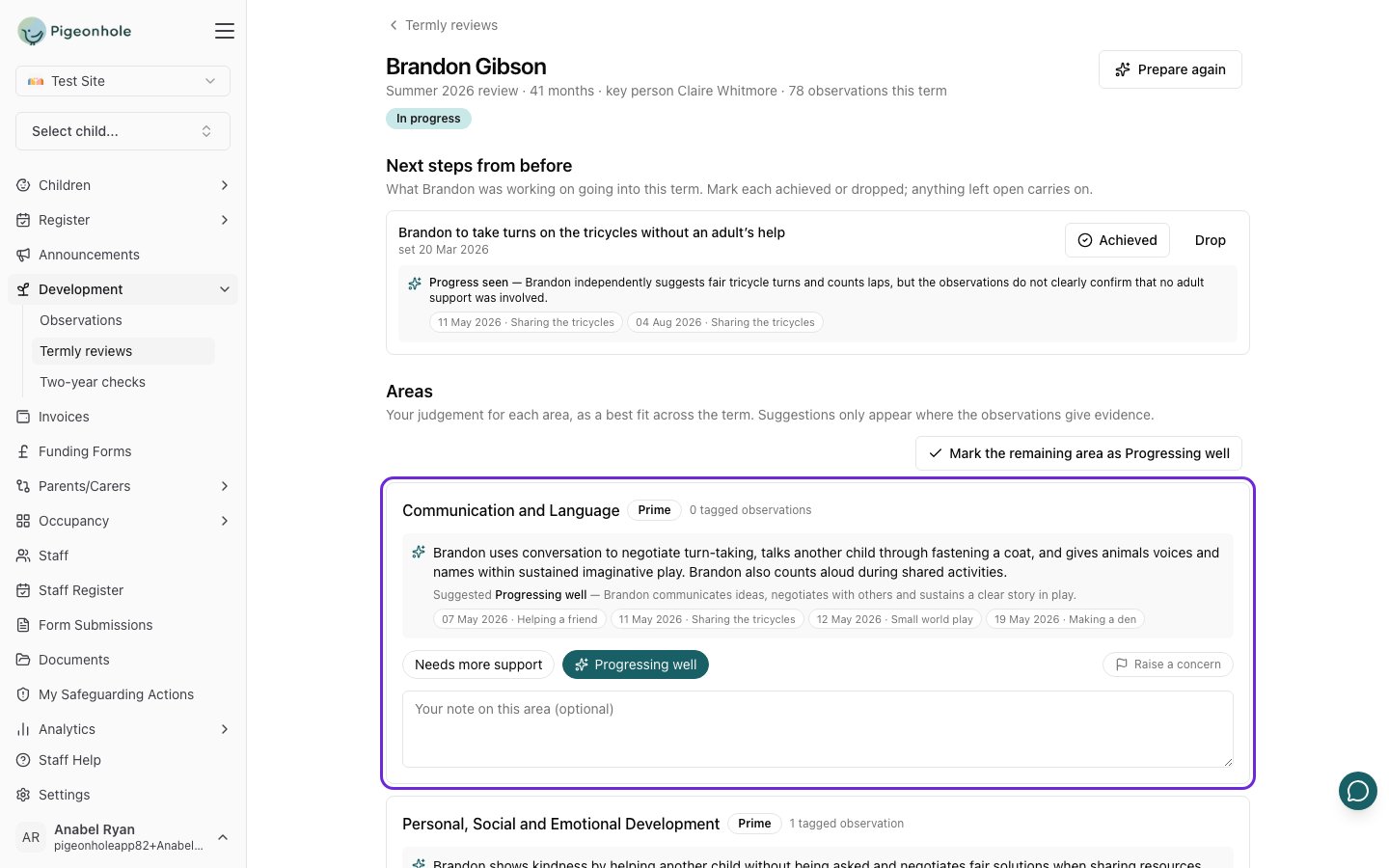
One area of a review: the AI's summary of what Brandon showed in Communication and Language, with the observations it cites and Progressing well pre-selected with a sparkle

In this section

Setting up

Level wording, which frameworks are assessed, under-threes, sharing and AI.

Running a term

Tracking progress across your setting, signals worth a conversation, completing and reopening.

Next steps

Where next steps come from, how they’re closed, and what families see.

Term summaries

What families receive, approving and publishing, and earlier progress reports.

How the AI helps

What the AI reads, what it suggests, what it never does, and switching it off.

Staff guide

The step-by-step guide for key people doing their reviews.

Frequently Asked Questions

What happened to progress reports?

They became term summaries. A summary is written from the child’s review, so it builds on the key person’s judgements and next steps rather than starting again from the raw observations. Progress reports written before the change are still there, under Term summaries and on each child’s profile. See Term summaries.

Do we have to review every child every term?

No. Nothing is forced: a child without a review simply shows as not started. Most settings review every child each term, but new starters or children who’ve been away may not have enough to review.

Can we change the term dates?

No. The terms are fixed so that every setting can start reviewing without any setup, and so that no observation falls between two terms.

How long does a review take?

A few minutes per child once observations are in. The AI does the reading; the key person checks the suggestions and makes the decisions.

Does Ofsted require this?

No. Ofsted doesn’t ask for tracking data or any particular method of assessment. Reviews are designed to be light, and to help you know each child and plan what’s next. The progress check at age two is the only statutory check, and it has its own page.