
A next step is something your setting is working on with one child, such as “Brandon to take turns on the tricycles without an adult’s help”. Each child usually has two to four open at a time. They’re deliberately few and specific to the child: Development Matters notes that practitioners can help children make progress “without needing to record lots of next steps”. Next steps connect everything in the Development area: they’re set in a termly review, show up in the family’s term summary, and are closed off at the next review when observations show progress.

Where next steps come from

Next steps on observations

Observations have their own Next steps box: a short idea for what to try next, written in the moment. That idea belongs to the observation and is shared with the family on it. It isn’t tracked. When the AI drafts an observation’s next step, it writes it about that child (for example “Encourage Ava to pour her own drink”) rather than a general idea for the room, and it builds on the child’s open next steps where it can. The termly review then reads those ideas along with the rest of the term’s observations when it suggests what comes next.

What a next step holds

  • the next step itself, written about the child;
  • the area it belongs to (optional);
  • an idea for home that the family could try (optional);
  • whether it’s shared with the family (on by default; see Setting up);
  • its status: open, achieved or dropped;
  • when it was set, and when and by whom it was closed.

Closing next steps

At each termly review, the key person sees every next step that was open going into the term, with the AI’s view of whether the term’s observations show it looks achieved, progress seen, or no evidence this term, and the observations it’s based on. They choose:
  • Achieved: the observations the AI cited are kept with it as evidence.
  • Drop: it’s no longer the right next step.
  • Neither: it carries on into next term.
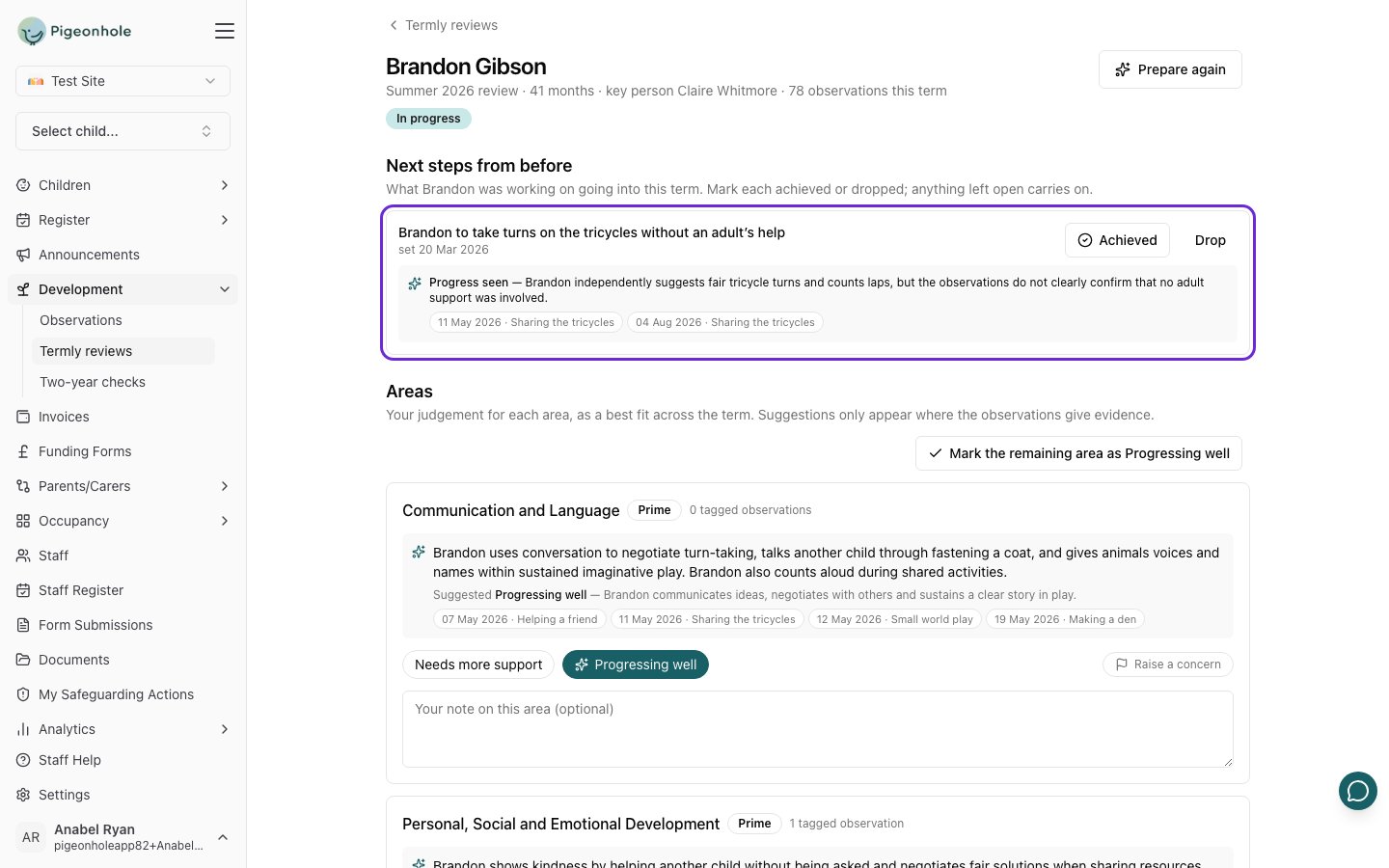
A next step from last term, with the AI's note that progress was seen and the two observations it's based on, and Achieved and Drop buttons
Staff can also mark a next step achieved or dropped at any time from the child’s profile. A next step marked by mistake can be undone from the review it was closed in.
A next step that has been open for more than 12 weeks with no evidence is flagged on the child’s next review, as a prompt to check it’s still the right one.

On the child’s profile

The child’s Development → Next steps & reviews tab shows what they’re working on now, each next step’s area and idea for home, and their achieved next steps. Their reviews and term summaries are listed underneath.
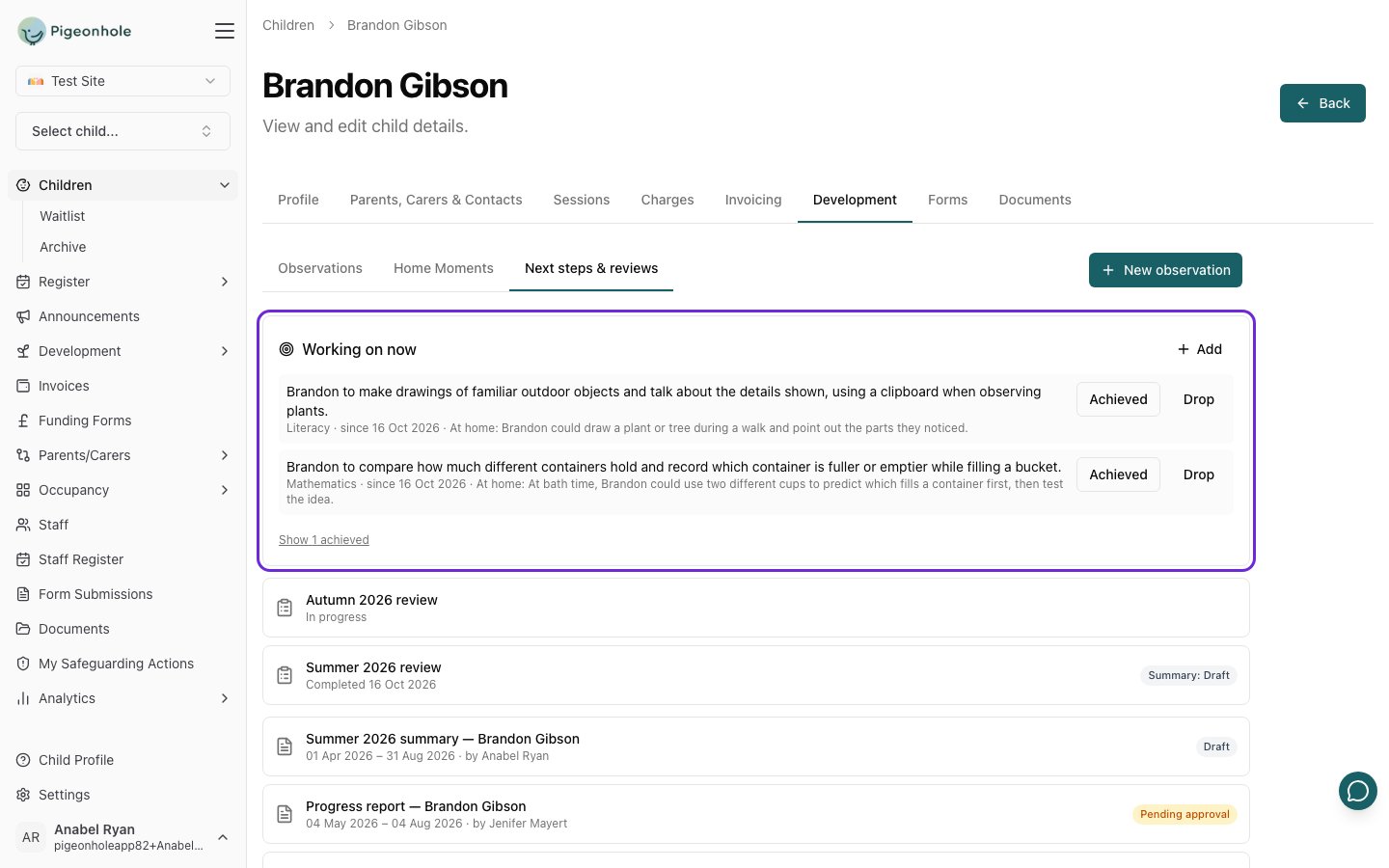
Brandon's Next steps & reviews tab: two next steps he's working on now, each with an idea for home, and his reviews and term summaries below

What families see

Families see next steps in their child’s term summary: the next steps achieved this term, and a list of what the setting is working on next, rewritten in parent-friendly words, with ideas to try at home. Next steps kept for the team only never appear.

Frequently Asked Questions

Why only two to four?

A few well-chosen next steps are easier to keep in mind during the day than a long list, and they give families something clear to support at home. Development Matters and Birth to 5 Matters both warn against turning their statements into checklists of next steps.

Can a child have no next steps?

Yes. That’s a normal outcome of a review when nothing new is needed.

Do next steps have to belong to an area?

No. The area is optional, but it helps the next review see which area a next step relates to.