
As a manager you’ll want to know where your team is up to, which children need a conversation, and which term summaries are waiting for you. This page covers the manager’s side of a term.

Seeing where every child is up to

Development → Termly reviews opens on the current term. Key people land on My key children; click Everyone to see the whole setting, or pick a room.
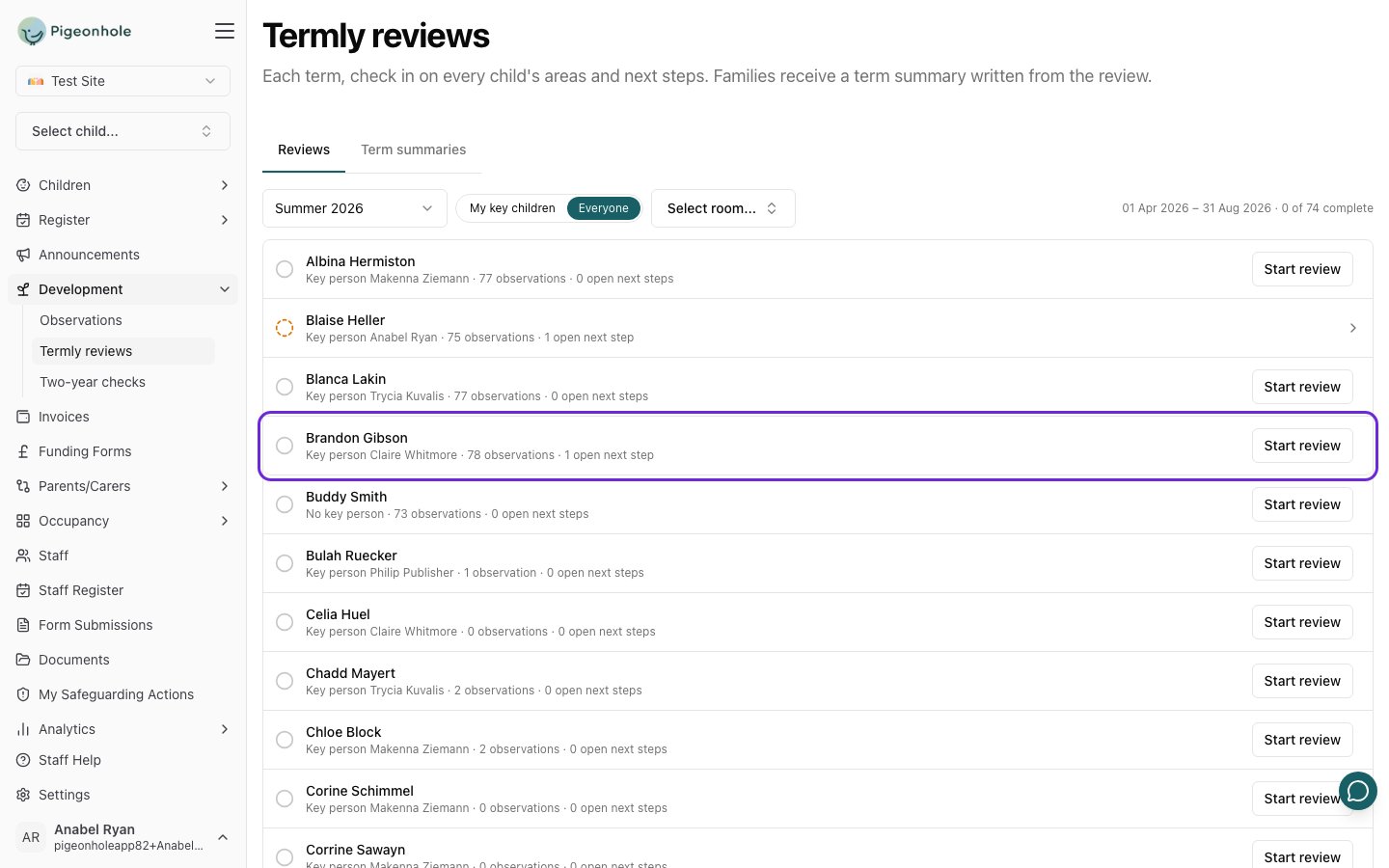
The Termly reviews list on Summer 2026 with Everyone selected, showing each child's key person, observation count and open next steps
For each child you can see:
  • whether their review is not started (empty circle), in progress (dashed circle) or complete (tick);
  • their key person, or No key person;
  • how many observations they have this term, a quick sign of whether there’s enough to review;
  • how many next steps are open;
  • the status of their term summary, once one has been started.
The count at the top right shows how many reviews are complete for the term.
A child with very few observations this term will have a thin review. That’s worth knowing before the end of term, while there’s still time to observe them.

Things worth a conversation

Each review flags, for staff only, things that may need a conversation:
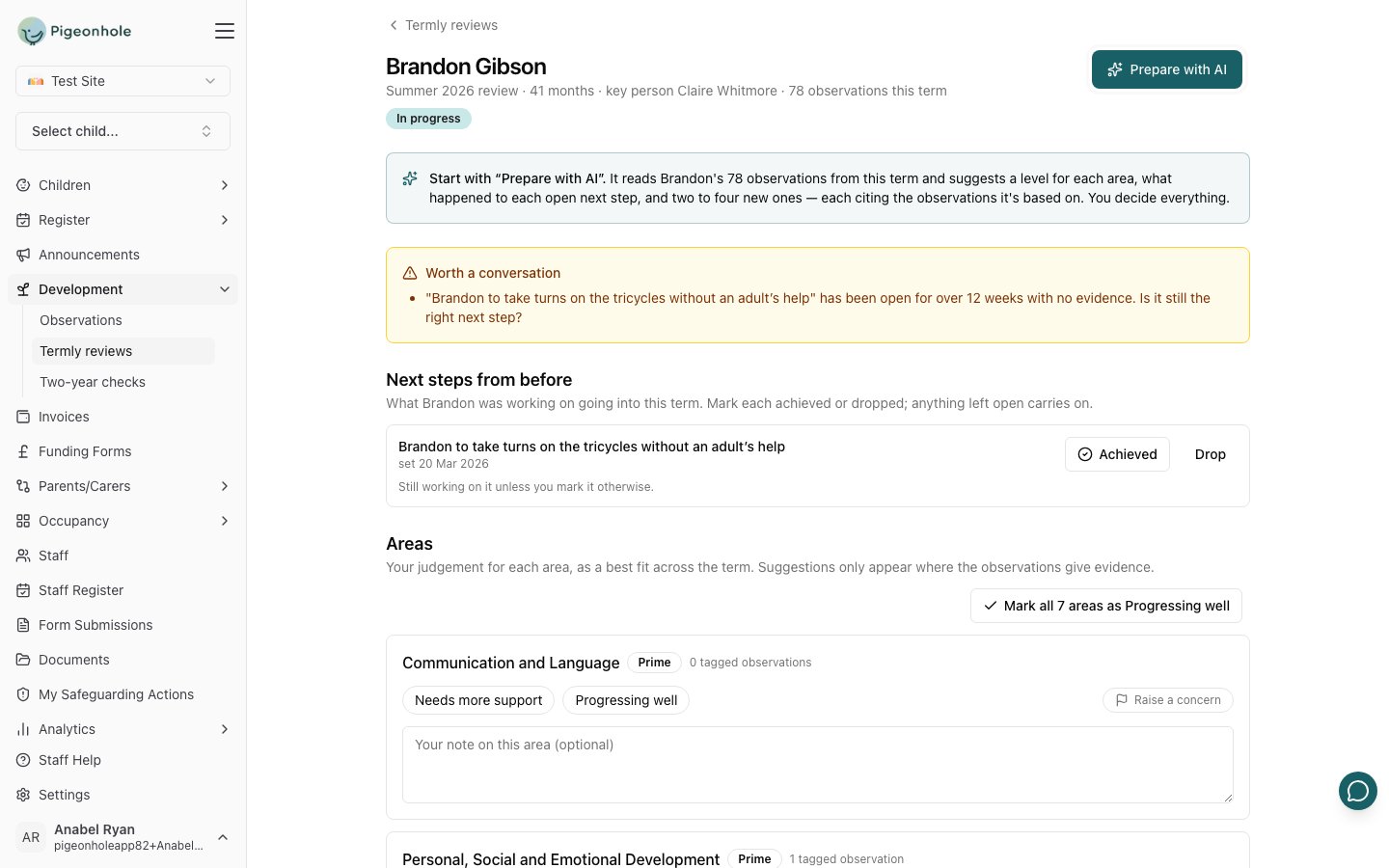
A review with a "Worth a conversation" panel noting that a next step has been open for over 12 weeks with no evidence
Signals are never shown to families.

Completing and reopening a review

When the key person clicks Complete review, any suggested next steps they didn’t accept are discarded and the review becomes read-only. Until then, Save keeps it in progress so they can come back to it.
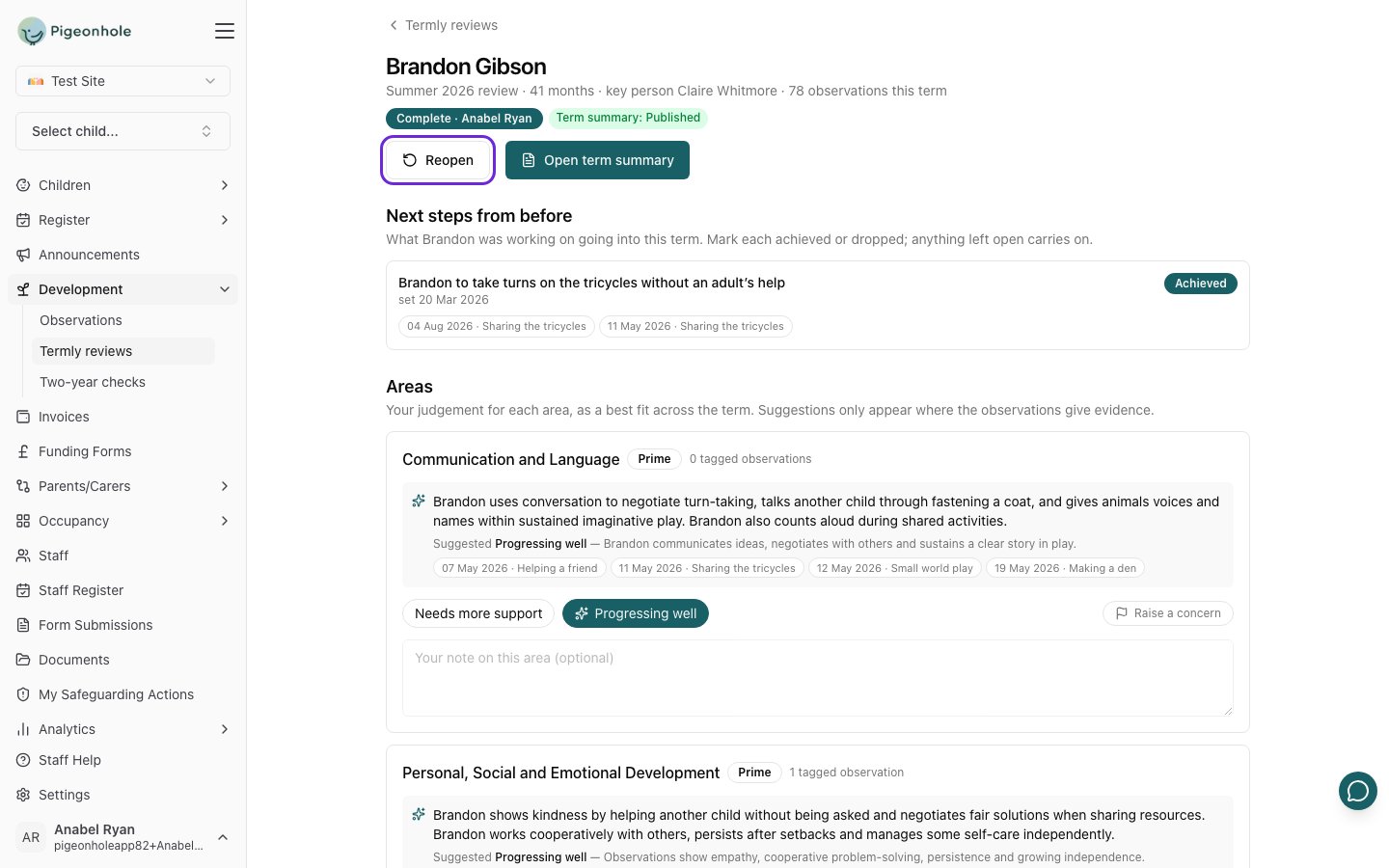
A completed review for Brandon Gibson, with the Complete and Term summary: Published badges and the Reopen button highlighted
Whoever completed a review, or a manager, can click Reopen to make changes. Every reopen is recorded in the audit log. Reopening doesn’t change a term summary that’s already been shared.

Approving term summaries

Term summaries follow the same approval steps as observations. Summaries waiting for you are counted on the Term summaries tab of the Termly reviews page; see Term summaries.

Frequently Asked Questions

A key person has left. What happens to their reviews?

Nothing is lost. Reviews belong to the child, not the member of staff. The child’s new key person (or any member of staff) can open and complete the review, and a manager can reopen a completed one.

Can I see a child’s reviews from earlier terms?

Yes. Pick the term from the term list on the Termly reviews page, or open the child’s profile and go to Development → Next steps & reviews, which lists every review and term summary.