
Creating & Sending Funding Forms
Creating a funding form
Funding forms can be created in two ways:- From the child’s page: Navigate to the Children page, select the ‘More actions’ (…) button next to the child, and click “Create Funding Form”.
- From the Funding Forms page: Go to the Funding Forms page and click “Add Funding Form”.
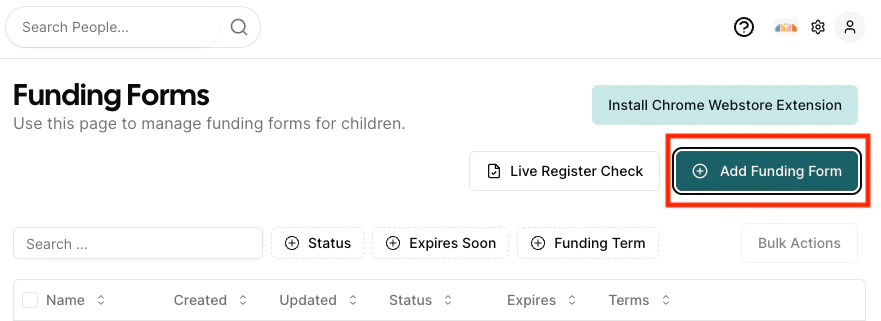
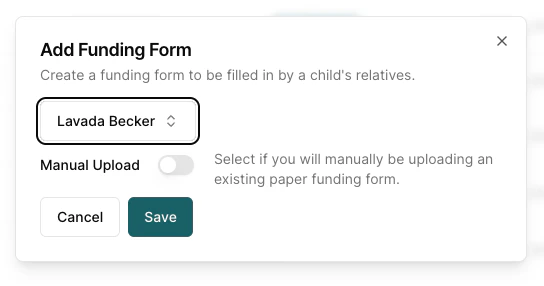
Not sure which route you need? Ways to Complete a Form compares all three and explains when to use each.
Verifying and updating a form
After creation, you will see the funding form details page where you can review and update the following sections:- Funding Details: Are they eligible for 2 year old funding? Have you seen their proof of DOB?
At this stage if you have seen the proof of DOB, input the DOB type and number. You don’t need to upload the DOB (although you can). Parents/Guardians won’t be asked to supply it when they submit the form for approval.
- Funded Hours: Review the funded hours that you are expecting the child to receive. The total hours across universal and extended hours can only be edited by the setting so its important to review these.
- Chargeable Hours and Costs: Verify the chargeable costs that have been pulled from the invoicing system are correct. This gives a breakdown of any private (chargeable) hours on top of funded hours and additional costs per day. The summary also gives a breakdown of both the additional costs per week, segregated per chargeable item.
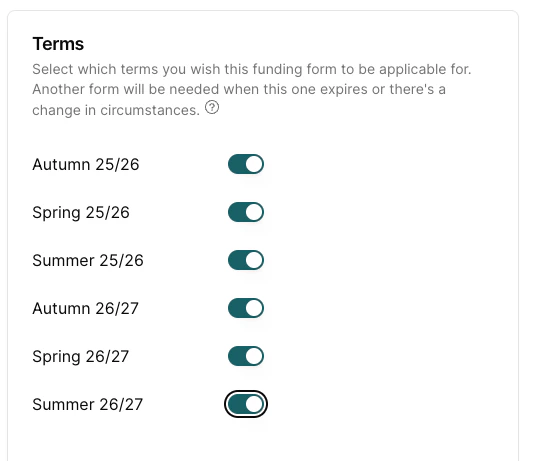
- Terms: You can preselect the terms that you expect the child to be attending your nursery. The terms available to select depend on your Funding Form Renewal setting and any limit your council places on how far ahead forms can commit — see Renewal Settings.
Sending to parents
Sending the form to the parent to complete online is the most common of the three ways to complete a form — but if the parent can’t log in, you can instead print the form for them to sign, or have them sign with you in person. Once verified, send the form to parents by clicking the Send To Parent/Guardians button at the bottom of the form, or on the funding form list page select Send To Parent/Guardians in the more actions (…) button against the child’s form. Parents will receive an email with a link to complete their portion of the form.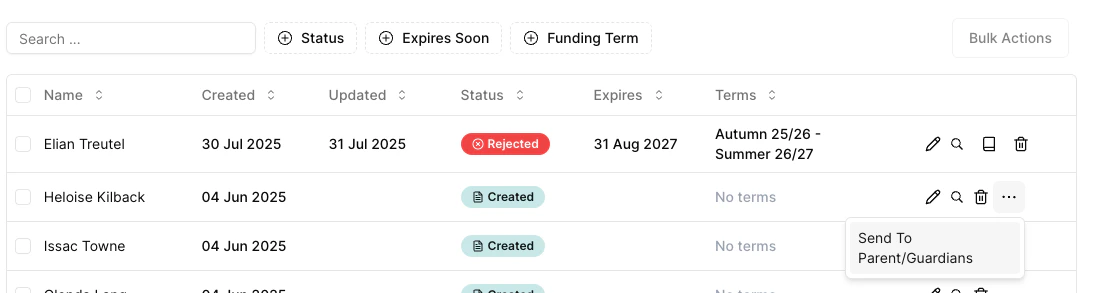
Editing a form
To edit a form, navigate to the Funding Forms list, locate the form, and click Edit. Make your changes and click Save.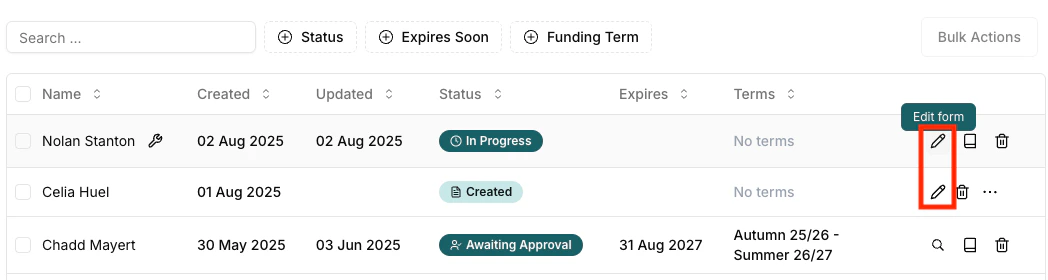
Deleting a form
To delete a form, navigate to the Funding Forms list, locate the form, and click the Delete icon.