Open in app: Waitlist.
Adding a Child to the Waitlist
- Go to Children and open the Waitlist.
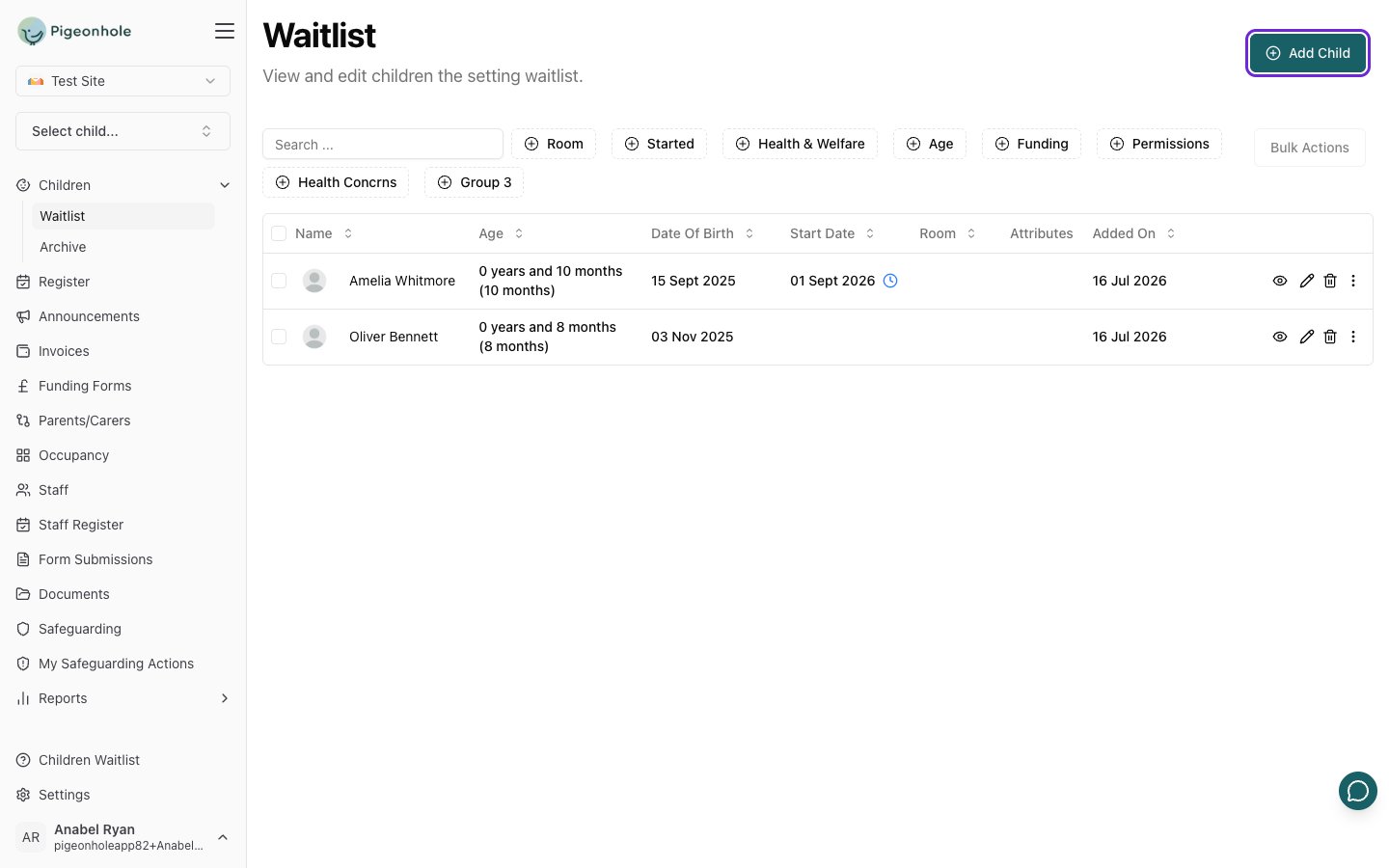
- Click Add Child in the top right. The Add Child to Waitlist page opens.
- Fill in the child’s details on the profile form, just as you would for any child.
- Click Save.
The Waitlist Table
The waitlist shows the same details as your main children list, with one extra column:- Added On — the date the child was added to the waitlist, so you can see how long each child has been waiting.
Moving a Child Off the Waitlist
When a place becomes available, you can move a child onto your main site.For a Single Child
- Find the child in the waitlist table.
- Open the row’s options menu (the three dots on the right).
- Click Move off waitlist and confirm.
For Several Children at Once
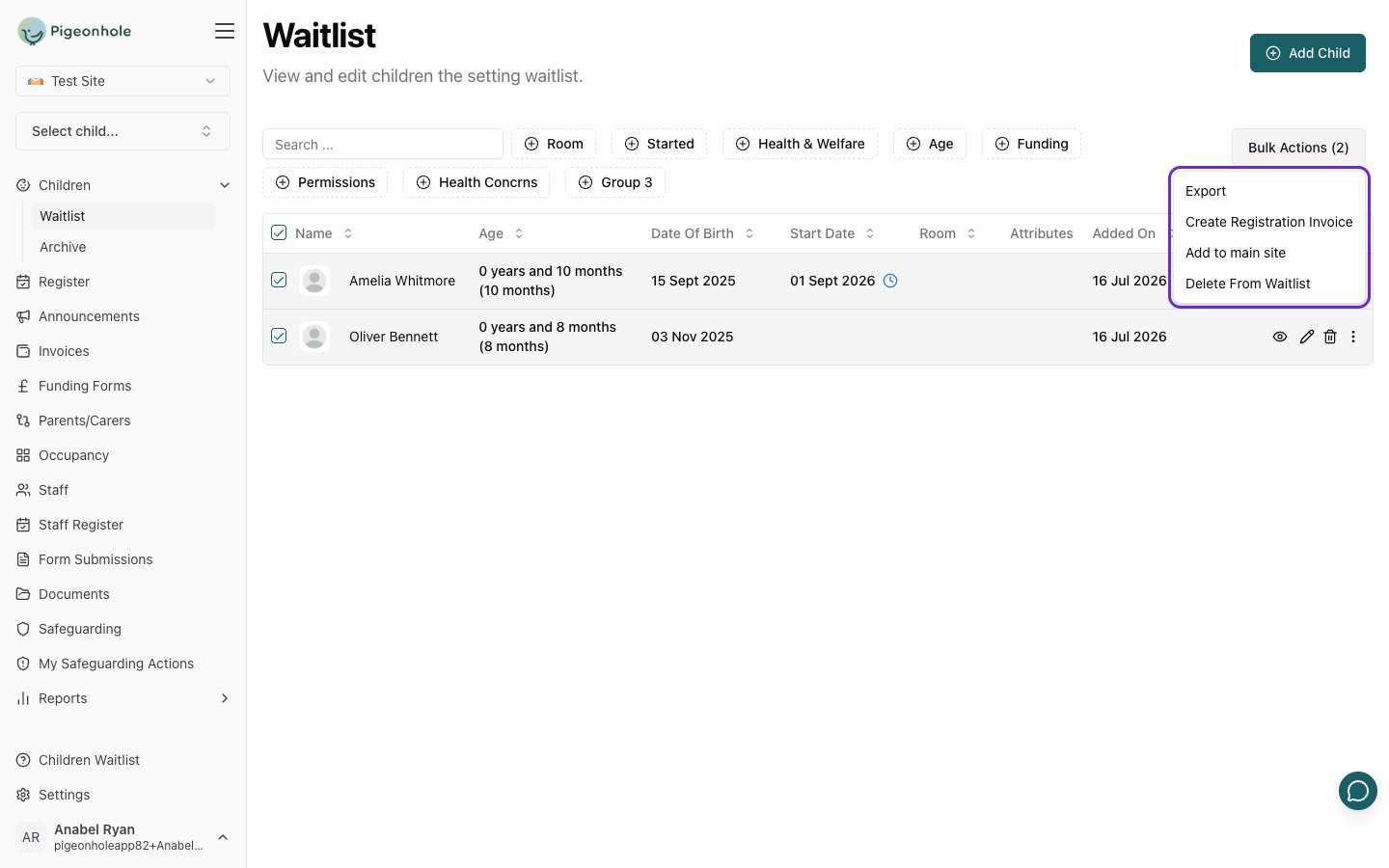
- Select the children using the checkboxes on the left.
- Choose a bulk action:
- Add to main site — moves all the selected children off the waitlist and onto your main roll.
- Delete From Waitlist — permanently removes the selected children from the waitlist.
- Confirm when prompted.