
Step 1: Check what staff actually cost
On the Staff card, click Adjust. The dialog lists everyone on the rota with the hours they work and what they are paid.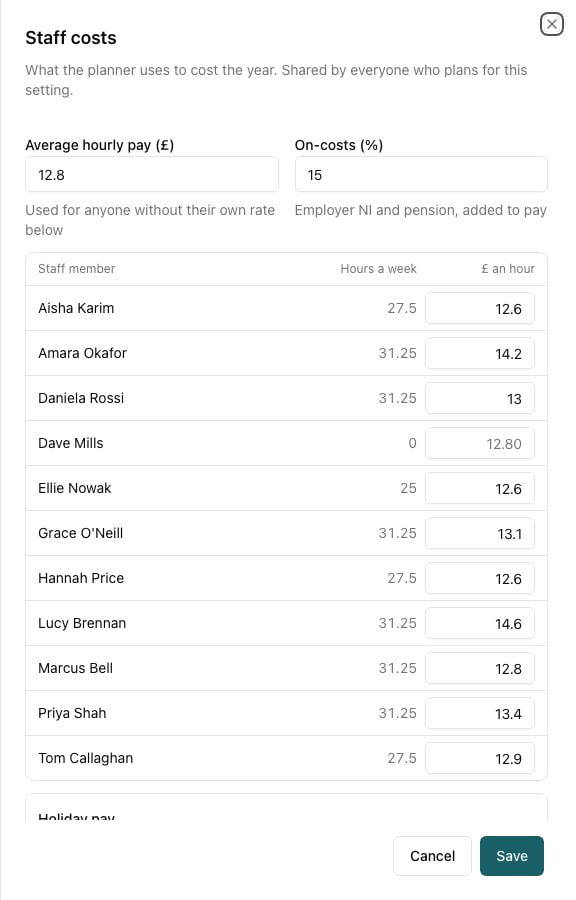
- Average hourly pay is used for anyone without a rate of their own.
- On-costs are employer NI and pension, added on top of pay. 15% is a common starting point. Don’t add holiday here — Holiday pay below covers it.
- Holiday pay says whether staff are paid through the weeks you are shut, or paid only for the days they work with the holiday rolled into their rate.
- Give anyone their own £ an hour where they differ — a room leader, an apprentice.
The two halves of holiday go together. On paid through the closures, staff are costed for every week of the year and their holiday is already in that figure. On rolled up, they are costed only for the days they work and the rate carries the holiday percentage instead. Putting holiday in the on-costs as well charges it twice.
Step 2: Price the rise
Scroll down the same dialog to Plan a pay rise. Choose how much more an hour, from when, and whether it goes to everyone on the rota or to particular people.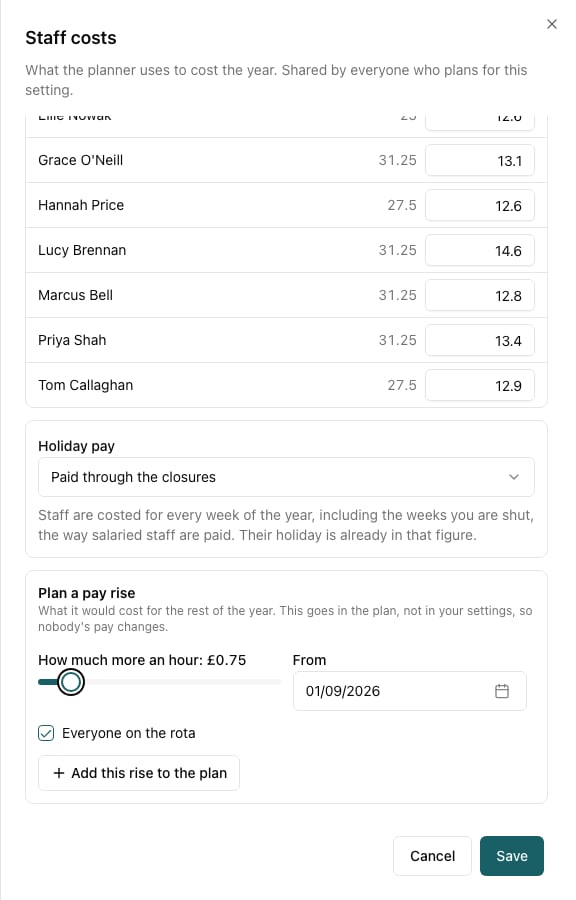

Rises stack. Add “everyone from March” and “these two from November” as two separate rises and the planner costs them together, each with its own line.
Step 3: Find the price rise that covers it
On the From families card, click Prices. Choose a price list and move the private rate. The figure at the bottom updates as you drag.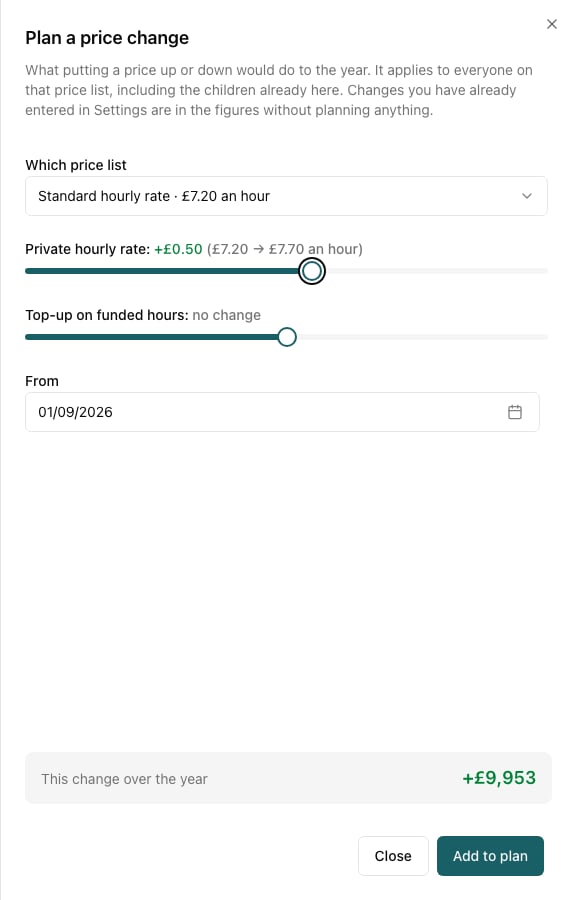
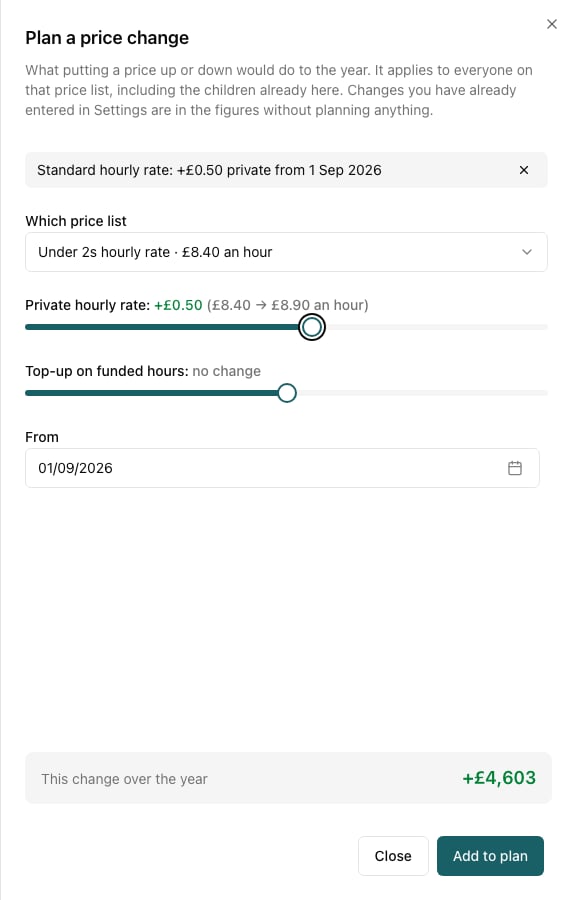
Step 4: Read the answer
Open Your changes to see the rise and the price moves side by side.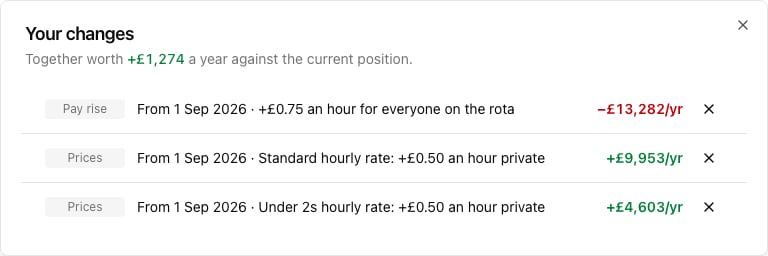
- The pay rise costs £13,282.
- 50p an hour on the standard rate brings in £9,953.
- 50p on the under-2s rate brings in £4,603.
- Together: £1,274 better off than doing nothing.

Step 5: Save it, then decide
Click Save plan and name it something you’ll recognise in six months — “75p pay rise, covered by prices”. Everyone who manages the setting can open it, so it becomes the thing you discuss rather than a number somebody half-remembers. When you have decided, make the changes for real: pay rates on each staff member’s profile, and the new prices on Settings → Sessions → Pricing with the date they start. A price rise you have already entered in Settings is in the planner’s figures automatically from that date — you don’t need to plan it as well.Things worth knowing
- A mid-year rise costs less than a full-year one. The planner counts from the date you set to 31 August, so a rise from April costs roughly five twelfths of the same rise from September. Try both.
- Funded hours limit how much a price rise earns. On an hourly price list, funded hours are paid by the council at your top-up rate, not by the family. Put the private rate up and the children with 30 funded hours a week contribute very little of it. Move the top-up as well if your price list has one.
- A rise for two people is cheap; a rise for everyone is not. Untick Everyone on the rota and pick names to see the difference.
- Check the rooms, not just the total. A room that was already losing money loses more after a rise. The Room earns column on the right of the year strip shows each room’s own figure.