
Children on the waiting list have no booking yet, so they are not in the forecast. This page is about adding them as planned children — one change per child — to see what they would do.
Step 1: Go to the year with the gap
Usually that is Next year, after the September moves. Here the baby room is empty: everyone moved up to Toddlers and nobody has been booked in behind them.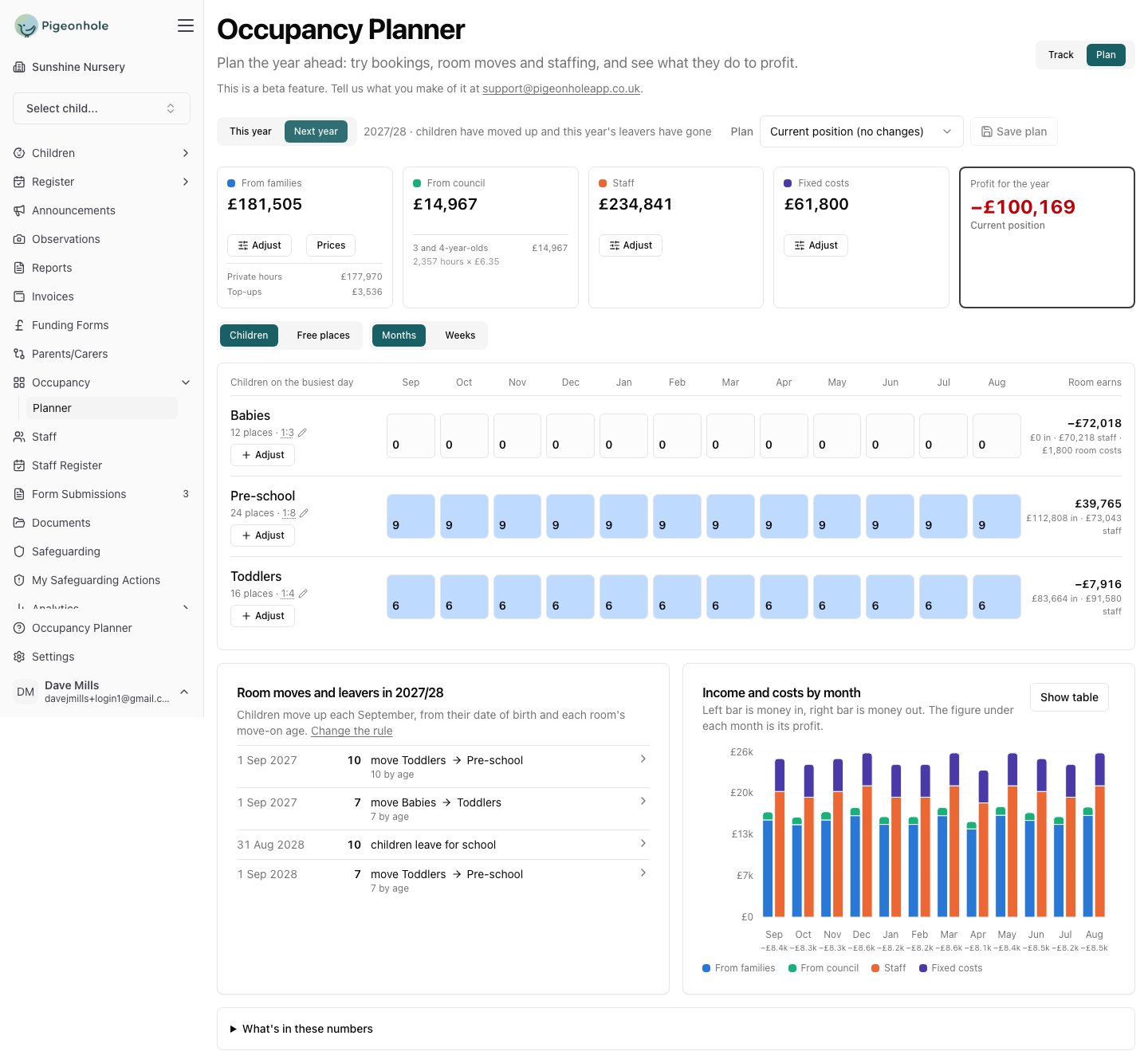
Step 2: Add the first child
Click Adjust on the room with the gap, and fill in the child as you would book them.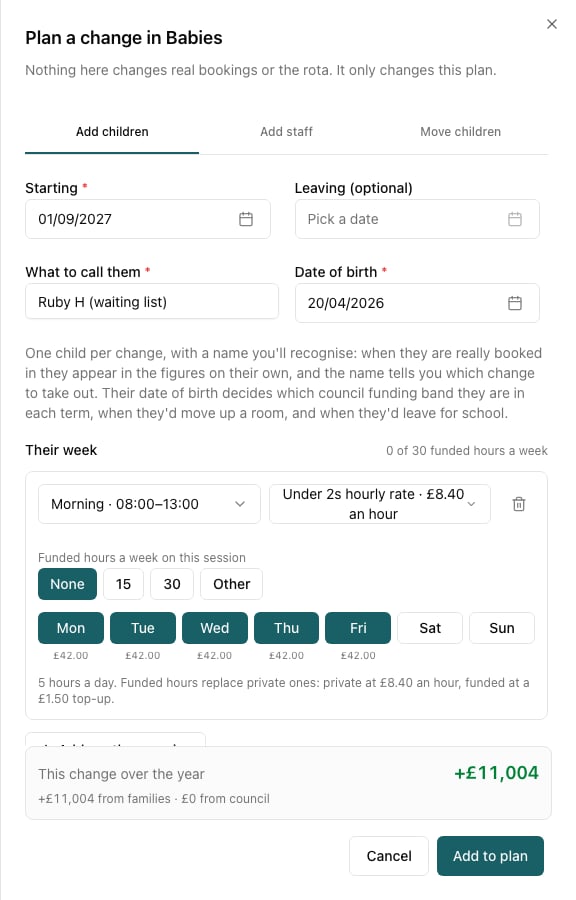
- Starting — when they would actually begin. For a September intake, 1 September.
- What to call them — a name you’ll recognise. “Ruby H (waiting list)” beats “child 1”, because when Ruby is really booked in you need to know which change to take out.
- Date of birth — the real one, from their enquiry. It decides their funding band in each term, when they’d move up a room, and when they’d leave for school.
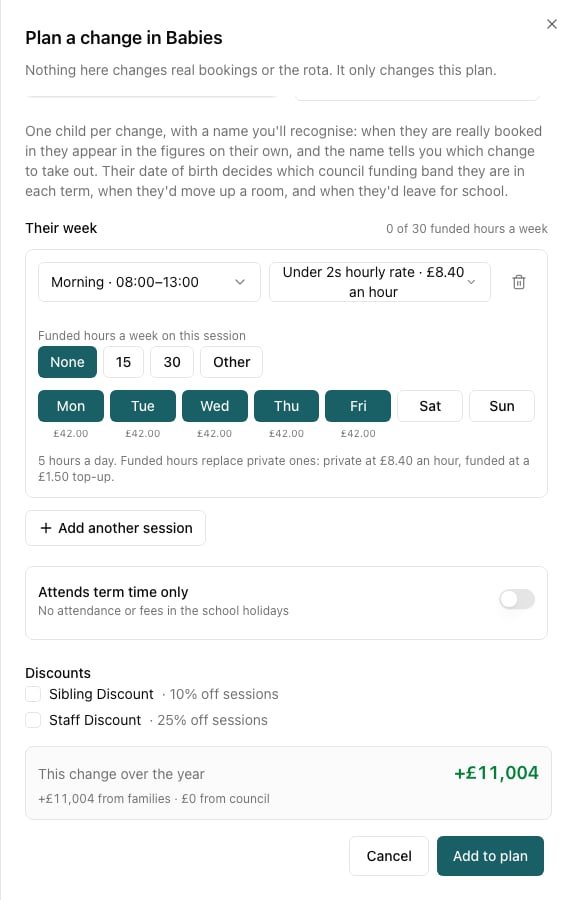
Pick the price list the child would really be on. A baby on an under-2s rate is worth more per hour than one on your standard rate, and the difference over a year is real money.
Step 3: Add the rest, and watch what each is worth
One change per child, so each carries its own figure. That is what makes a waiting list sortable.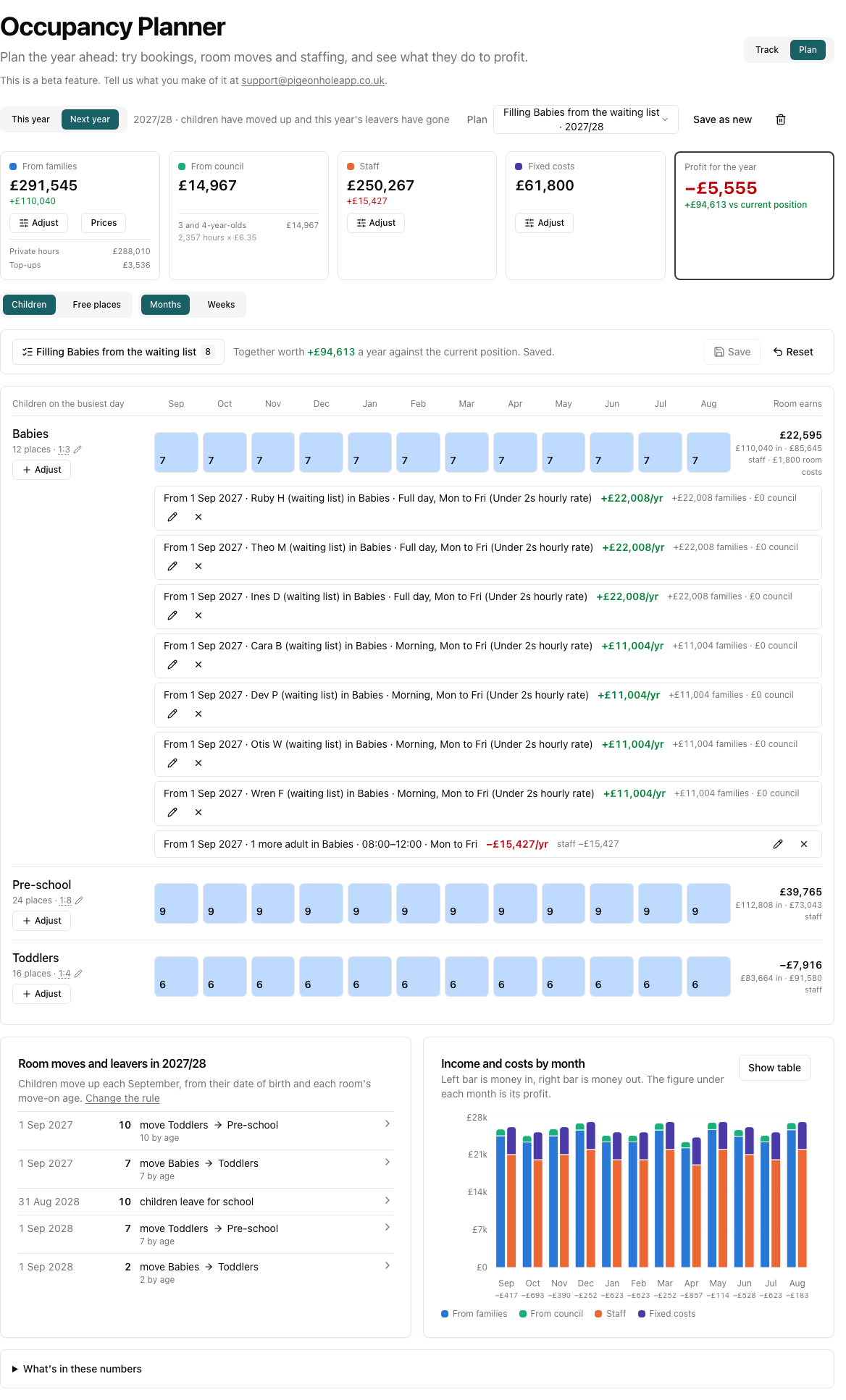
- A full day, Monday to Friday child is worth £22,008 a year.
- A morning, Monday to Friday child is worth £11,004.
Step 4: Stop when the room stops you
Add one child too many and the planner says so — while you are still filling in the form.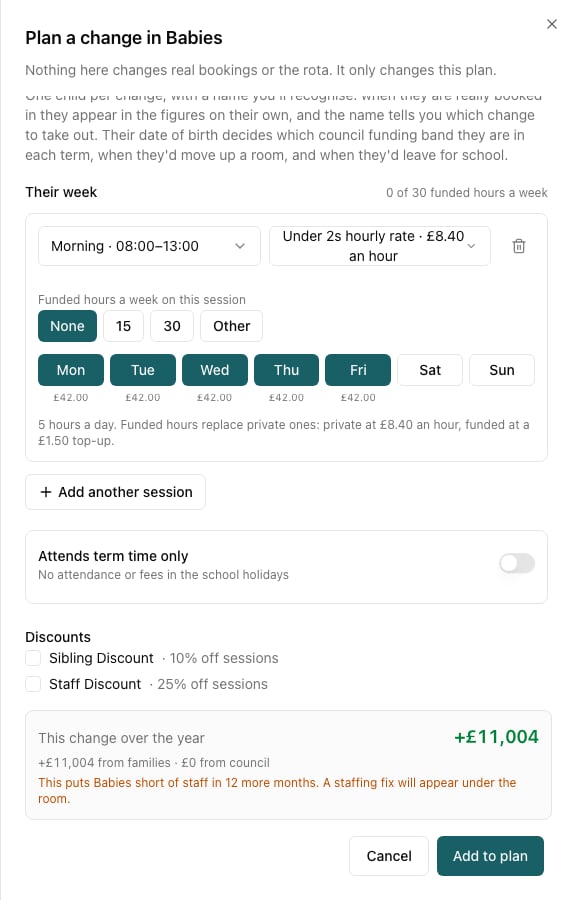

Step 5: Read the whole answer
Open Your changes for the plan on one screen.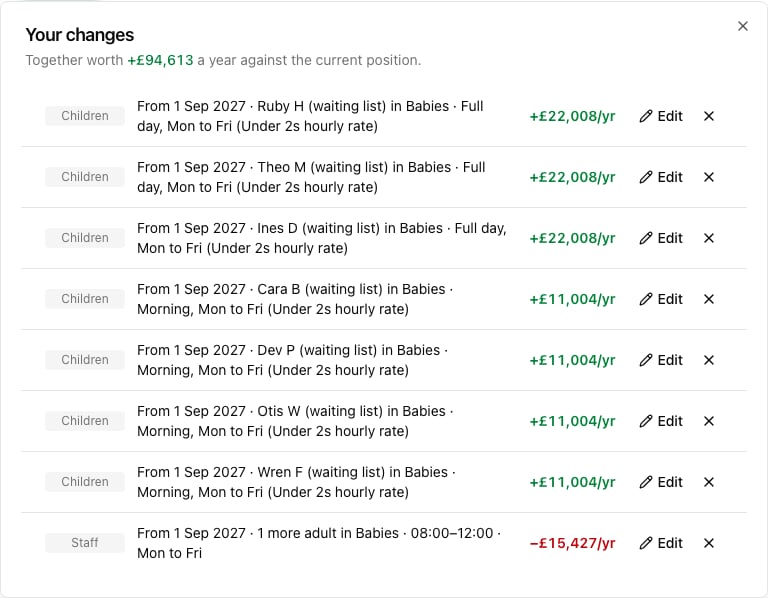

Step 6: Save it and work the list
Save the plan — “Filling Babies from the waiting list” — and use it as your call list. As each family really books, they appear in the baseline on their own, and you remove their planned stand-in. The total in the bar shows you how much of the gap is still open.Things worth knowing
- One change is one child. It’s tempting to add “6 children” in one go, but then you can’t tell which ones to take out as they book, and you can’t compare a full-timer with a part-timer.
- Different days, not just different children. Try a child on Monday–Wednesday against one on Thursday–Friday: whichever days your room is emptiest is where the next child costs you no extra staff at all.
- The waiting list is not counted anywhere in the planner — not in the room numbers, not in the income. Everything you see from it, you put there.
- Check the effect on the rooms above. A baby booked in September 2027 moves up in 2029. That is beyond what the planner shows, but the moves panel makes the pattern visible a year at a time.