
How the planner decides a room is short
For every day of the year, in every room, it counts the children present and the adults rostered at each moment, and compares them against that room’s ratio. It takes the tightest moment of the day, because a child booked all day has to fit at every moment of it. That is why a well-staffed morning doesn’t rescue a thin late afternoon, and why the figures in the tooltip sometimes read oddly at first: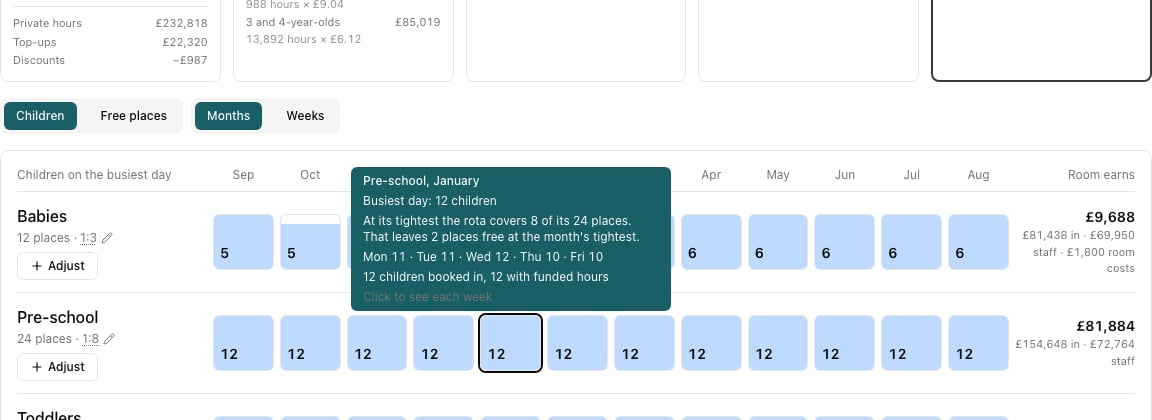
Where to look
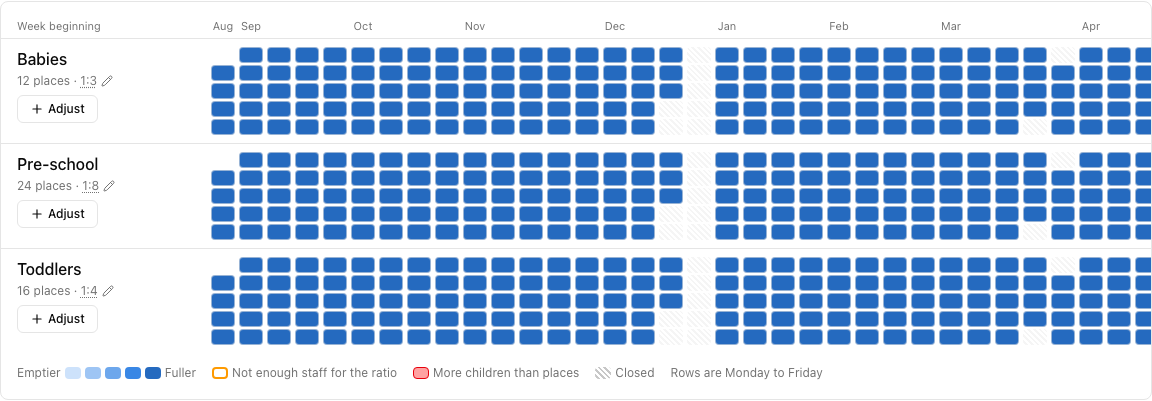
Two places say the same thing at different zoom levels:- The year strip. An amber cell with a warning triangle means the room is short of staff at some point that month. Red means more children than the room’s places, which more staff can’t fix.
- The week view. Switch Months to Weeks and every day of the year is a cell. An amber ring is a day the ratio isn’t covered; hatching is a closure.
The fix, worked out for you
When a room is short, the planner works out the smallest extra rota that would cover it — the days, the hours and the number of adults — and what it would cost for the rest of the year.
Does the child pay for the adult?
This is the question the planner exists to answer. Put the children and the adult in the same plan and read them together.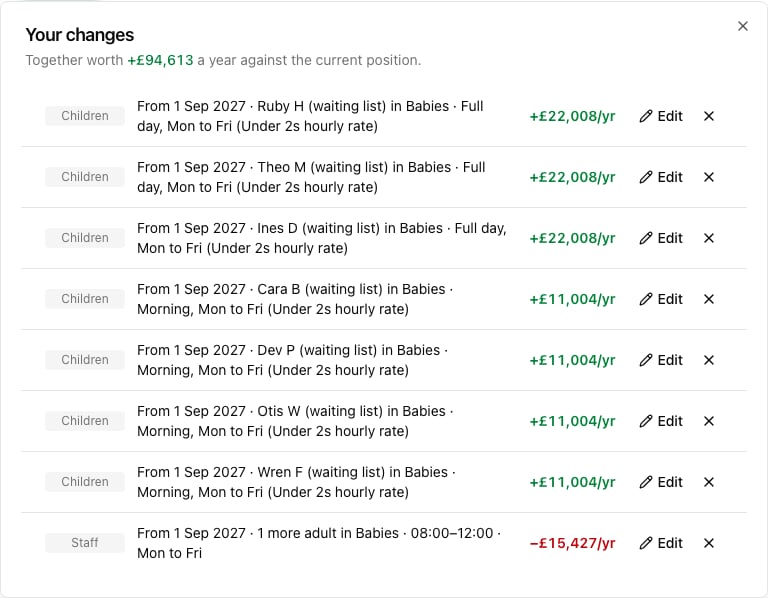
Reading a room that shows no free places
A room can show 0 free places while having places to spare. Switch the strip to Free places and hover the room:- If it says “At its tightest the rota covers 6. No places limit is set”, the rota is the limit. One more adult opens more places.
- If it says “At its tightest the rota covers 20 of its 20 places”, the room is the limit. More staff won’t help; you need a different room, or different days.
- If it says “Nobody is on the rota here”, no staff are assigned to that room. Check the rota in Track — staff have to be assigned to a room for the planner to count them there.
Things worth knowing
- Spread the days before you add the adult. A child on Thursday and Friday may fit where a Monday child doesn’t. The per-weekday line in the month tooltip shows which days are tight.
- The suggestion is a minimum, not a recommendation. It covers the ratio at the tightest moment; it doesn’t allow for breaks, sickness or a second person in the room for safety. Add more than it asks for if that is how you run.
- Ratios are shared with the tracker. Change a room’s ratio here and the occupancy tracker uses it too — so don’t move a ratio to clear an amber warning unless the new ratio is one you would actually staff to.
- Amber is a warning, red is a wall. Amber (short of staff) can be fixed by rostering. Red (more children than places) cannot — spread the days, move children up, or change the room’s places in Settings.
- A staffing warning next year is normal in the current position only if your rota already runs out; more often it appears the moment you plan children in. That is the planner doing its job.