
Step 1: Look at this year first
Open the planner and leave it on This year. This is your baseline: what the year makes if nothing changes.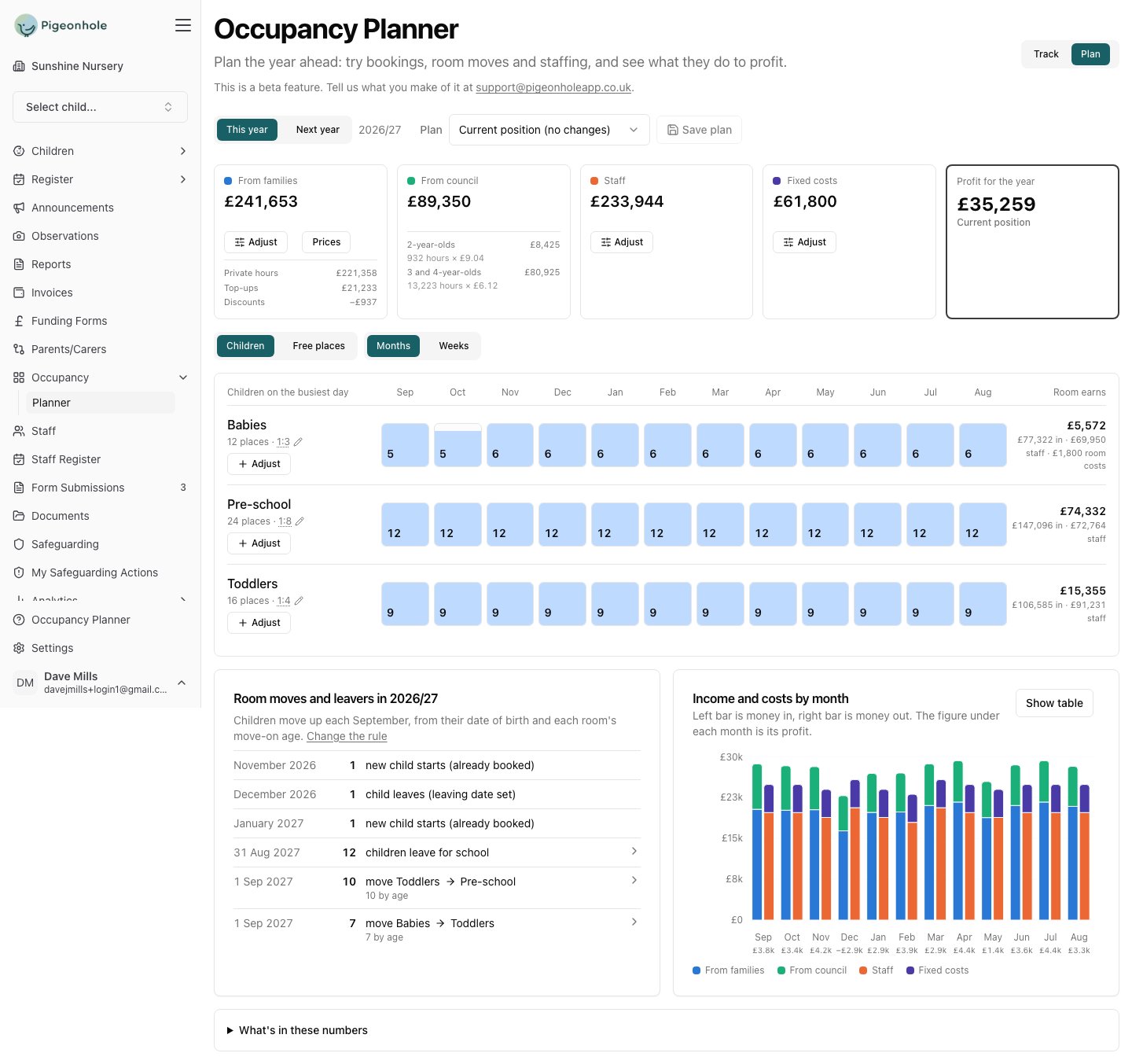
Step 2: See who is leaving, and when
Scroll to Room moves and leavers. It is the story of your year in a dozen lines.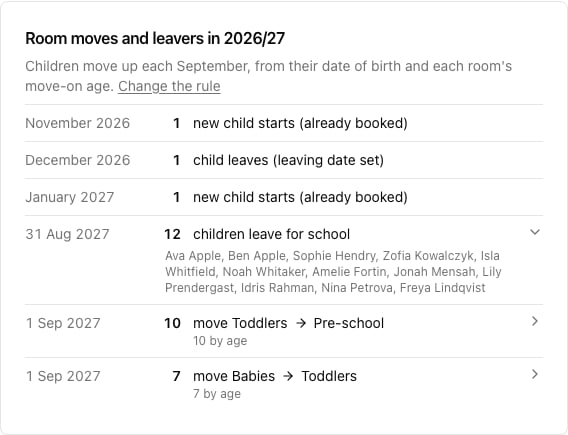
- New child starts (already booked) — children whose start date falls inside the year. They are already in the figures from the month they arrive.
- Child leaves (leaving date set) — a family who has given notice. Also already in the figures.
- Children leave for school — the end of August after they turn four, unless they have their own leaving date. Click the row to see their names.
- Move Toddlers → Pre-school, move Babies → Toddlers — the September moves, worked out from each child’s age and each room’s move-on age.
If the moves aren’t what you expect, check Settings → Rooms: the move-up rule, each room’s move-on age, and which room it feeds. Moves you have already scheduled in Track always take priority over the rule.
Step 3: Switch to next year
Click Next year. This is not just a different set of dates — the planner starts from the roll you would have after the September moves, with this year’s school leavers gone.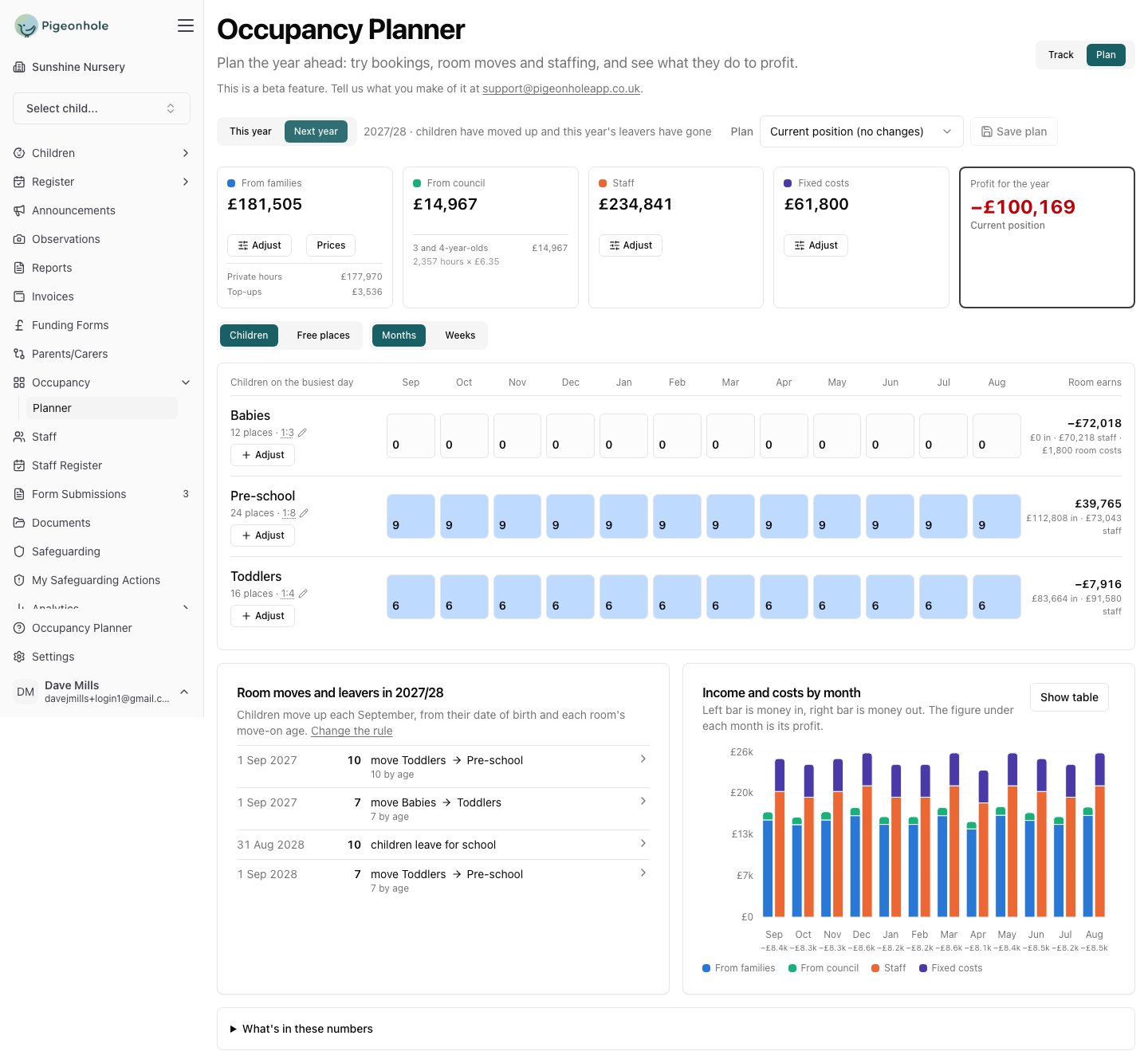
- Babies: 0 children, every month. Everyone moved up and nobody has been booked in behind them. The room still costs £70,218 in staff and £1,800 in its own costs, so it loses £72,018.
- Pre-school: 9 children — this year’s toddlers, moved up. It was 12.
- Toddlers: 6 — this year’s babies. It was 9.
- Profit: −£100,169. The income halves; the staff and the building cost the same.
Step 4: Work out what closes the gap
Now start planning against it. Each room’s Adjust button adds children to that room, and every change is priced on its own so you can see what each one is worth. The natural order is bottom-up, because that is how a nursery refills:- Fill the baby room, which is empty and is where new families arrive. See filling the gaps from your waiting list.
- Check the rooms above it — the moves have already put children there, but not as many as left.
- Watch the staffing, because filling a room past what the rota covers creates a shortfall the planner will flag. See staffing the year you have planned.
Step 5: Save what you decide
Save the plan with a name that says what it assumes — “Next year, if we fill Babies by September”. Come back to it as real bookings arrive: each child who is really booked appears in the baseline, and you take their planned stand-in out of the plan. The name you gave the planned child is how you know which one to remove.Things worth knowing
- Council income falls further than family income. Your school leavers are three- and four-year-olds carrying 15 or 30 funded hours each; the babies replacing them carry none. In this example council income drops from £89,350 to £14,967.
- Funded hours come from the booking, not from the child’s age. A two-year-old who will become eligible next year still shows today’s hours, so next year’s council income reads low until the booking is updated. Add the extra hours as a planned child to see what they would be worth.
- Next year’s funding rates may not exist yet. If they haven’t been set, the planner uses the most recent year’s and tells you, with a link to Settings → Funding.
- The year runs 1 September to 31 August, so “31 Aug” events land on the last day of the year you are looking at, and “1 Sep” moves belong to the year after.